> ## Documentation Index
> Fetch the complete documentation index at: https://docs.flashcat.cloud/llms.txt
> Use this file to discover all available pages before exploring further.
# Service Calendar
> Service calendars define workdays and rest days, working with escalation rules or silence rules to enable differentiated handling by date type. A typical scenario is securities trading systems that only trigger alert notifications on trading days (workdays).
**Plan requirement**: This feature requires an On-call Pro or higher subscription. [Learn more](https://flashcat.cloud/flashduty/price/)
## Use Cases
***
| Scenario | Description |
| -------------------- | ----------------------------------------------------------------- |
| **Escalation Rules** | Assign to different on-call personnel based on workdays/rest days |
| **Silence Rules** | Only silence low-priority alerts on rest days |
## Creating a Calendar
***
Go to Incident Management → Service Calendar → **New Calendar**.
| Configuration | Description |
| ------------------------ | -------------------------------------------------------------------------------------------------- |
| **Calendar Name** | Recommend naming by business dimension, e.g., "Settlement Business System" |
| **Calendar Description** | Overview of business characteristics for quick team understanding |
| **Management Team** | Once configured, team members have full permissions for this calendar |
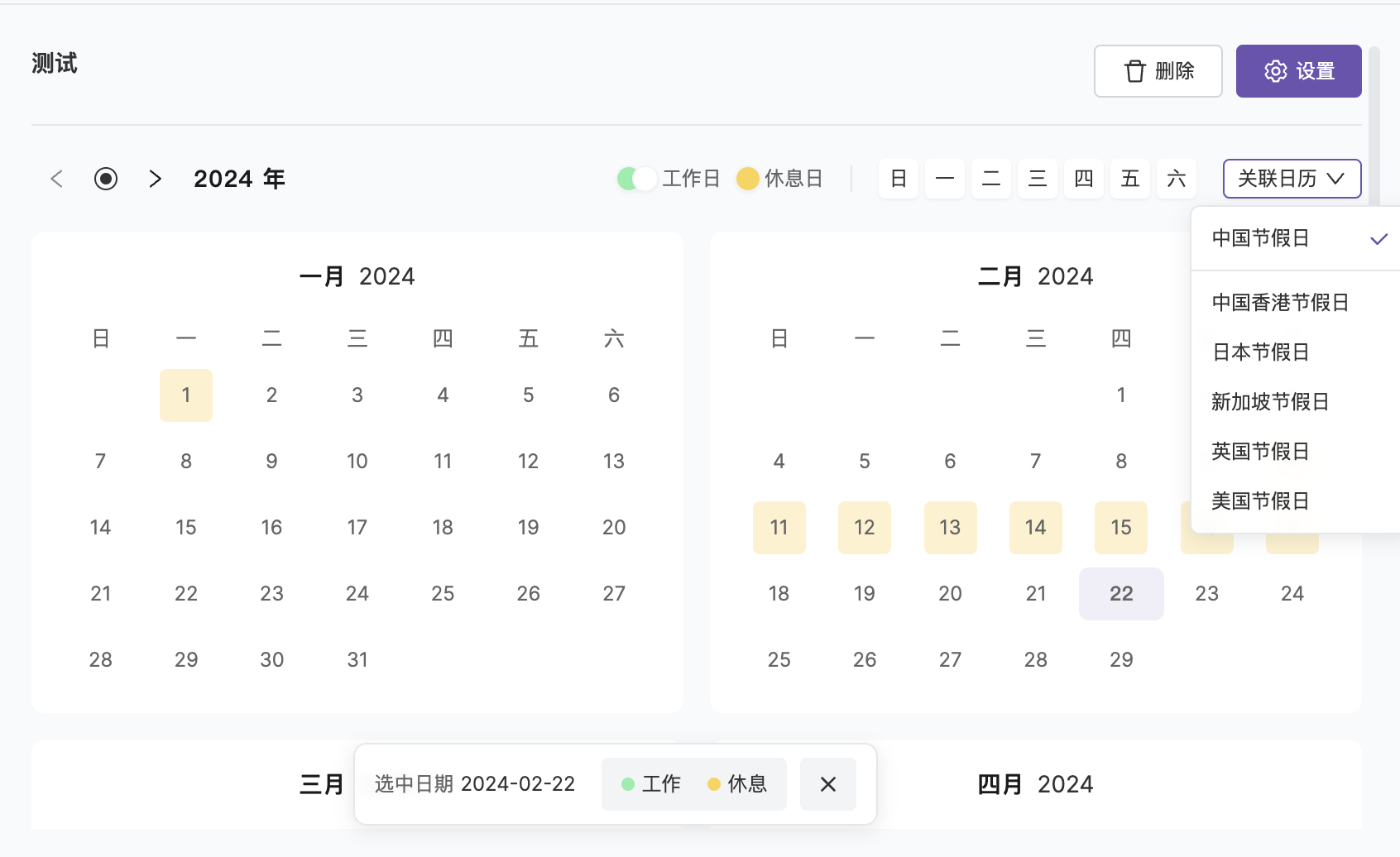
| **Link Holidays** | Recommend linking national holidays for automatic holiday schedules, can also be adjusted manually |
New calendars default to all workdays. After linking holidays, statutory holidays are automatically marked as rest days.
## Editing a Calendar
***
| Action | Description |
| ------------------------- | ------------------------------------------------------------------------- |
| **Modify Basic Info** | Calendar name, description, management team |
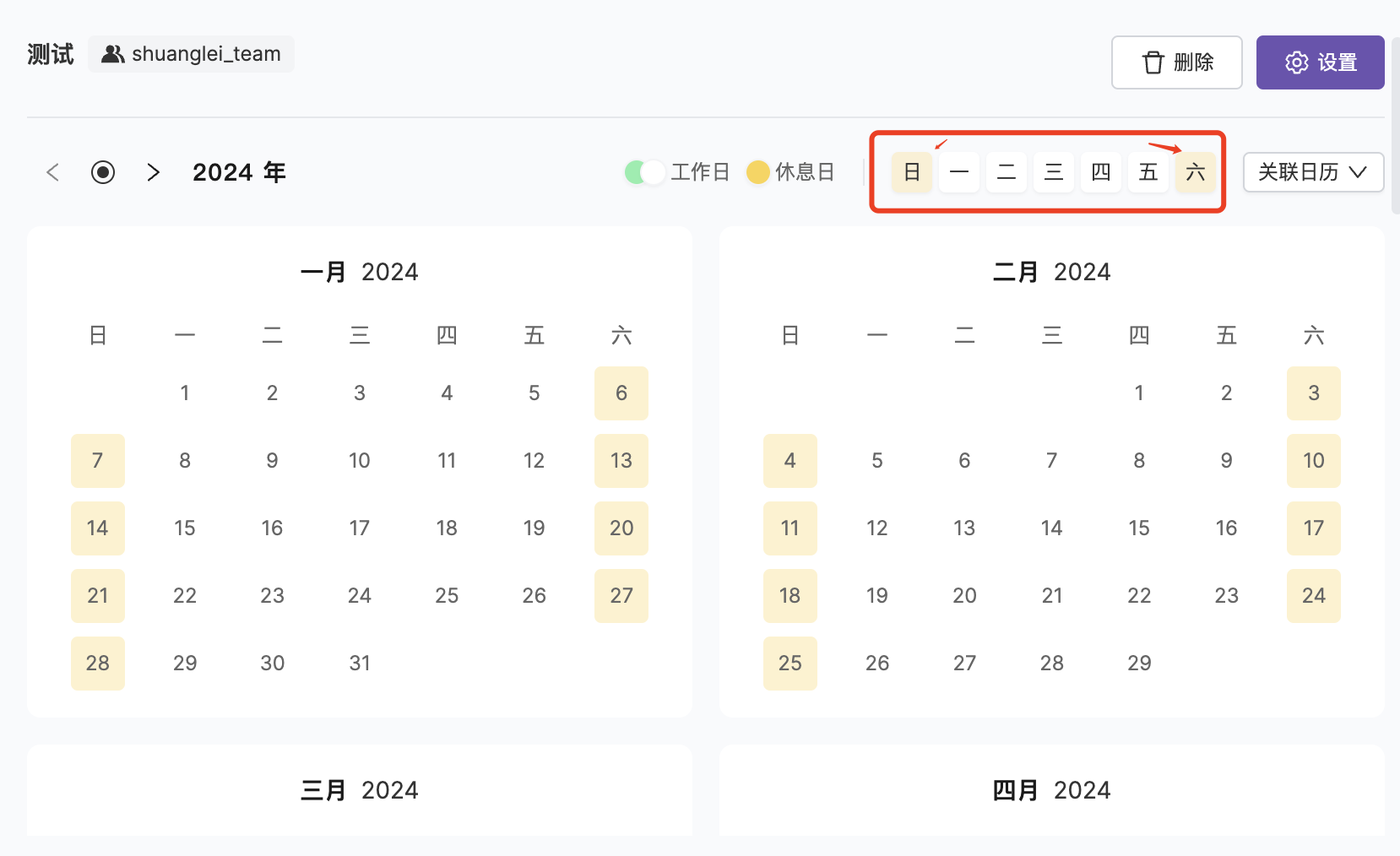
| **Bulk Mark Rest Days** | Quickly mark by day of week, e.g., every Saturday and Sunday as rest days |
| **Single Day Adjustment** | Click on a date to toggle workday/rest day status |
Deleting a calendar is irreversible. Please confirm no escalation rules or silence rules reference it before deletion.
## FAQ
***
They serve different purposes:
* **Schedule**: Defines "who handles it", the recipient of incidents
* **Service Calendar**: Defines "when to handle it", the time condition for escalation rules
Service calendars are above schedules in hierarchy—first determining if it's a workday, then deciding whether to assign to on-call personnel.
## Related Topics
***
Reference service calendars in escalation rules
Silence alerts by calendar type