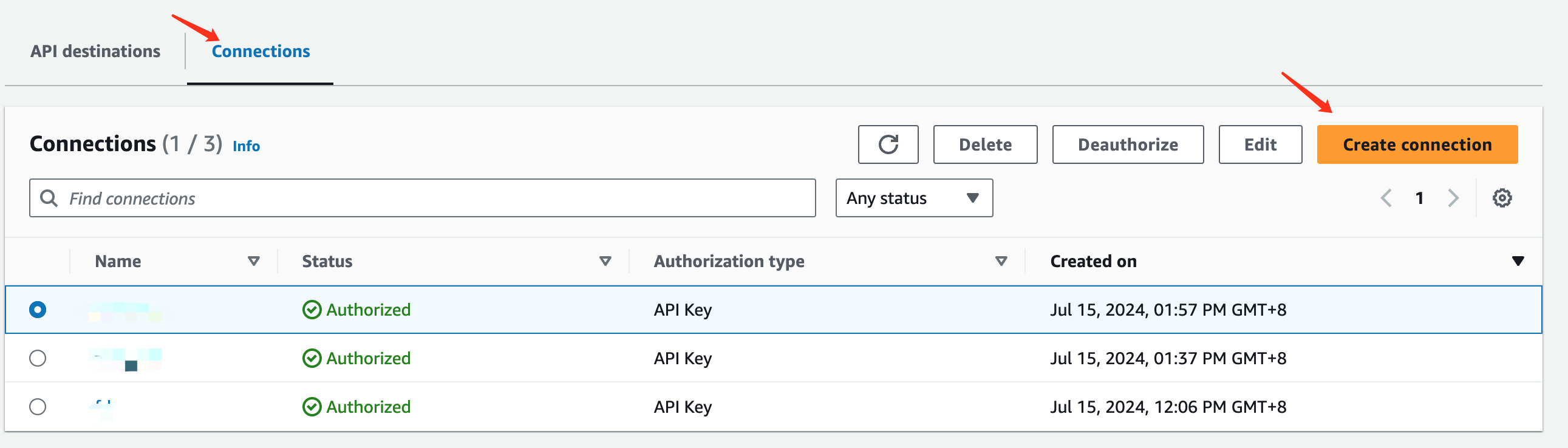
 4. In the `Connection details` section, enter `Flashduty` for `Connection name`
5. In the `Authorization` section, select `Other` for `Destination type`
6. Select `API Key` for `Authorization type`
7. Enter `Flashduty` for `API key name`, and enter the `integration_key` from the integration push URL for `Value`
8. Click `Create` to save
4. In the `Connection details` section, enter `Flashduty` for `Connection name`
5. In the `Authorization` section, select `Other` for `Destination type`
6. Select `API Key` for `Authorization type`
7. Enter `Flashduty` for `API key name`, and enter the `integration_key` from the integration push URL for `Value`
8. Click `Create` to save
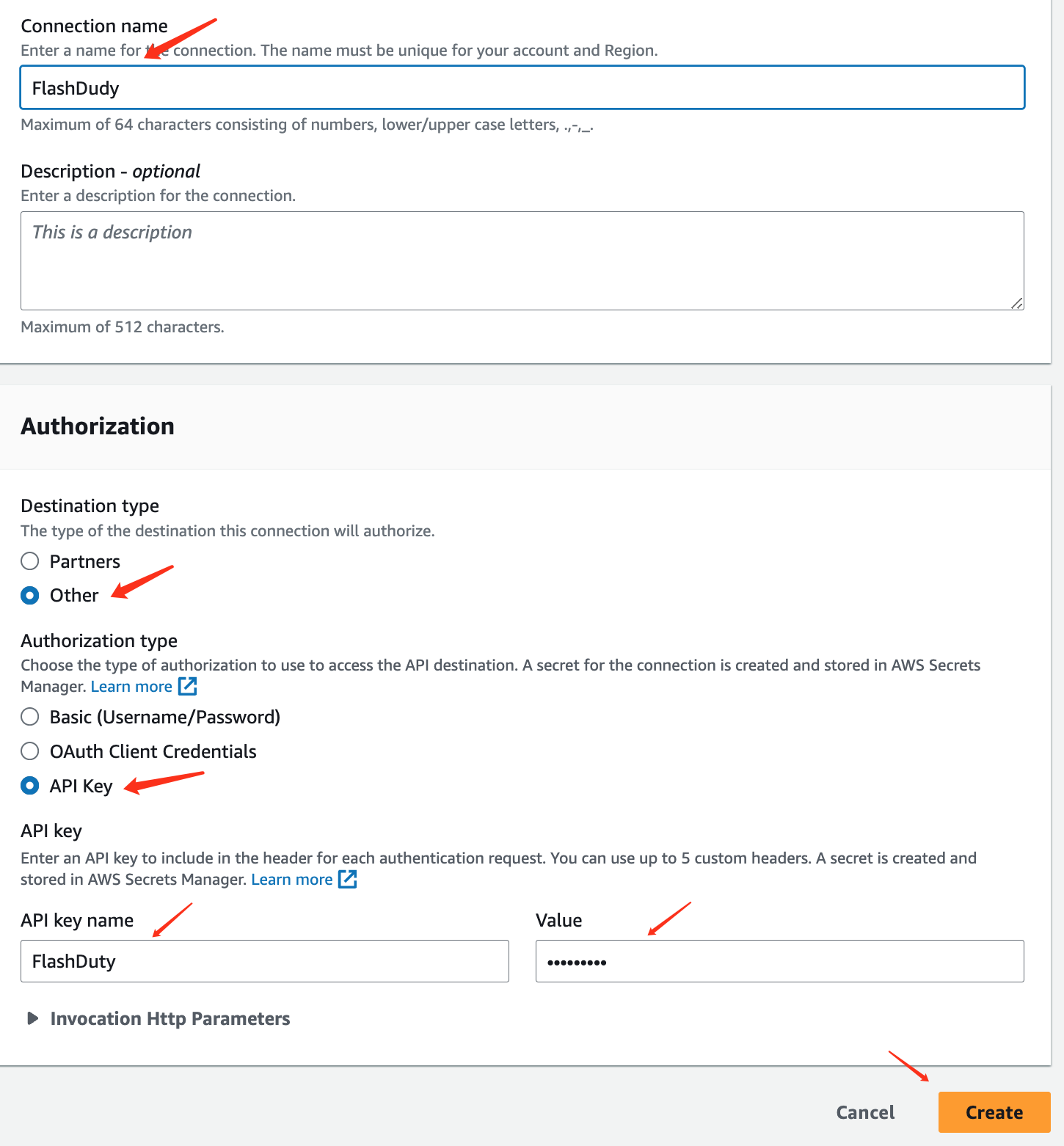 ### Step 2: Create API destination
1. Return to the `API destinations` interface and click `Create API destination`
### Step 2: Create API destination
1. Return to the `API destinations` interface and click `Create API destination`
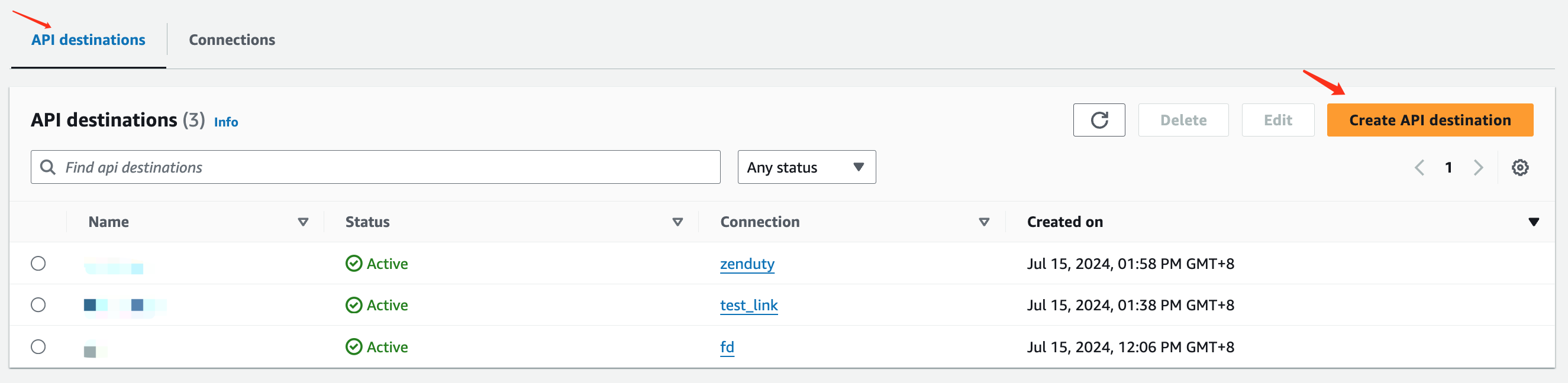 2. Fill in the information in the `API destination detail` editing interface, enter `Flashduty` for `Name`
3. Enter the integration push URL for `API destination endpoint`
4. Select `POST` for `HTTP method`
5. Select `Use an existing connection` for `Connection type` and choose the `Flashduty` Connection added in Step 1
6. Click `Create` to save
2. Fill in the information in the `API destination detail` editing interface, enter `Flashduty` for `Name`
3. Enter the integration push URL for `API destination endpoint`
4. Select `POST` for `HTTP method`
5. Select `Use an existing connection` for `Connection type` and choose the `Flashduty` Connection added in Step 1
6. Click `Create` to save
 ### Step 3: Use the API destination created in Step 2 in EventBridge Rules
1. Log in to your AWS Console, search for `Amazon EventBridge` product, and enter the corresponding product console
2. Select `Buses=>Rules` from the left navigation bar, create or edit existing rules
3. Other configurations are omitted here
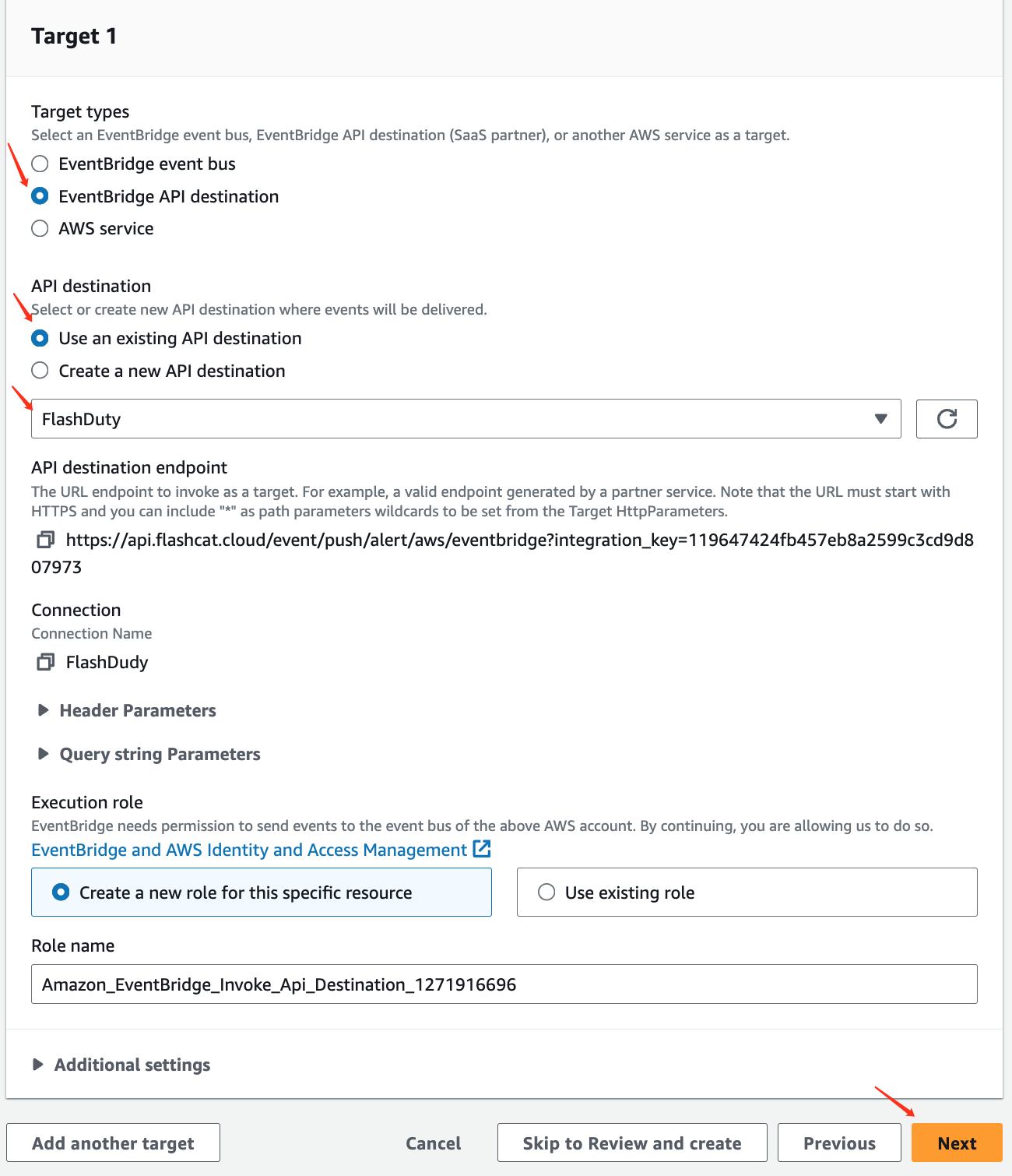
4. For `Target types`, select `EventBridge API destination` as the target type
5. Under `API destination`, select `Use an existing API destination` and choose the `Flashduty` API destination created in Step 2 from the dropdown
6. Click `Next`, configure as needed, and save
### Step 3: Use the API destination created in Step 2 in EventBridge Rules
1. Log in to your AWS Console, search for `Amazon EventBridge` product, and enter the corresponding product console
2. Select `Buses=>Rules` from the left navigation bar, create or edit existing rules
3. Other configurations are omitted here
4. For `Target types`, select `EventBridge API destination` as the target type
5. Under `API destination`, select `Use an existing API destination` and choose the `Flashduty` API destination created in Step 2 from the dropdown
6. Click `Next`, configure as needed, and save
 ## II. Status Mapping
1. Since AWS EventBridge events don't have severity levels, all events pushed to Flashduty will have a Warning severity
2. AWS EventBridge events only have triggers without recovery states, so events received by Flashduty won't automatically associate with recovery