Monitors queries VictoriaLogs via HTTP, supporting querying raw logs and statistical analysis, and performing threshold evaluation and data exists/missing checks based on results.
1. Prerequisites
Query Modes
Calls /select/logsql/query interface, returning two-dimensional table data.| Config Item | Description |
|---|
| Query Statement | e.g., error | fields _time, _stream, _msg | sort by (_time) desc |
| Return Limit | Limit maximum returned rows, max can be set to 100 |
| Time Range | Specify query time window, e.g., “last 5 minutes” |
| Label Fields | Used to distinguish different alert entities, can configure multiple |
| Value Fields | Required in threshold evaluation mode |
Calls /select/logsql/stats_query interface, returning Prometheus protocol format data.| Config Item | Description |
|---|
| Query Statement | e.g., _time:1d | stats by (level) count(*) total |
Query statement must include _time filter condition (like _time:5m), otherwise it will query all data causing performance issues.
VictoriaLogs data source most recommends using “Data Exists Mode”, best suited for log scenarios.
2. Threshold Evaluation Mode
Both Query Raw and Do Stats query modes can be used. Examples below explain each.
2.1 Query Raw Example
Query statement example:
level:ERROR | stats by (level) count(*) total
total, label field as level (or leave empty, Monitors will auto-detect). Different threshold different level configuration examples:
- Warning:
$A.total >= 50 or shorthand $A >= 50 (since there’s only one value field: total)
- Critical:
$A.total >= 100 or shorthand $A >= 100 (since there’s only one value field: total)
2.2 Do Stats Example
Query statement example:
_time:1d and level:ERROR | stats by (level) count(*) total
Result follows Prometheus protocol format:
Different threshold different level configuration examples:
- Warning:
$A.total >= 50 or shorthand $A >= 50 (since there’s only one metric field: total)
- Critical:
$A.total >= 100 or shorthand $A >= 100 (since there’s only one metric field: total)
2.3 Recovery Logic
| Strategy | Description |
|---|
| Auto Recovery | When values no longer satisfy any alert threshold, automatically generates recovery event |
| Specific Recovery Condition | Configure recovery expression (e.g., $A.total < 10) to reduce flapping |
| Recovery Query | Independent query for recovery evaluation, supports ${label_name} variables |
3. Data Exists Mode
This is the most recommended VictoriaLogs alert configuration method, because log scenarios are better suited for “alert when anomalous data exists” mode.
_time:15m and level:ERROR | stats by (level) count(*) total | filter total:>10
| filter total:>10 filters data with total greater than 10. As long as data rows satisfying this condition are returned, Monitors triggers alert; if no data rows satisfy this condition, alert is considered recovered.
4. No Data Mode
No Data mode is used to monitor “logs that should be continuously generated are no longer appearing”, common scenarios:
- Application instance no longer producing logs (possibly process exited)
- Log collection pipeline anomaly (like agent down or output blocked)
Configuration Example
Query statement (Do Stats mode):
_time:15m and level:INFO | stats by (level) count(*) total
5. Getting Original Logs During Alert
Alert query conditions typically use “Do Stats” mode, which doesn’t return original logs. Monitors supports configuring “Related Query” in alert rules to additionally query original logs when alert triggers.
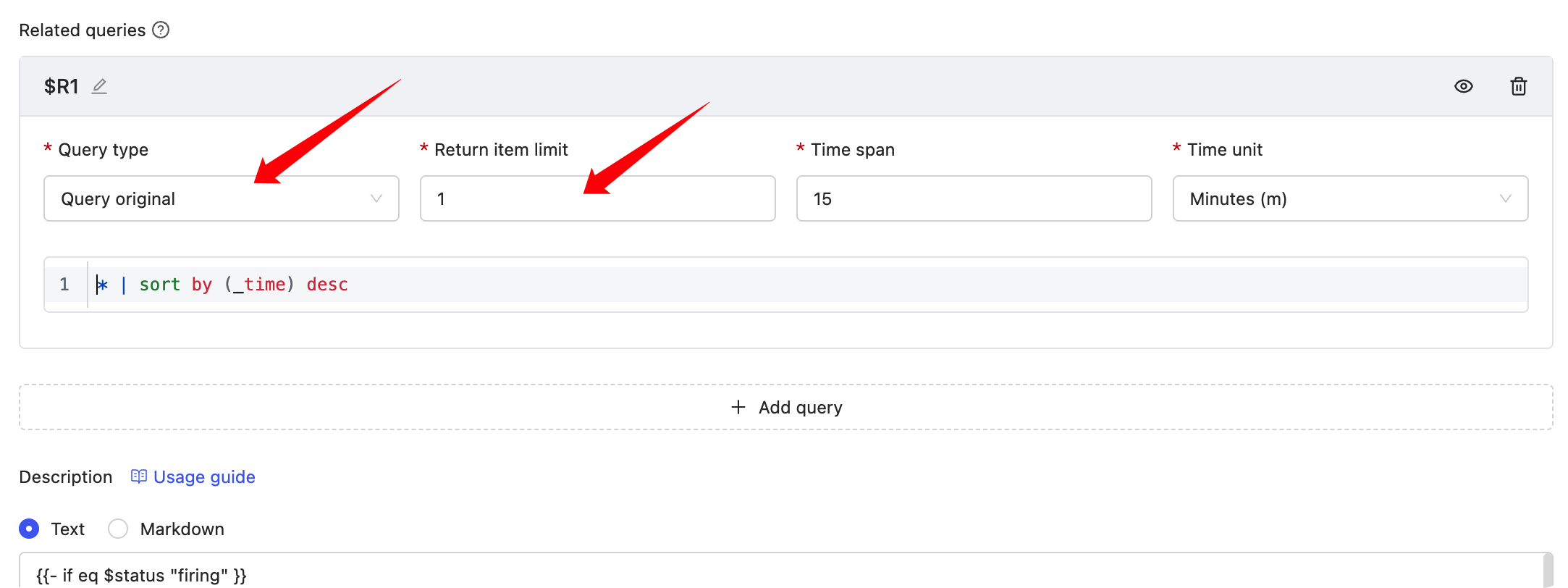 “Related Query” results can be rendered in “Notes Description”, example:
{{- if eq $status "firing" }}
triggered value: {{ $value | printf "%.3f" }}
{{- range $x := $relates.R1}}
{{- range $k, $v := $x.Fields }}
{{- if eq $k "_time" }}
{{ $k }} : {{ timeFormat $v "2006-01-02T15:04:05Z07:00" 8 }}
{{- else }}
{{ $k }} : {{ $v }}
{{- end }}
{{- end }}
{{- end}}
{{- else}}
Recovered
{{- end}}

