

Functional Permissions
Functional permissions, also known as operational permissions, determine which system features or operations a user can access. This includes: whether APIs can be called, whether buttons are clickable, and whether pages and menus are visible.
Preset Roles
Admin
Admin
Has all permissions. Suitable for core members who need complete management capabilities. The Admin permission bitmap queries
account_id IN (0, current account ID) with no upper bound on permission IDs, so it automatically includes every custom menu visit permission for that account — no explicit role binding required.Responder
Responder
Has all system permissions except “Payment Center”, “Members Manage”, “Roles Manage”, and “SSO Manage”. Suitable for members handling daily operations work. The Responder query adds an
id < 100000 filter. Custom menu permission IDs are Snowflake-generated (far above 100000), so Responder does not automatically inherit any custom menu access — each menu must be explicitly bound to this role via the menu’s role_ids configuration.Viewer
Viewer
Has most read-only system permissions except “Audit” and “Onboarding”. Suitable for members who only need to view data. Like Responder, Viewer is also subject to the
id < 100000 filter and does not automatically inherit custom menu access — explicit role binding is required per menu.Permission List
The system divides permissions by product scope, with each permission point having Read and Manage types. Permissions are grouped and displayed under the following product scopes, each with a corresponding icon:- Platform: Organization management, payment center, and other foundational platform permissions
- On-call: Incident response, configuration management, status pages, and other on-call related permissions
- RUM: Frontend monitoring related permissions
- Monitors: Monitoring and alerting related permissions
- Custom menu: Account-level dynamic permission group; each configured custom menu becomes a permission point
When a permission point has both Read and Manage types, granting Manage permission automatically includes the corresponding Read permission — no need to select it separately.
System vs. account-level dynamic permissions
Flashduty’s permission points fall into two categories:- System permissions: Defined by Flashduty and identical across all accounts. They cover the built-in modules: Platform, On-call, RUM, Monitors.
- Account-level dynamic permissions: Generated from resources configured by the current account, and only visible within that account. The custom menu visit permissions are the canonical example — every custom menu the account adds spawns a matching permission point.
| Field | Description |
|---|---|
account_id | 0 for system permissions; non-zero for account-level dynamic permissions (the value is the owning account ID) |
source | system for system permissions; account for account-level dynamic permissions |
source_ref | Source identifier for account-level dynamic permissions. For custom menu, this is the menu_id |
Custom menu permission group
Custom menu is a standalone permission scope, displayed alongside Platform, On-call, RUM, and Monitors. The group is rendered as a flat list — it is not further split into Read / Manage subclasses. Every custom menu configured under the account adds one permission point to this group:- Naming:
customMenu:visit:<menu_id>, where<menu_id>is the unique identifier of the custom menu. - Effect: Members granted this permission can see and visit the corresponding custom menu in the navigation; without it, the menu is hidden.
- Dynamic behavior: When a custom menu is deleted, the matching permission point disappears. When a custom menu is added, re-enter role editing to grant it to the relevant roles.
- Organization
- Payment
- Incident Response
- Configuration
- Status Pages
- Monitors
- RUM
- Other
| Permission | Type | Description |
|---|---|---|
| Members Manage | Manage | Invite and remove members, grant and revoke member roles |
| Roles Manage | Manage | Create, edit and delete roles, manage permissions within a role |
| Teams Manage | Manage | Create, edit and delete teams, manage team members |
| SSO Read | Read | View single sign-on configuration information |
| SSO Manage | Manage | Enable or disable single sign-on and modify its configuration |
| Audit Read | Read | Retrieve and read operation audit logs |
| API Keys Read | Read | View account API keys |
| API Keys Manage | Manage | Create, view, modify and delete account API keys |
Custom Roles
In addition to preset roles, you can create custom roles for more granular permission control. Configuration path: Platform Management → Role ManagementCreate Role
Go to the role management page and click Create Role, then fill in the role name and description. You can also quickly create a role by copying an existing one.
Edit Role Information
On the role detail page, click the edit icon (pen icon) next to the role name or description to edit them inline. Changes are saved automatically.
Configure Permissions
On the role detail page under the Permission List tab, click Edit to enter editing mode. In editing mode, you can batch select to grant or revoke multiple permission points at once, then click Save when done.
- System preset roles (Admin, Responder, Viewer) cannot be modified or deleted
- Custom roles support editing, copying, enabling/disabling, and deletion
- A member can hold multiple roles simultaneously; their effective permissions are the union of all assigned roles
Permission Matrix
| Permission Module | Admin | Responder | Viewer |
|---|---|---|---|
| Members Manage | ✔️ | ||
| Roles Manage | ✔️ | ||
| Teams Manage | ✔️ | ✔️ | |
| SSO | ✔️ | Read | |
| Audit | ✔️ | ✔️ | |
| API Keys | ✔️ | ✔️ | |
| Payment | ✔️ | Read | |
| Channels | ✔️ | ✔️ | Read |
| Incidents | ✔️ | ✔️ | Read |
| Integrations | ✔️ | ✔️ | Read |
| Analytics | ✔️ | ✔️ | Read |
| Configuration (Custom Fields, Schedules, Calendars, Templates, Mappings) | ✔️ | ✔️ | Read |
| Status Pages | ✔️ | ✔️ | Read |
| Monitors (Overview, Alerting Rules, Rule Repository, Node Permissions, Datasources, Alerting Engines) | ✔️ | ✔️ | Read |
| RUM (Applications, Performance, Error Tracking, Session Explorer, Session Replay) | ✔️ | ✔️ | Read |
| Onboarding | ✔️ | ✔️ | |
| Custom Menu (each menu granted independently) | Auto-inherited | Explicit binding required | Explicit binding required |
Data Permissions
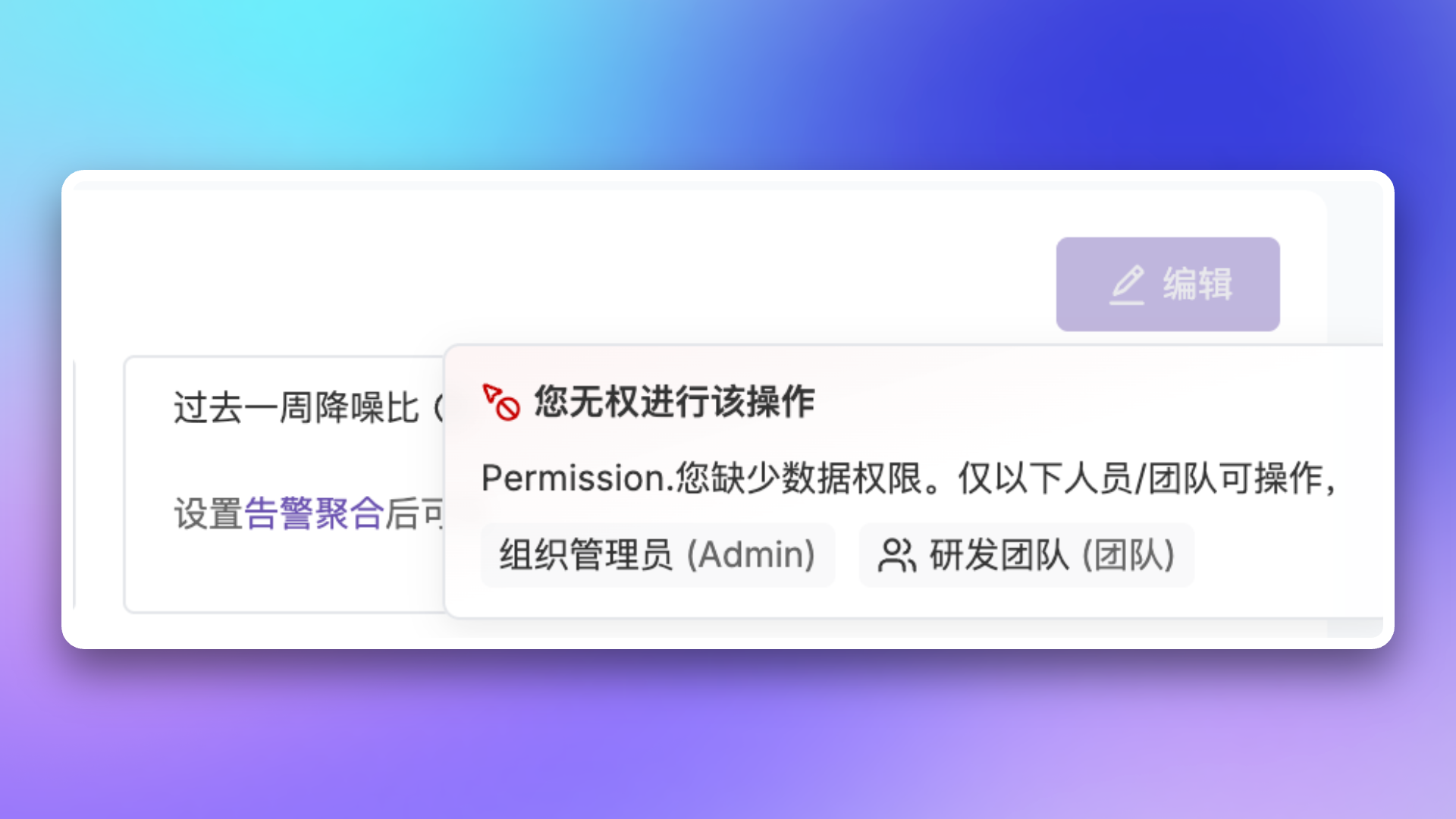
Data permissions, also known as access permissions, control the scope of data a user can access or view.
| Scenario | Permission Description |
|---|---|
| Team Management | Creator, owner account, and team members can modify team information and manage team members |
| Channels | Creator, owner account, and responsible team members can modify channel basic information, noise reduction configuration, escalation rules, etc. |
| Schedule Management | Creator, owner account, and responsible team members can modify schedule basic information, rotation rules, etc. |
| Template Management | Creator, owner account, and responsible team members can modify template basic information, channel template configurations, etc. |
| Service Calendar | Creator, owner account, and responsible team members can modify calendar basic information, holiday settings, etc. |
| Integration Management | Creator, owner account, and responsible team members can manage integration configurations |
| Mapping Rules | Creator, owner account, and responsible team members can manage mapping rule configurations |
Legacy Role Migration
Legacy Role Description
| Role | Description |
|---|---|
Account.Admin | Account Administrator, originally had all operational permissions |
Fin.Admin | Financial Administrator, originally had payment center ordering permissions |
Tech.Admin | Technical Administrator, originally had access control and audit permissions (including member management) |
Migration Mapping
| Original Role | New Role | Description |
|---|---|---|
Account.Admin | Admin | Permissions unchanged |
Fin.Admin | Admin | Permissions elevated |
Tech.Admin | Responder | Member management permissions removed |
| No role | Responder | Automatically granted |
| Custom role | Unchanged | May lose some Monitors permissions, please check |
Compatibility Notes
The following scenarios will automatically grant the Viewer role to ensure members have basic access permissions:- When inviting new members via Open API without specifying a role
- When automatically creating members through Single Sign-On (SSO) without specifying a role
Related Topics
Team Management
Learn about team and member management
Single Sign-On
Configure SSO for unified identity authentication