

Core Features
User Session Navigation
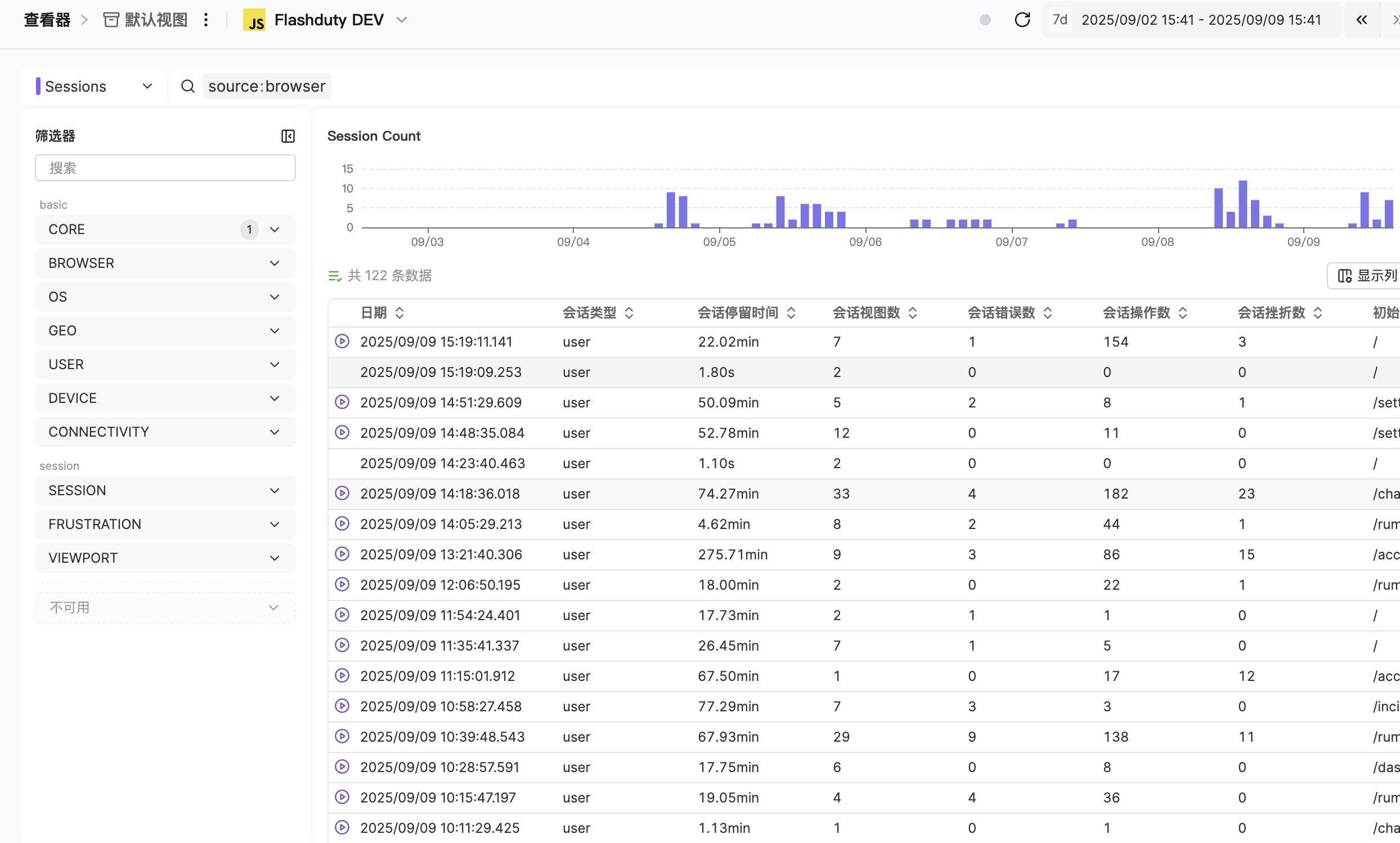
Browse and analyze complete user session paths to understand user behavior patterns within the application
Performance Issue Investigation
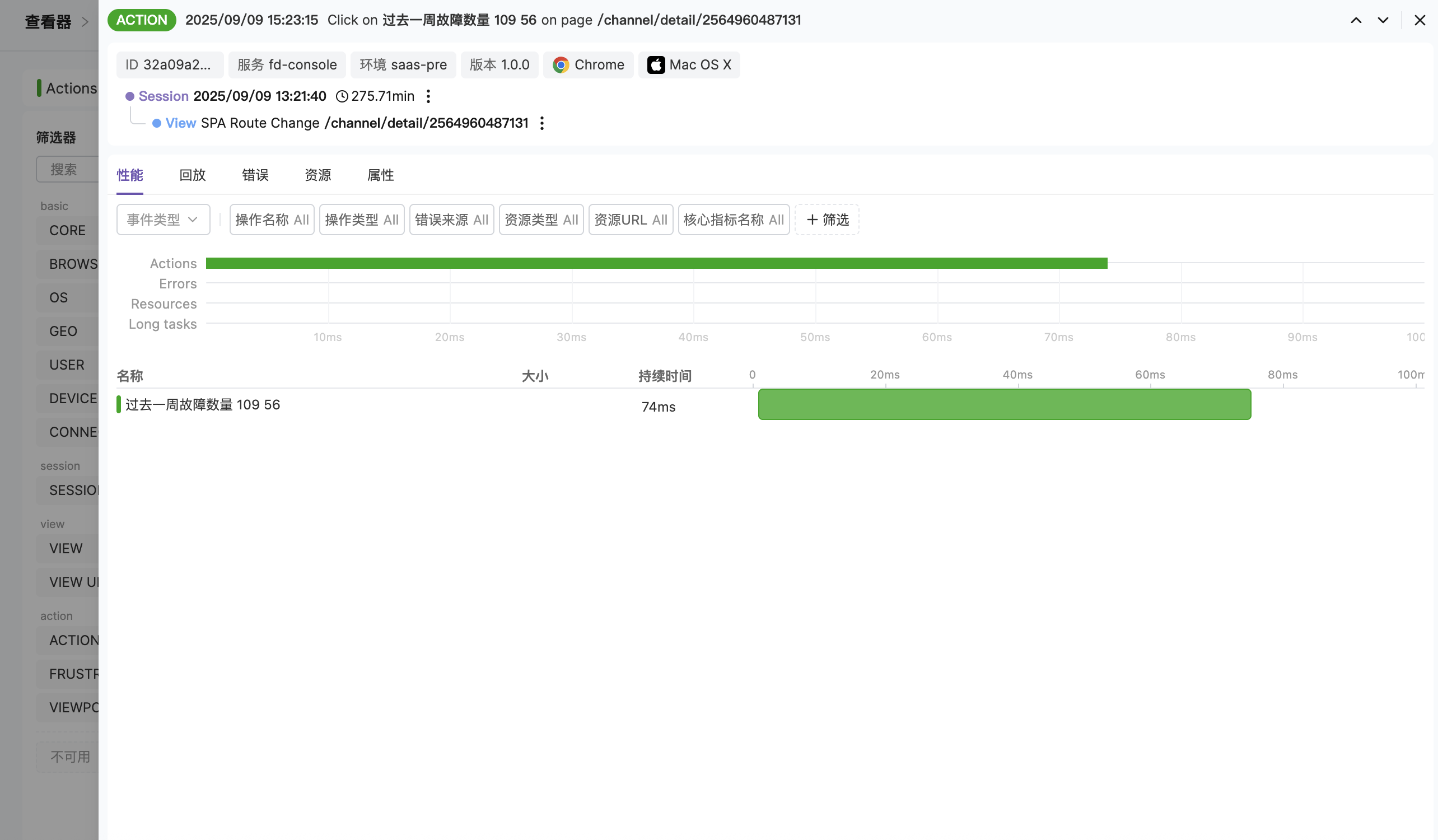
Deeply analyze performance issues affecting page views, resource loading, or user operations
Application Error Troubleshooting
Quickly locate and diagnose application errors and long-running tasks
Data Search & Filtering
Precisely filter and select RUM events through the search bar and visualization type selection
Value and Benefits
| Benefit | Description |
|---|---|
| Data-Driven Decisions | Make product optimization and performance improvement decisions based on real user data |
| Quick Problem Location | Quickly identify performance bottlenecks and user experience issues through visual interface |
| User Behavior Insights | Gain deep understanding of how users interact with your application and discover improvement opportunities |
| Comprehensive Monitoring Coverage | Full-chain monitoring and analysis from page load to user operations |
Use Cases
Performance Optimization
Performance Optimization
Analyze page load times and resource loading efficiency to identify performance bottlenecks.
User Experience Improvement
User Experience Improvement
Understand user operation paths and discover issues in interaction design.
Error Troubleshooting
Error Troubleshooting
Quickly locate the specific scenarios and context where application errors occur.
Business Analysis
Business Analysis
Analyze user behavior patterns to provide data support for product feature optimization.
Main Features Explained
- View by Application
- Search & Filter
- View Details
Use the application selector in the top navigation bar to select a specific application and view all its RUM data.Through the application selector, you can quickly switch between data views for different applications, focusing on performance and user behavior analysis for specific applications.
Platform-Aware View Metrics
When you open the detail panel for a View, the metric cards on the Performance tab adapt to the View’s platform, so you always see the metrics that platform actually exposes.| Platform | Performance Metric Cards |
|---|---|
| Browser (Web) | LCP, FCP, INP, CLS |
| Native (Android / iOS) | refresh_rate, cpu_ticks, memory |
| WeChat Mini Program | first_render, lcp, fcp, onload_to_onshow, onshow_to_onready |
The platform is determined by the View event’s own
source field — no manual switching needed. For Mini Programs, onload_to_onshow and onshow_to_onready cover the two segments of the page lifecycle and help diagnose slow cold starts.view_first_render, view_onload_to_onshow, view_onshow_to_onready.
Saved Views
The saved views feature allows you to save your current query state as a reusable view for quickly switching between different analysis scenarios. Each account can create up to 20 saved views, and views are only visible to you.What a View Saves
Each saved view contains the following information:| Saved Item | Description |
|---|---|
| Time Range | The currently selected time filter |
| Query Type | The currently selected event type (e.g., Sessions, Views, Actions, Errors, etc.) |
| Query Statement | The DQL filter conditions in the search bar |
| Custom Columns | The column configuration of the data table |
View Operations
- Create View
- Switch View
- Edit View
- Delete View
- Reset to Default View
Click the view menu at the top of the Explorer, select “Save as New View”, enter a view name, and confirm. View names must be unique.
Next Steps
Data Query Guide
Master query syntax for precise data location
Distributed Tracing
Learn distributed tracing best practices