Label enhancement automatically generates new labels during alert ingestion to supplement source data. Examples: extract IP from description, map resource ID to readable name, combine multiple fields to generate jump links, query external systems via API for dynamic data
Plan requirement: Basic label enhancement requires an On-call Standard or higher subscription. Advanced label enhancement (such as API mapping) requires a Pro or higher subscription. Learn more
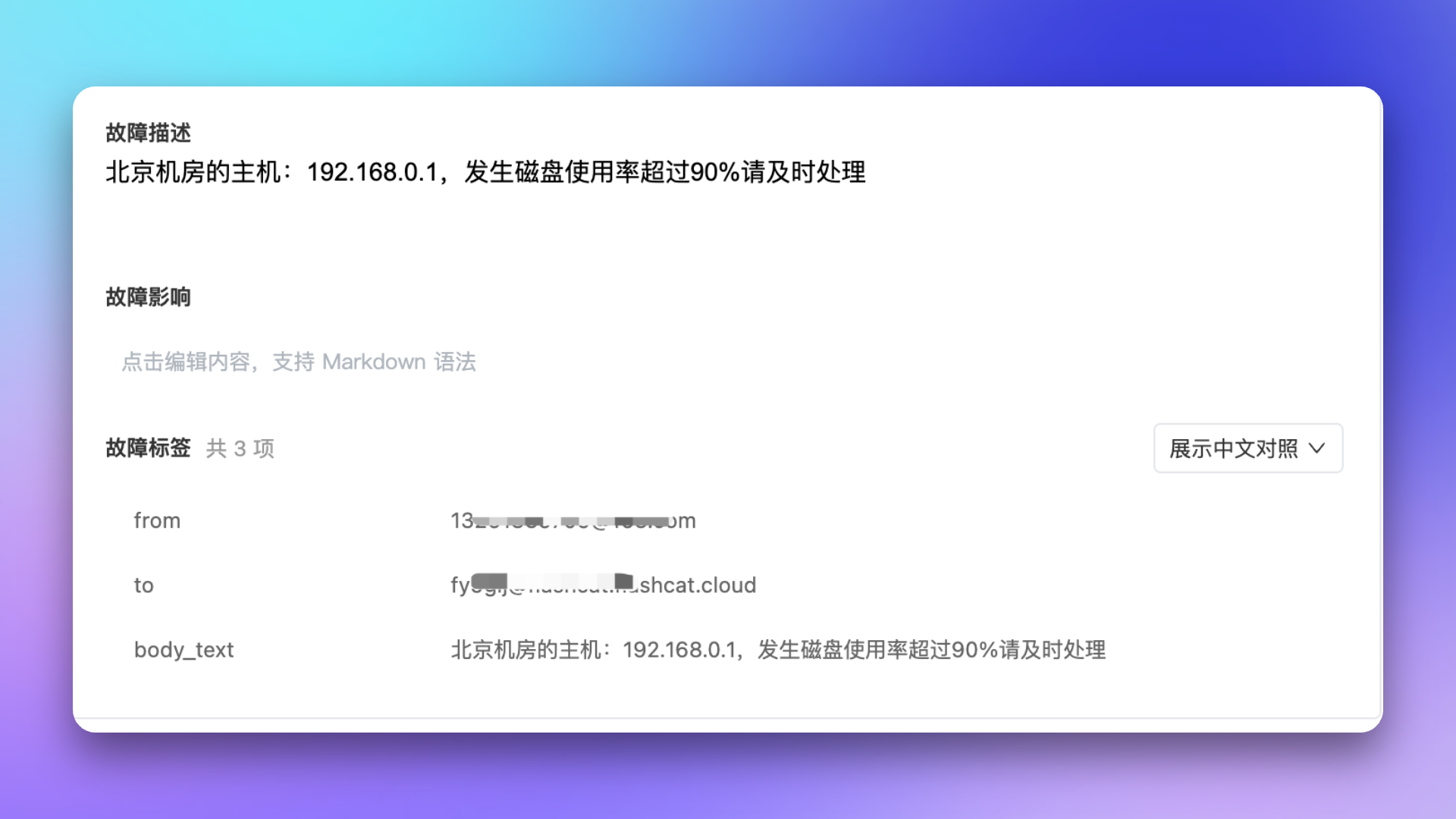
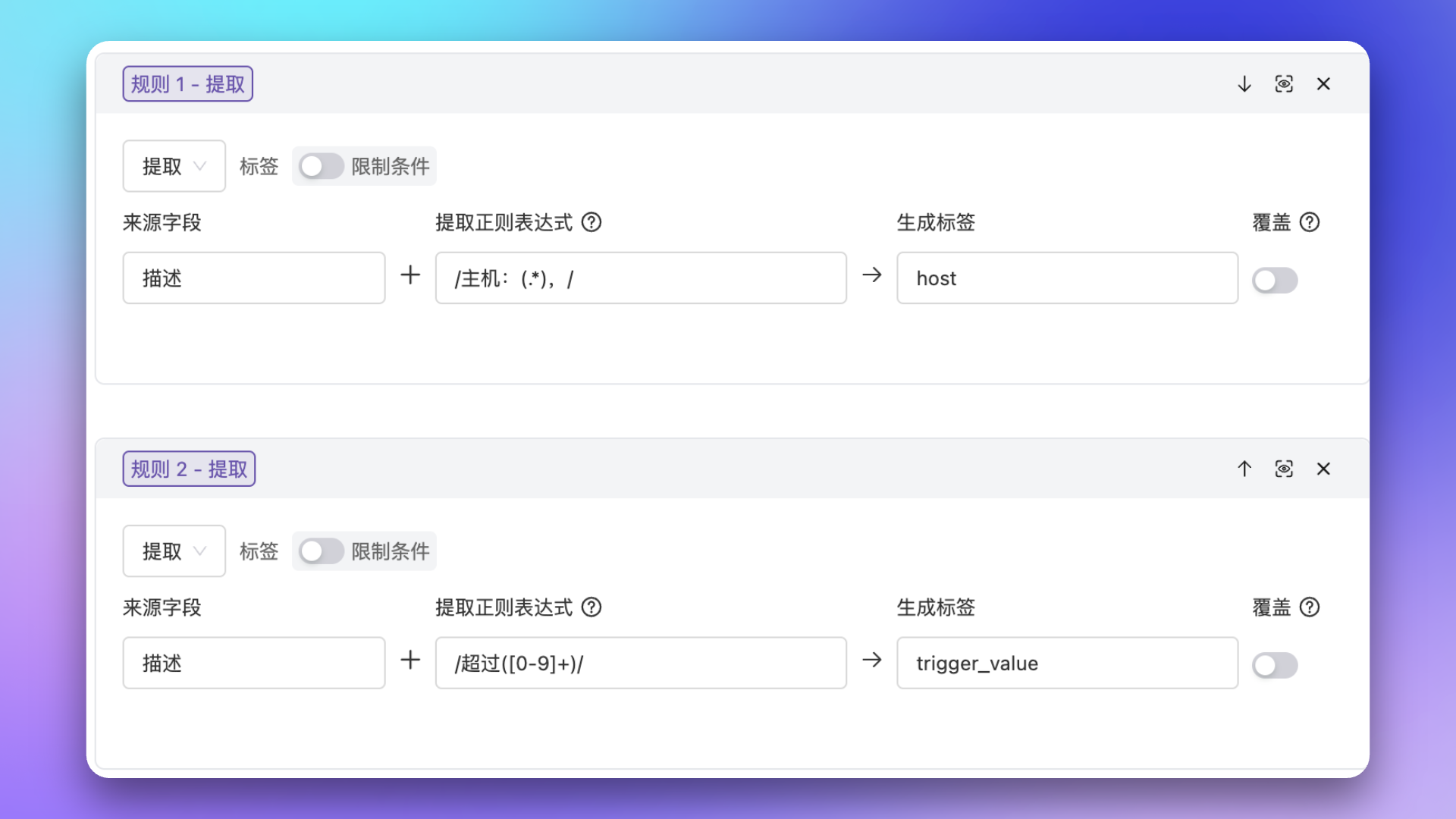
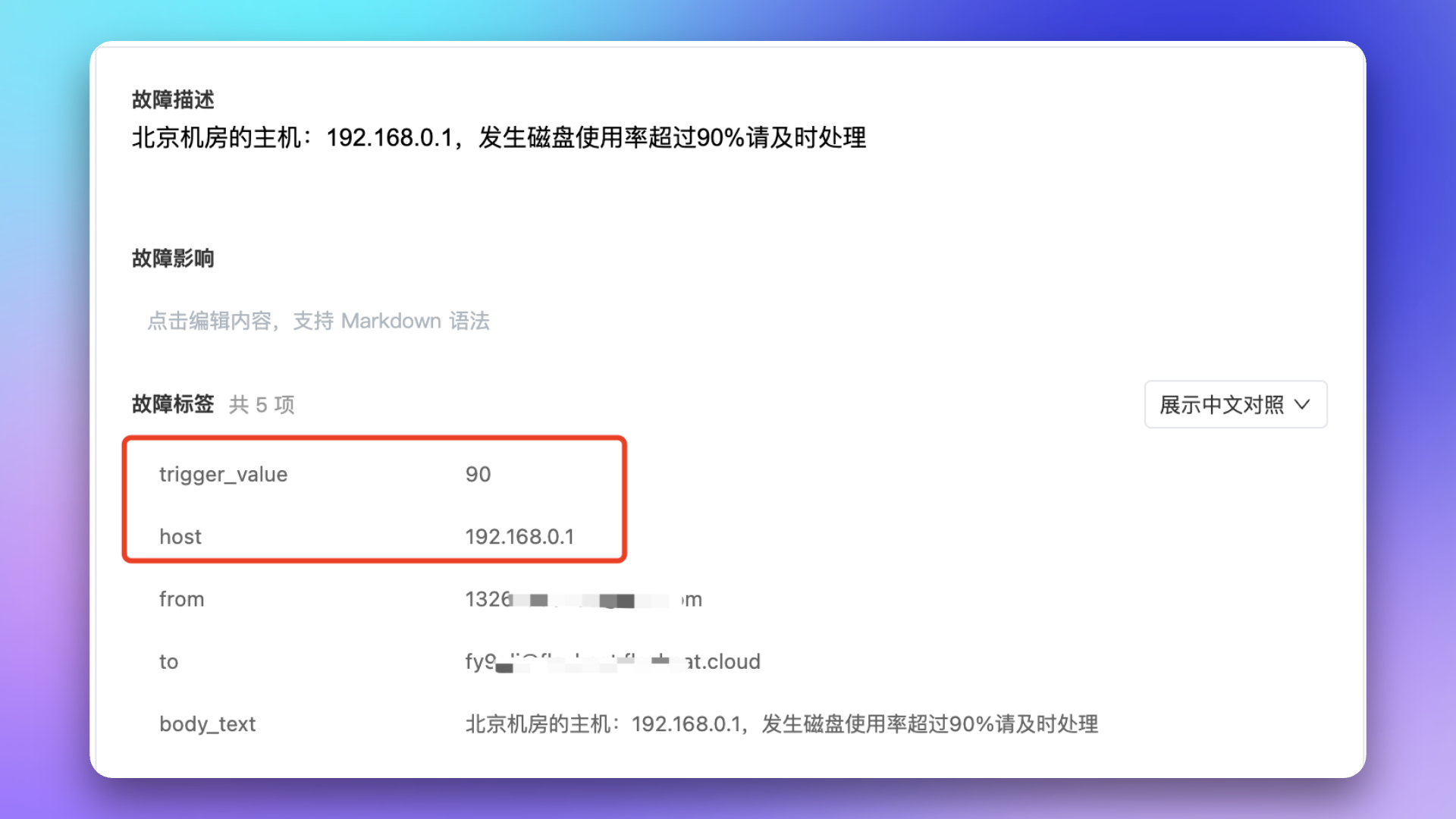
Scenario: Alert events come from email integration; need to extract key information from description as labels for other scenarios, like extracting IP and trigger value from description as independent labels.
1
View Original Alert
2
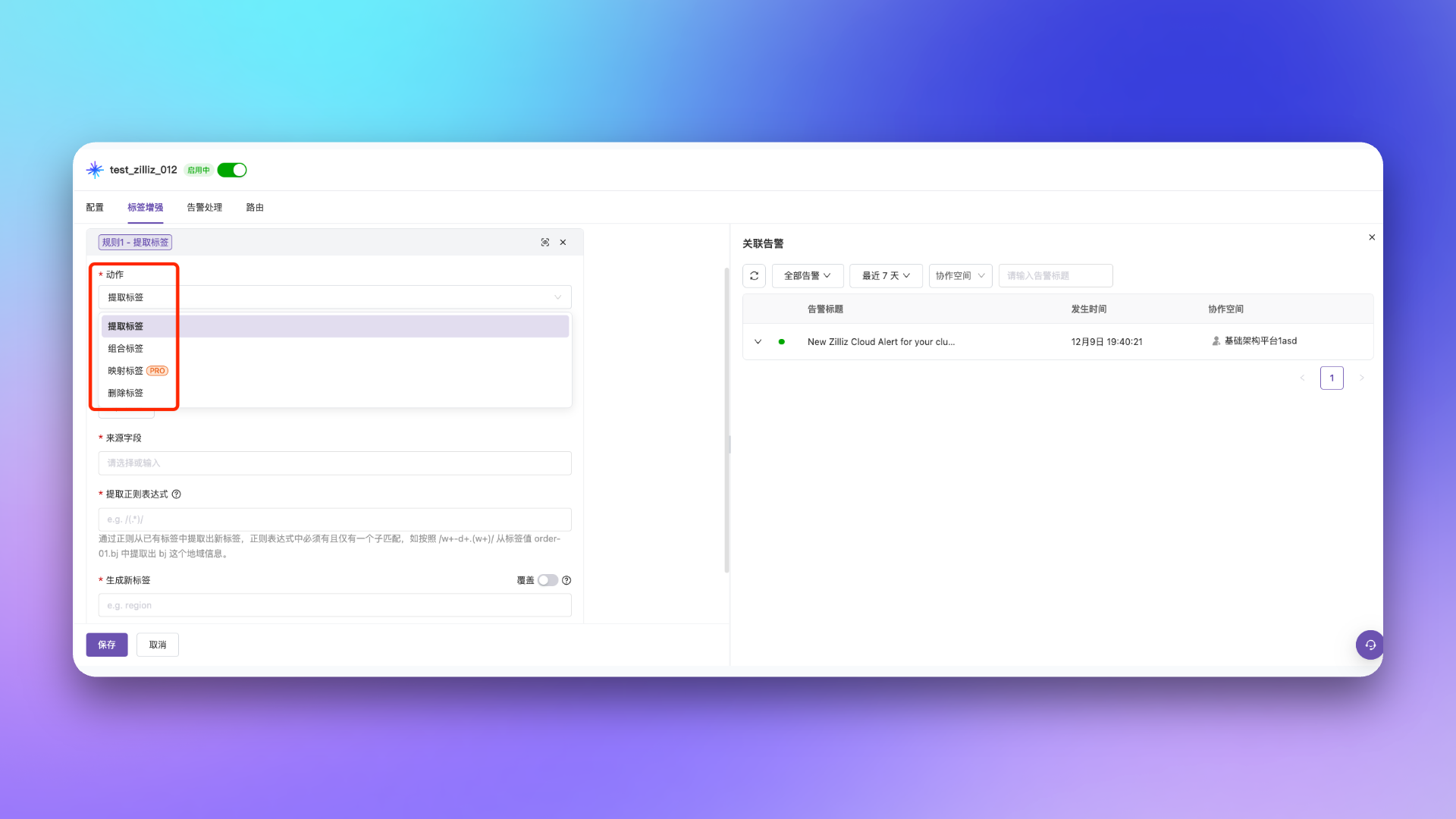
Configure Extraction Rule
3
Verify Extraction Result
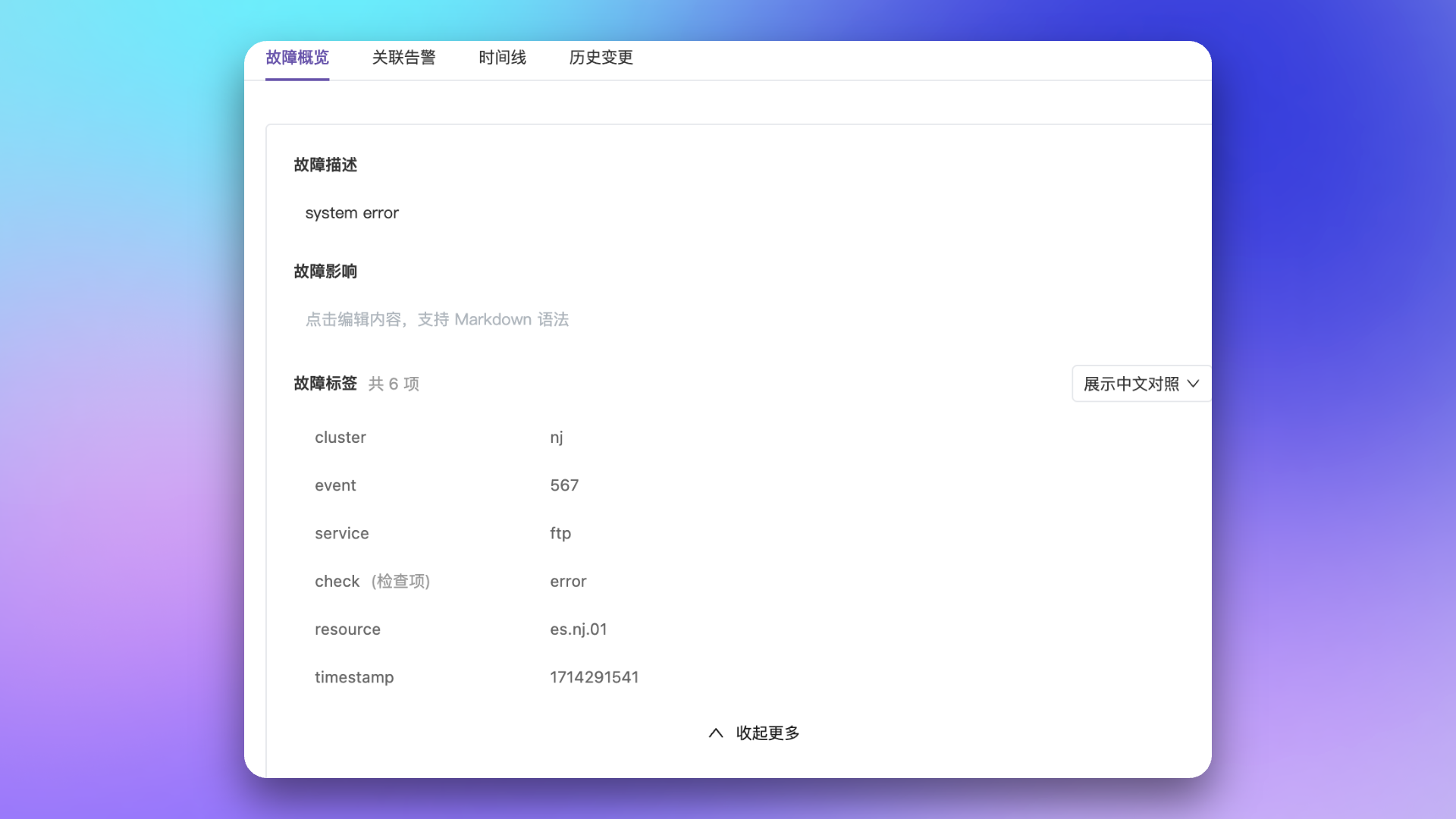
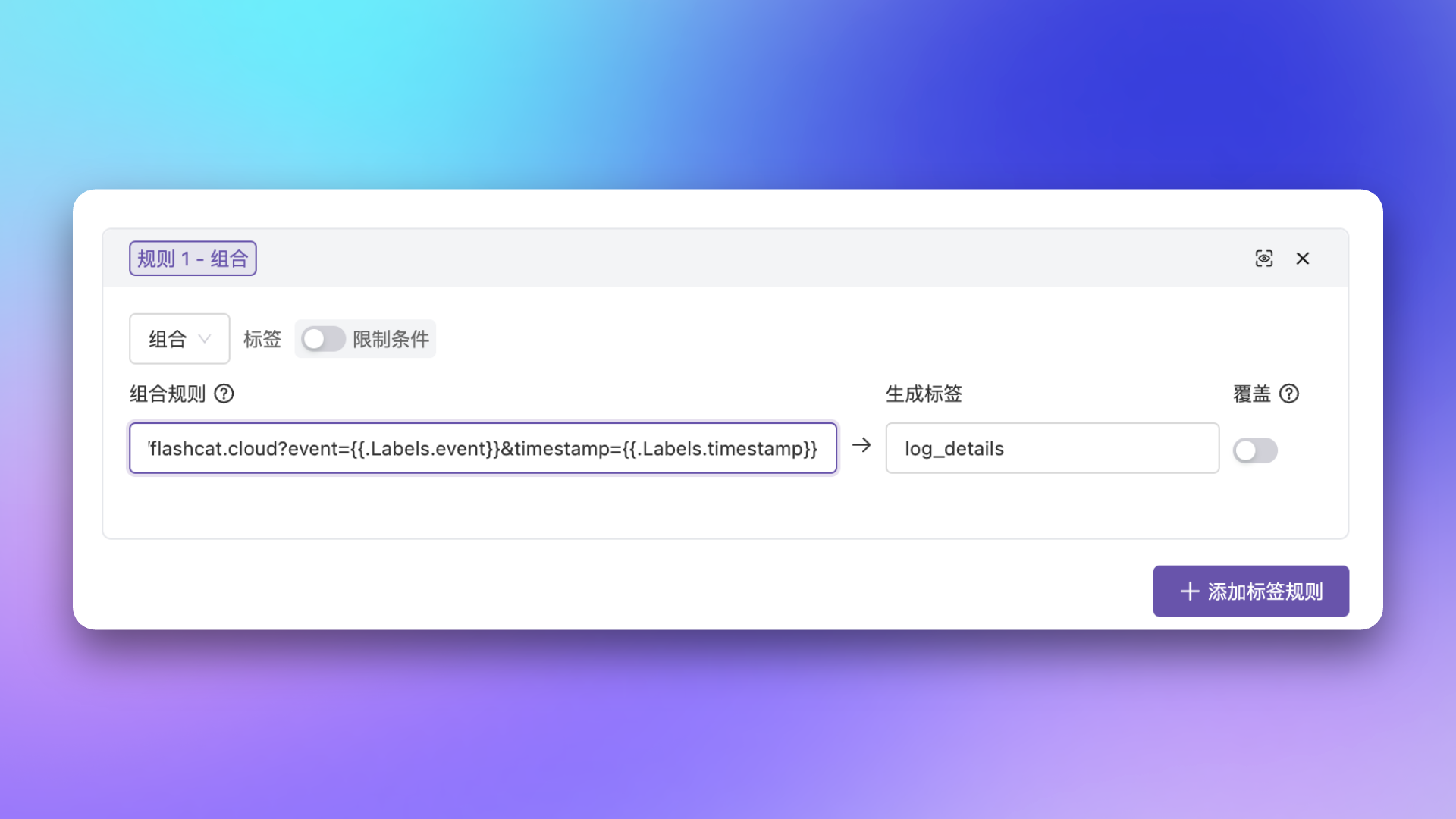
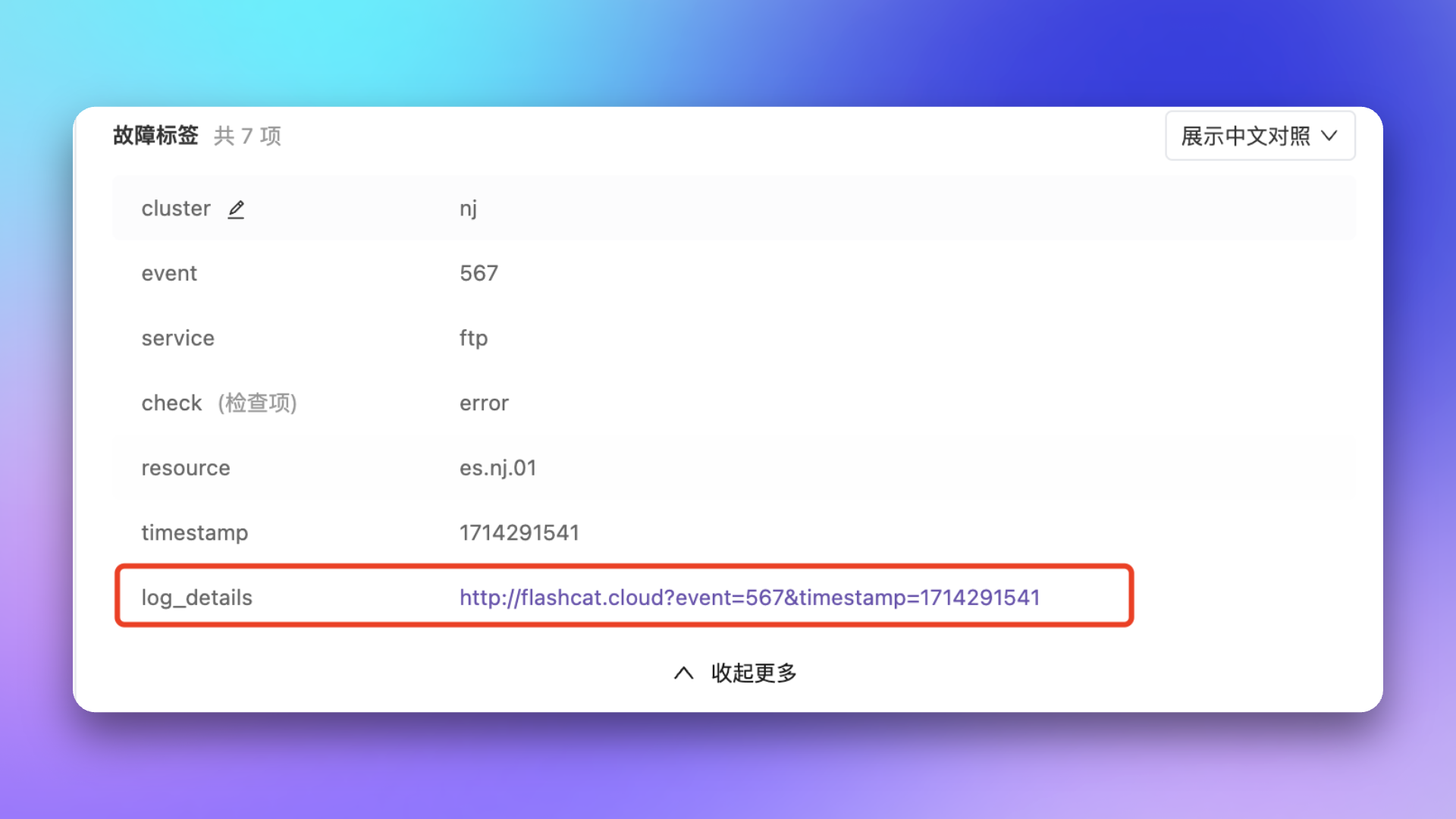
Scenario: Company’s log platform can access log details directly via domain + event ID + timestamp, but alert info only has event ID and timestamp labels, so need to combine these into an access URL.
1
View Original Alert
2
Configure Combination Rule
3
Verify Combination Result
Scenario: When source alert label values are variable and not intuitively meaningful, use mapping to map source labels to newly defined labels and values.Label mapping supports two mapping methods, selected via an inline radio toggle when adding a mapping rule — choose Schema or API:
Mapping Type
Description
Use Case
Schema (Mapping Table)
Static mapping via predefined CSV mapping table
Mapping relationships are relatively fixed with limited data
API (API Mapping)
Dynamic mapping by calling external API service
Need to query external systems (e.g., mapping api) for real-time data
Schema Mapping
API Mapping
Example: Source alerts only have resource type IDs, want to show corresponding resource type names.
1
Prepare Mapping Table File
Prepare a CSV format mapping table file to map resource type IDs in alerts to actual resource type names.
ID
Type
A
server
B
router
C
gateway
D
database
E
MQ
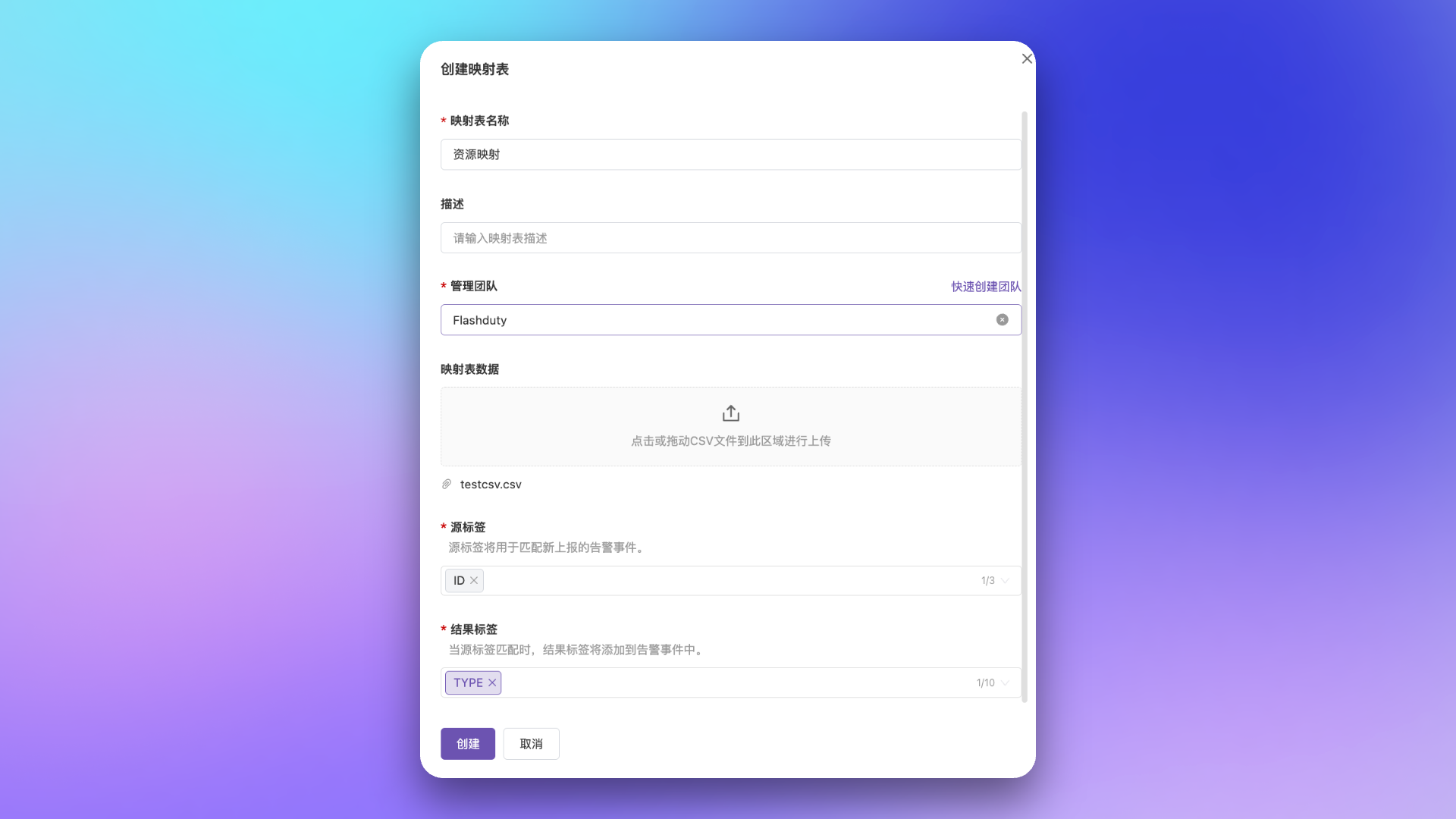
2
Create Mapping Table
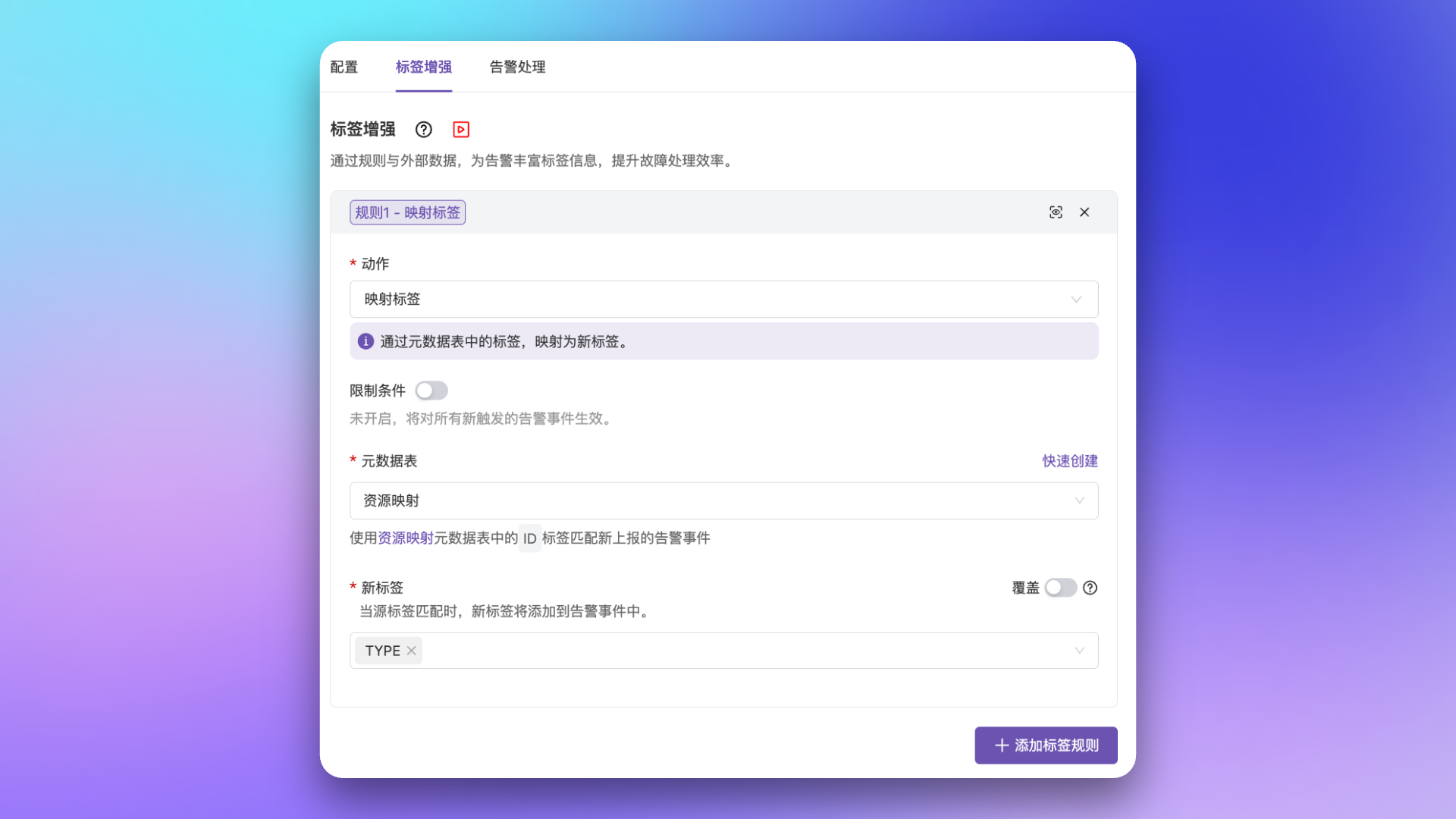
Go to Configuration → Mappings → Schema → Create mapping schema
Fill in basic info like name, description, management team, etc.
In Mapping Table Data, upload the prepared CSV file (if quantity is small, you can edit and add in mapping details page after creation)
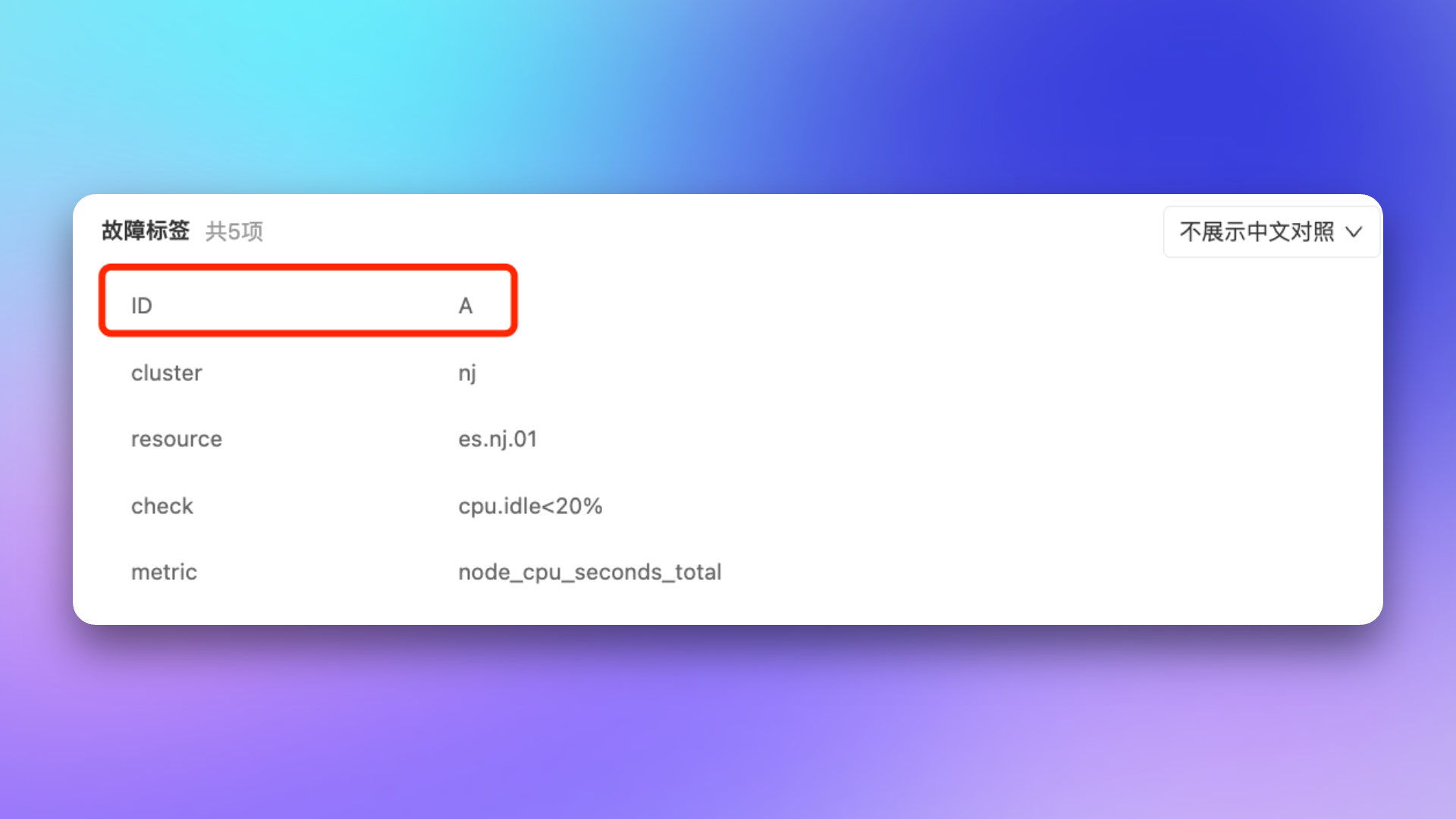
Original Alert: Reported alert info only has resource ID, no resource type name.
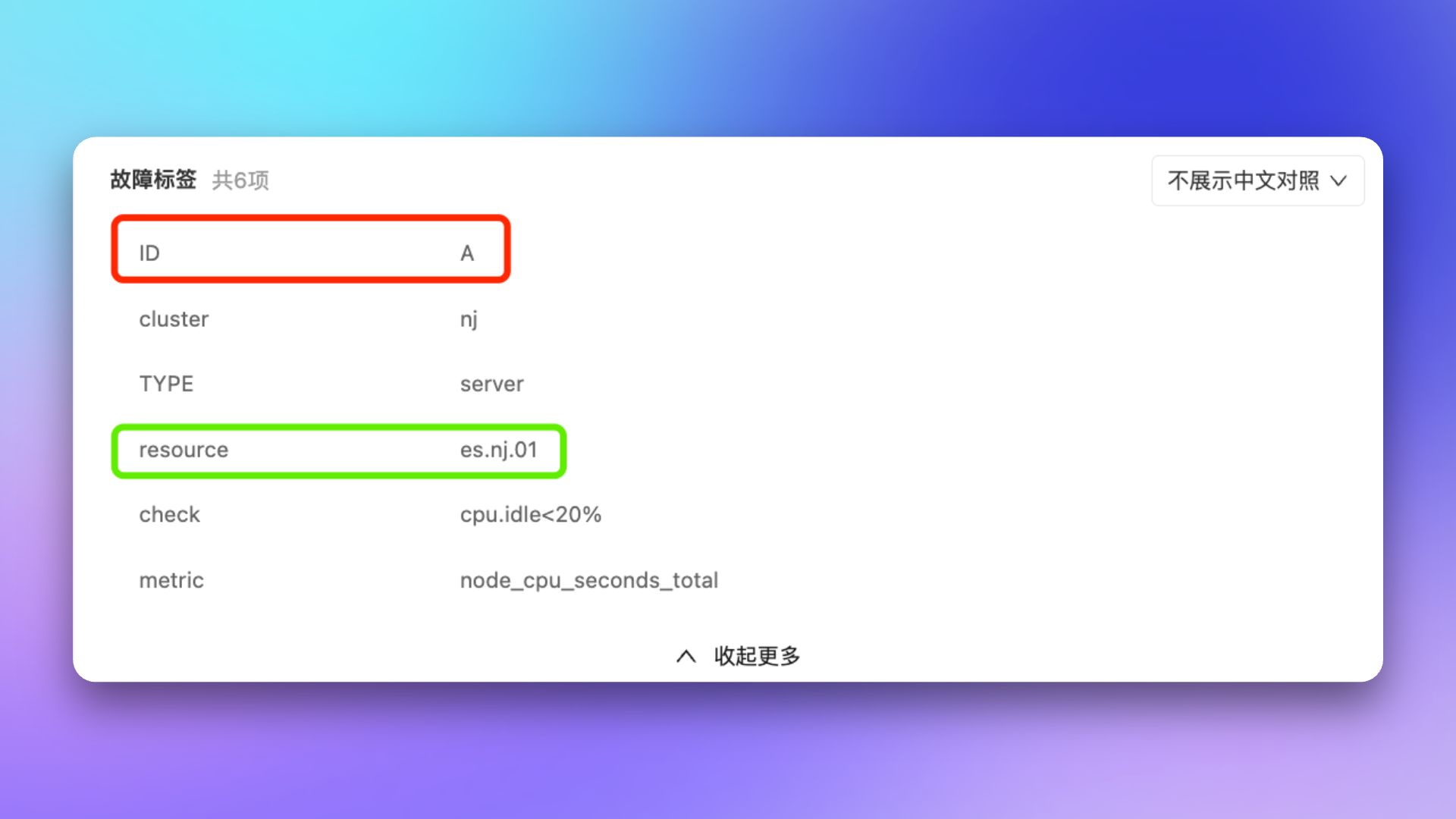
Mapping Result: Through configured mapping relationship, map resource ID to new resource type name label.
Example: Need to query responsible team, service tier, and other dynamic data from mapping api system based on host information in alerts.
1
Create Mapping Service
Go to Configuration → Mappings → API → Create API
Fill in service configuration:
Configuration
Description
Example
Service Name
Readable name for the service
Mapping api Asset Query Service
Description
Service purpose description
Query asset info by host IP
Request URL
API request address
https://mapping-api.example.com/v1/enrich-event
Headers
HTTP request header configuration
X-Auth-Token: your-token
Timeout
Request timeout, 1-3 seconds, default 2 seconds
1
Retry Count
Retry count on failure, 0-1 times, default 0 times
1
If the API uses HTTPS with an untrusted certificate, you can enable the Skip Certificate Verification option.
2
Configure Mapping Rule
Add a mapping rule in label enhancement, use the radio toggle to select mapping type as API:
Select the created mapping service
Configure Result Label List: specify label names expected from API response, e.g., owner_team, service_tier, host_ip
Enable Override option as needed
3
Verify Mapping Result
When an alert is triggered, Flashduty automatically calls the configured API service, sends alert event data to the external system, and adds the returned labels to the alert.
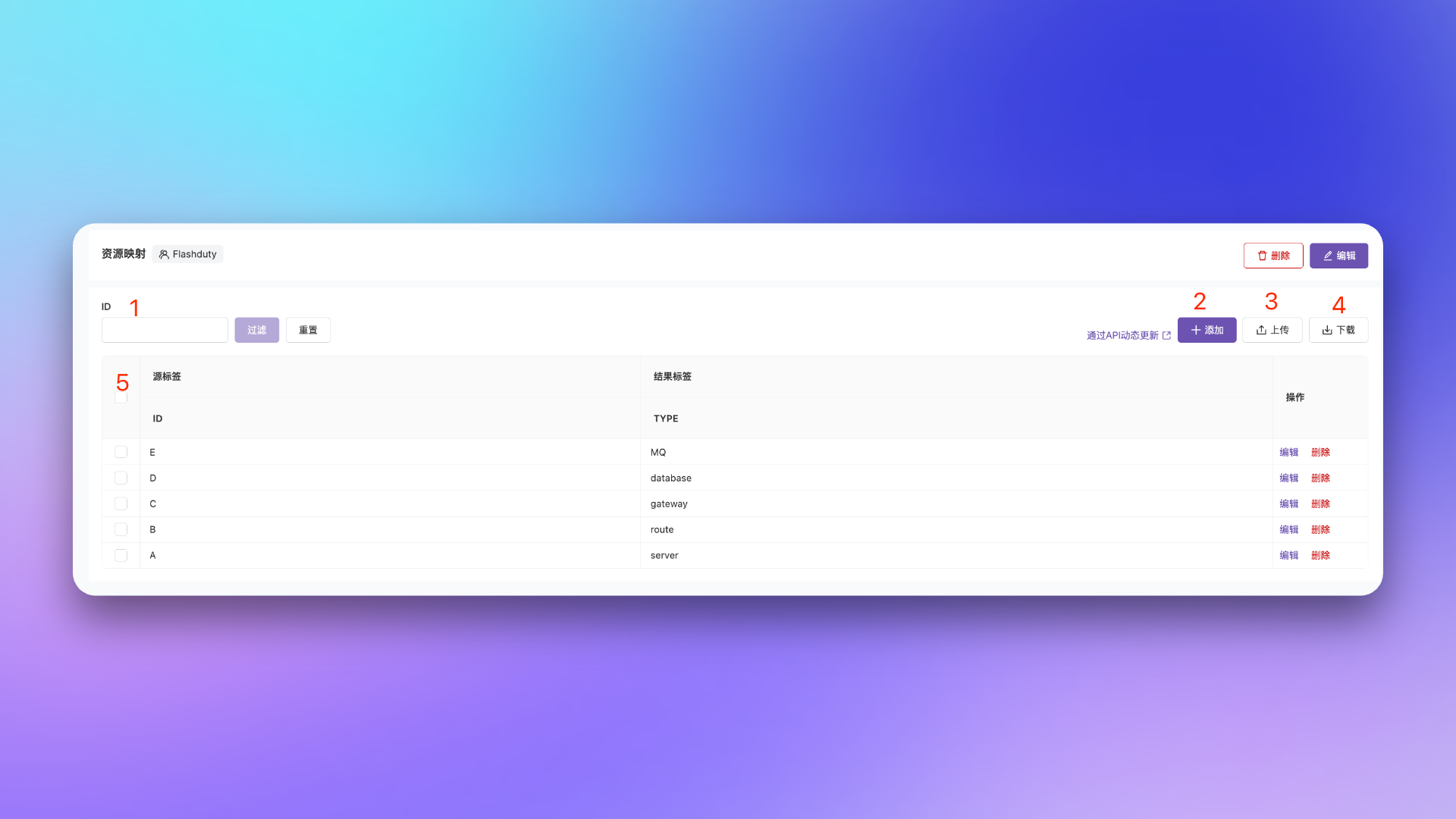
In the mapping table details page, you can manage mapping table data:
Feature
Description
Data Search
Search by source label value
Data Add
Manually add mapping data
Data Upload
Upload new data mapping table, will overwrite existing data
Data Download
Download current mapping table data locally
Data Display
Display current mapping table data, can edit or delete
For frequently changing mapping relationships (like Mapping api data sync), we recommend using API mapping, or use Flashduty API for automated mapping table updates.