

Use Cases
The system uses templates when assigning incidents in the following scenarios:| Scenario | Description |
|---|---|
| Manual incident creation | Manually create and assign incident |
| Auto-generated incident | Report alert event, system auto-generates incident, assigns per matched escalation rule |
| Reassignment | After incident creation, manually change assignment |
| Escalation | Based on escalation rule settings, system auto-escalates assignment |
| Reopen assignment | After incident closed and reopened, reassigns per previous settings |
The system uses Golang template syntax to parse data, supporting logic, loops, pipelines, and common functions. For more functions, refer to sprig function library.
Configuring Templates
Create Custom Template
Go to Template Management page, click Create Custom Template or Copy Default Template
Edit Template Content
Edit content by notification channel, can reference fields from the variable list below
Apply Template
Save Configuration
Click Save to complete configuration. See Configure Escalation Rules
Variable Reference
Reference Examples
Incident Variables
Complete variable list for incident objects:| Field | Type | Required | Description |
|---|---|---|---|
| ID | string | ✓ | Incident ID |
Title | string | ✓ | Incident title |
Description | string | ✓ | Incident description, may be empty |
| DetailUrl | string | ✓ | Incident detail page URL |
| Num | string | ✓ | Incident short identifier, for visual recognition only |
IncidentSeverity | string | ✓ | Severity: Critical / Warning / Info |
| IncidentStatus | string | ✓ | Incident status: Critical / Warning / Info / Ok |
Progress | string | ✓ | Processing progress: Triggered / Processing / Closed |
StartTime | int64 | ✓ | Trigger time, Unix timestamp in seconds |
| LastTime | int64 | Latest event time, Unix timestamp in seconds | |
| EndTime | int64 | Recovery time, Unix timestamp in seconds | |
| SnoozedBefore | int64 | Snooze end time, Unix timestamp in seconds | |
| AckTime | int64 | First acknowledgment time, Unix timestamp in seconds | |
| CloseTime | int64 | Close time, Unix timestamp in seconds | |
| Creator | Person | Creator info, doesn’t exist for auto-generated | |
| Closer | Person | Closer info, doesn’t exist for auto-recovered | |
| AssignedTo | Assignment | Assignment configuration | |
| Responders | []Responder | Responders list | |
| ChannelID | int64 | Channel ID | |
| ChannelName | string | Channel name | |
| GroupMethod | string | Grouping method: n (none) / p (rule-based) / i (intelligent) | |
Labels | map | Label KV, both Key and Value are strings | |
| AlertCnt | int64 | ✓ | Associated alert count |
| Alerts | []Alert | Associated alert details | |
| FireType | string | Notification type: fire (notify) / refire (loop notify) | |
| IsFlapping | bool | Whether in flapping state | |
| Impact | string | Incident impact, filled after closure | |
| RootCause | string | Incident root cause, filled after closure | |
| Resolution | string | Resolution, filled after closure |
Related Objects
Person - Personnel Info
Person - Personnel Info
| Field | Type | Required | Description |
|---|---|---|---|
| person_id | int64 | ✓ | Person ID |
| person_name | string | ✓ | Person name |
| string | ✓ | Email address |
Assignment - Assignment Configuration
Assignment - Assignment Configuration
| Field | Type | Required | Description |
|---|---|---|---|
| PersonIDs | []int64 | Person ID list, only exists when assigned by person | |
| EscalateRuleID | string | Escalation rule ID | |
| EscalateRuleName | string | Escalation rule name | |
| LayerIdx | int | Assignment level, starts from 0 | |
| Type | string | ✓ | Assignment type: assign / reassign / escalate / reopen |
Responder - Responder
Responder - Responder
| Field | Type | Required | Description |
|---|---|---|---|
| PersonID | int64 | ✓ | Person ID |
| PersonName | string | ✓ | Person name |
| string | ✓ | Email address | |
| AssignedAt | int64 | ✓ | Assignment time, Unix timestamp in seconds |
| AcknowledgedAt | int64 | Acknowledgment time, Unix timestamp in seconds |
Alert - Alert Details
Alert - Alert Details
| Field | Type | Required | Description |
|---|---|---|---|
| Title | string | ✓ | Alert title |
| Description | string | ✓ | Alert description, may be empty |
| AlertSeverity | string | ✓ | Severity: Critical / Warning / Info |
| AlertStatus | string | ✓ | Alert status: Critical / Warning / Info / Ok |
| StartTime | int64 | ✓ | Trigger time, Unix timestamp in seconds |
| LastTime | int64 | Latest event time, Unix timestamp in seconds | |
| EndTime | int64 | Recovery time, Unix timestamp in seconds | |
| Labels | map | Label KV |
FAQ
How do I know what Labels are available?
How do I know what Labels are available?
- Manually created incidents have no labels
- Auto-created incidents have labels, same as the first merged alert’s labels
Configured custom template but default template was used instead?
Configured custom template but default template was used instead?
When creating custom templates, the system uses mock data to check syntax. Mock data covers limited scenarios; rendering may fail at runtime, and system falls back to default template.
Incident title has character escaping (like >)?
Incident title has character escaping (like >)?
Use
toHtml function to handle:How to convert time format?
How to convert time format?
How to reference external variable inside for loop?
How to reference external variable inside for loop?
Add
$ before external variable:How to extract field value with . (like obj.instance)?
How to extract field value with . (like obj.instance)?
Use
index function:How to extract labels from associated alerts and deduplicate?
How to extract labels from associated alerts and deduplicate?
How to iterate and print Labels?
How to iterate and print Labels?
How to extract info from JSON field?
How to extract info from JSON field?
Use
jsonGet function to extract values by path from valid JSON. Syntax reference at gjson.dev.How to get image URL?
How to get image URL?
imageSrcToURL: Convert image_key or URL to accessible address (for Dingtalk/Slack App)transferImage: Upload image to third-party platform (for Feishu/Lark App)
Image size cannot exceed 10 MB, supports JPG, PNG, WEBP, GIF, BMP formats.
How to use logical operations?
How to use logical operations?
| Function | Description | Example |
|---|---|---|
and | Logical AND | {{if and (eq .A "x") (eq .B "y")}} |
or | Logical OR | {{if or (eq .A "x") (eq .A "y")}} |
not | Logical NOT | {{if not (eq .A "x")}} |
eq | Equal | {{if eq .A "x"}} |
ne | Not equal | {{if ne .A "x"}} |
gt / ge | Greater than / Greater or equal | {{if gt .AlertCnt 1}} |
lt / le | Less than / Less or equal | {{if lt .AlertCnt 10}} |
How to find more functions?
How to find more functions?
- Function list: functions.go
- Usage examples: Check corresponding
_test.gofiles, e.g., date_test.go
Channel Templates
Different notification channels support different template formats and limitations.- Feishu/Lark App
- Dingtalk App
- WeCom App
- Slack App
- Microsoft Teams
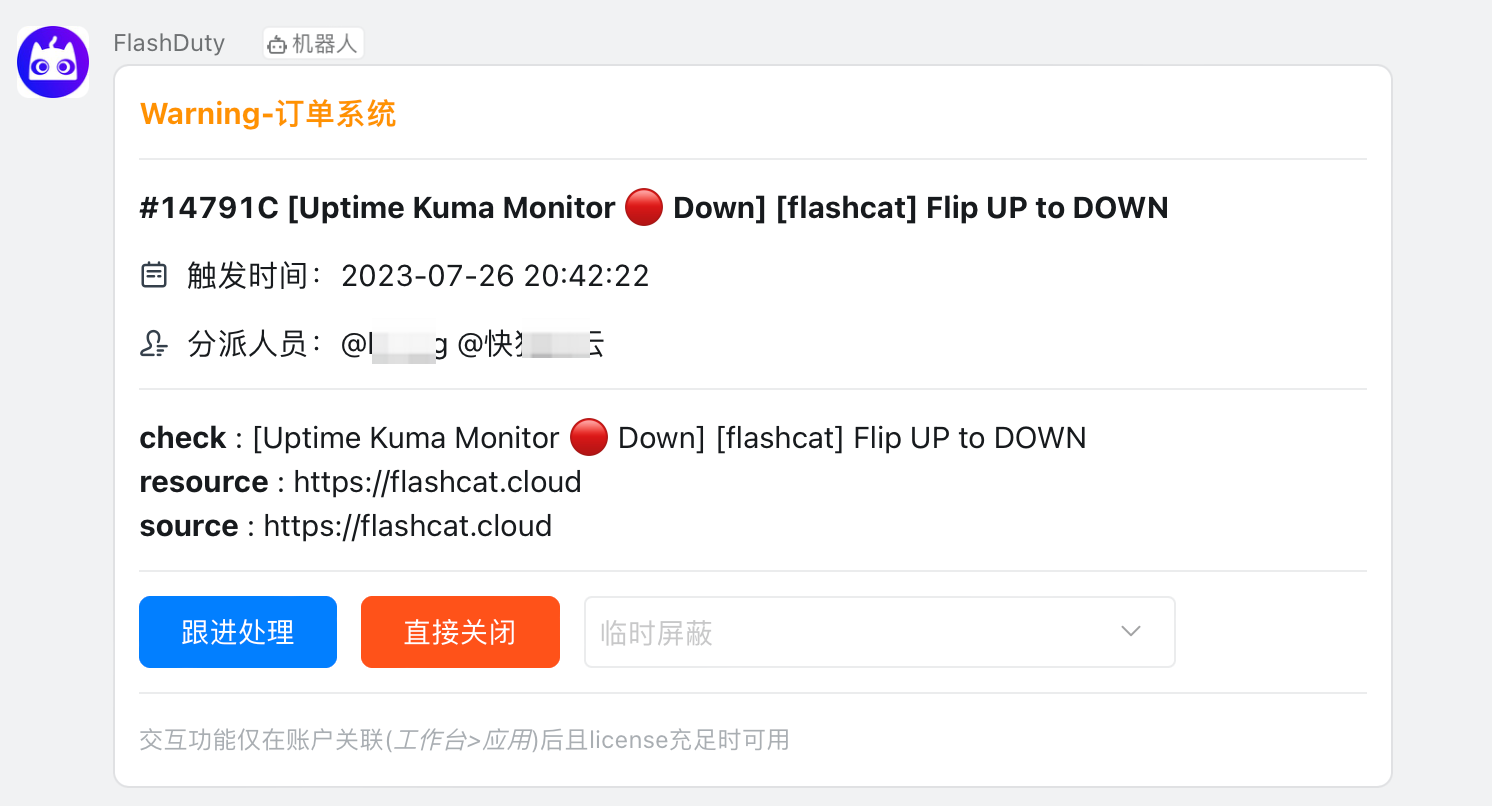
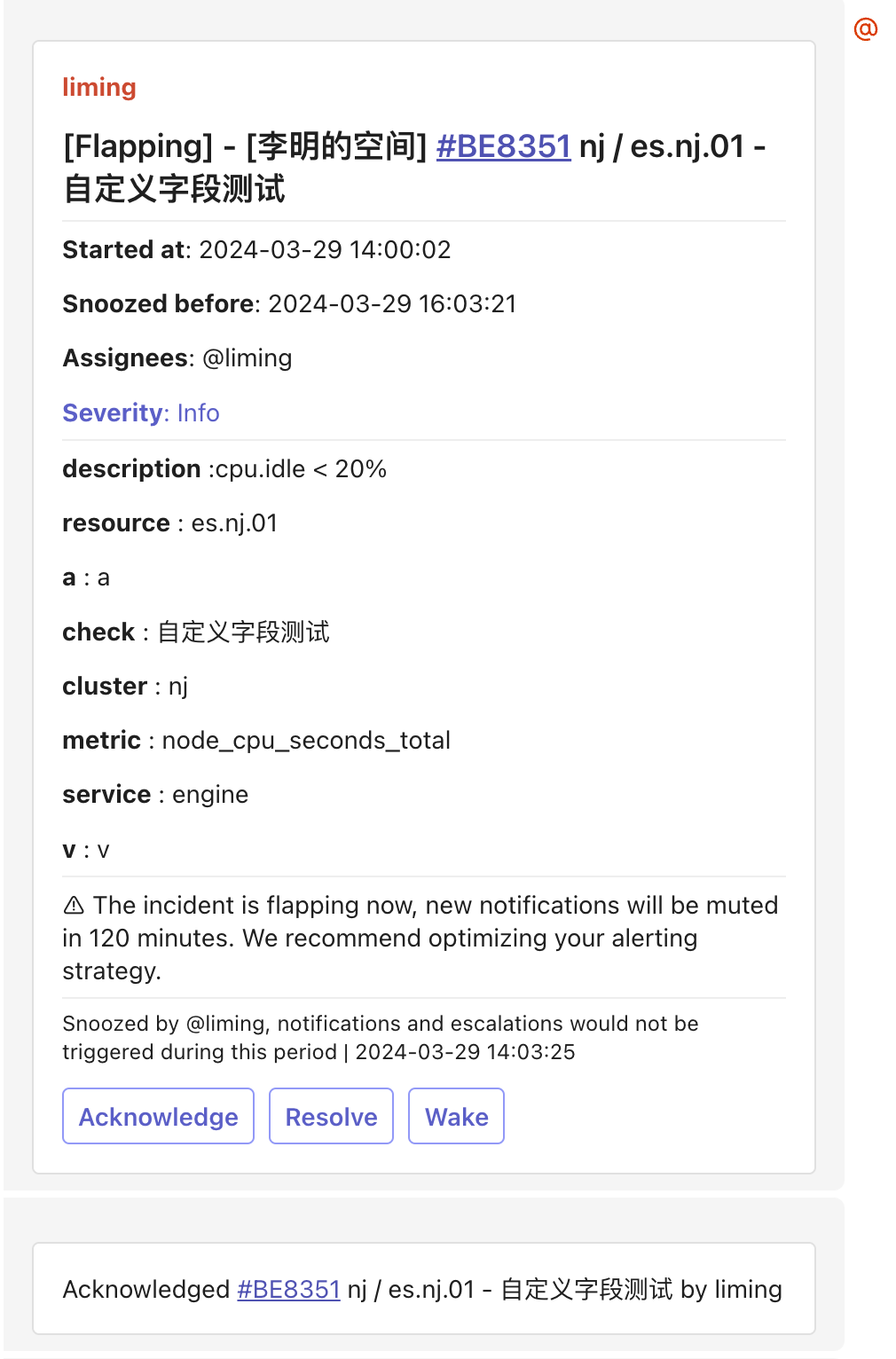
Requires Feishu/Lark integration configured first. Supports message card format; system auto-removes empty render lines caused by non-existent labels.Default Template (render all labels):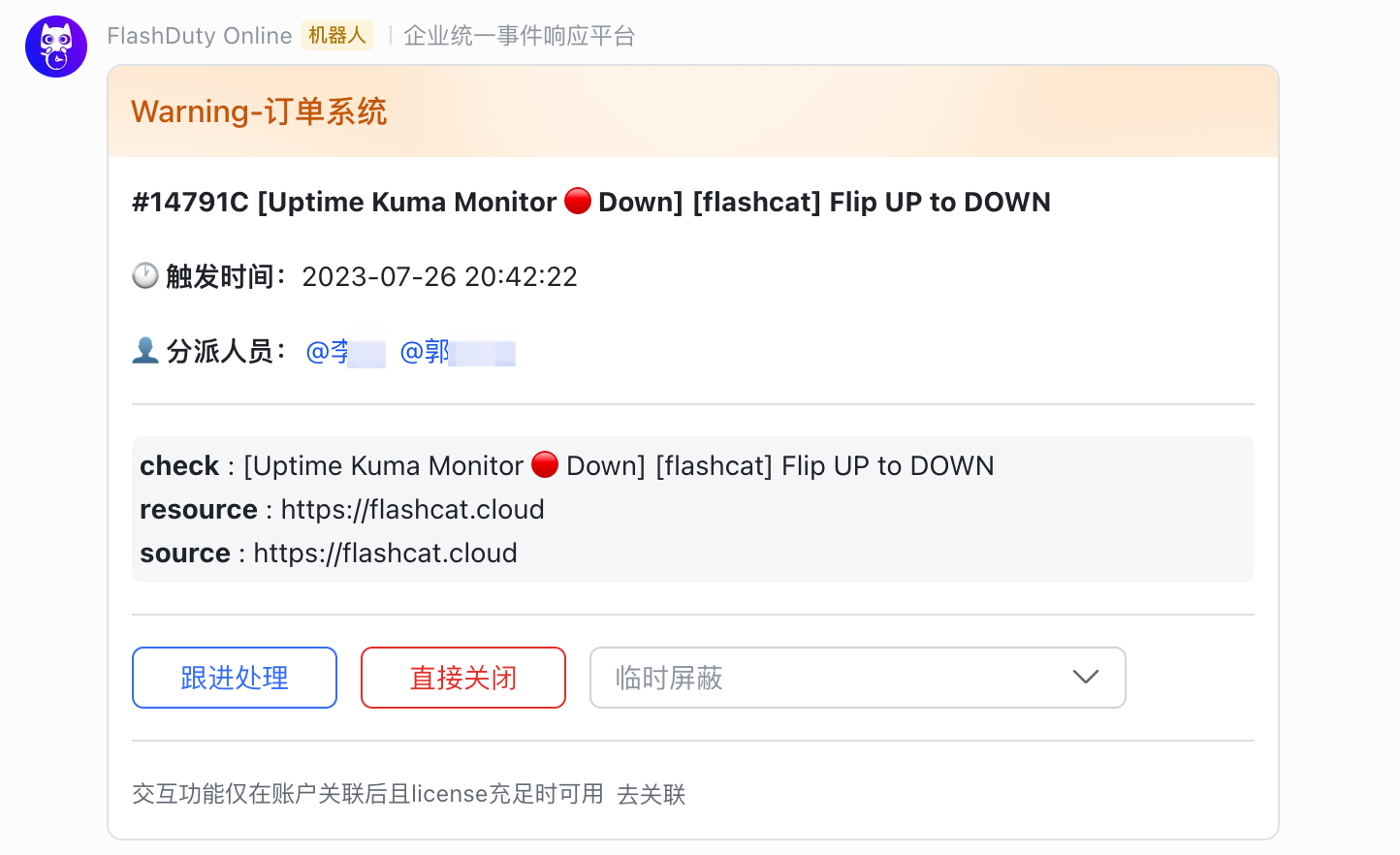 Minimal Template (show key labels only):
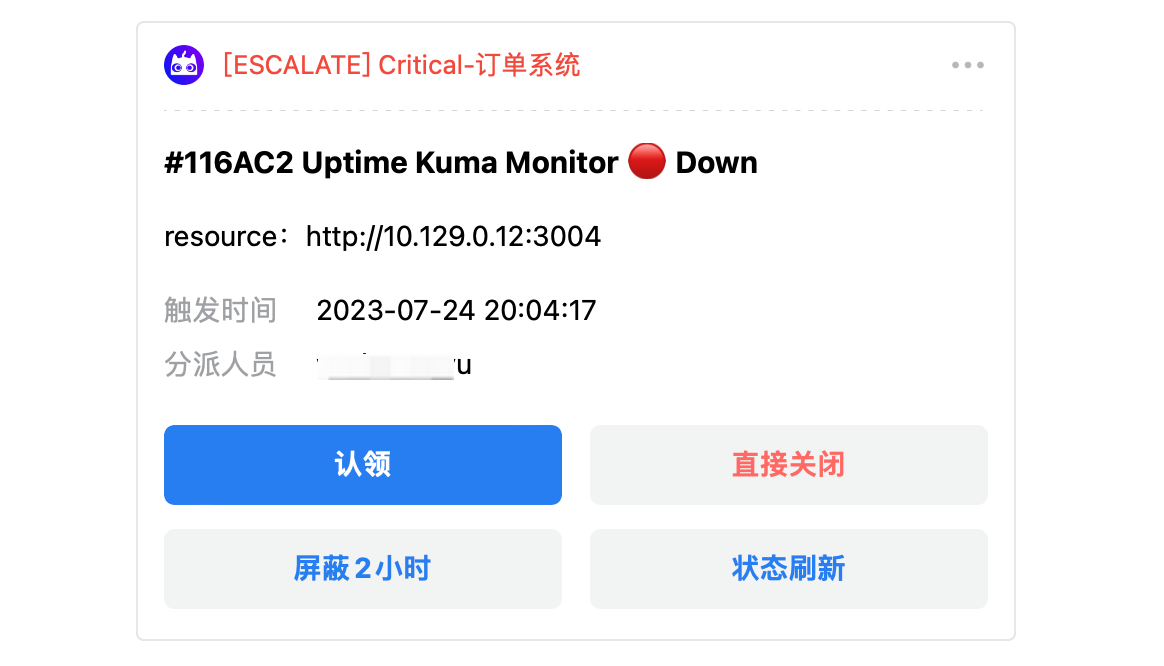
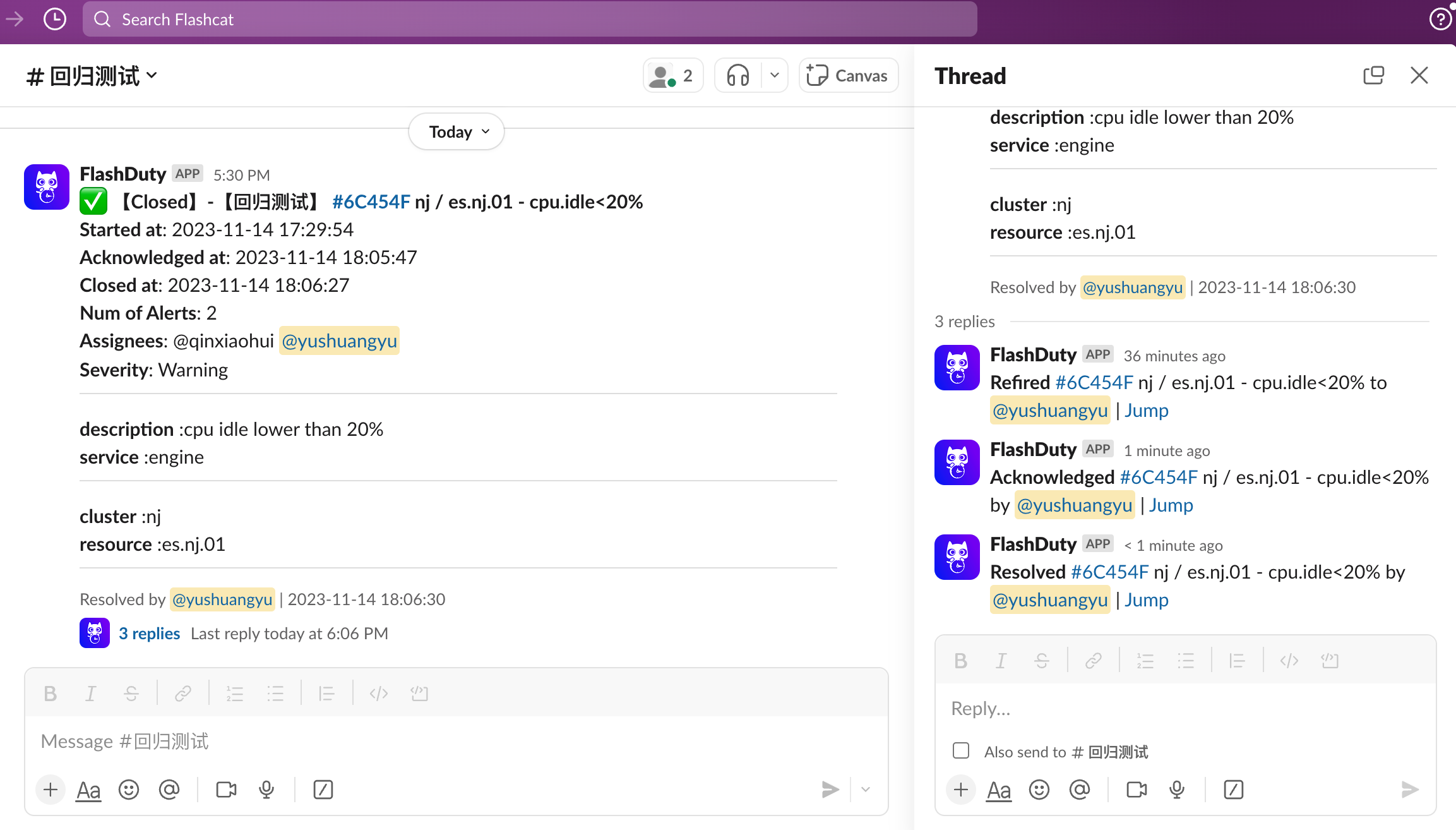
Bot Templates
Template formats supported by group chat bots.- Feishu/Lark Bot
- Dingtalk Bot
- WeCom Bot
- Slack Bot
- Telegram Bot
Supports message card, rich text, and plain text formats. Max message 4000 bytes, truncated if exceeded.
Message Card (msg_type: interactive)
Message Card (msg_type: interactive)
Rich Text (msg_type: post)
Rich Text (msg_type: post)
Plain Text
Plain Text
Other Channels
- SMS
- Voice
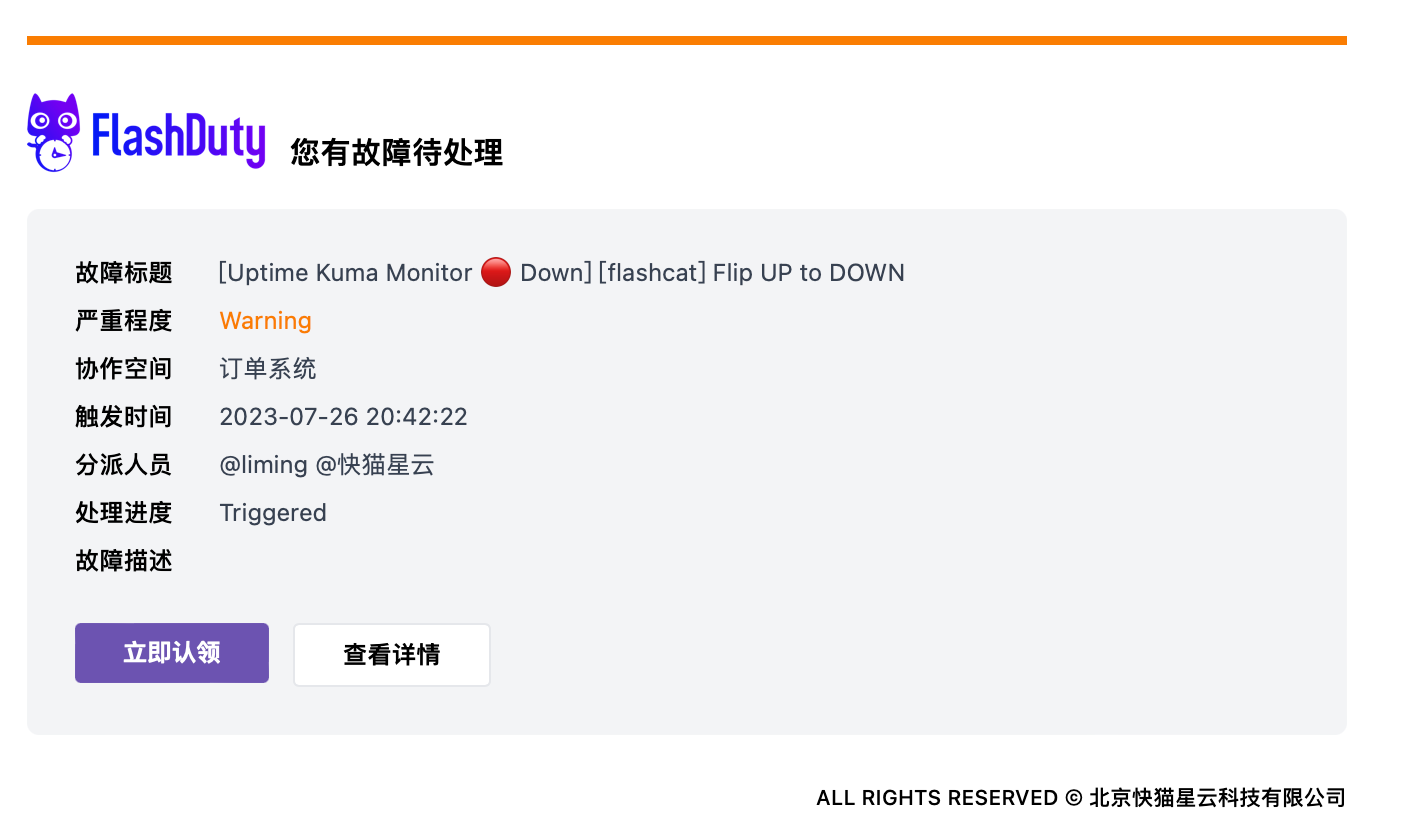
- Email
Default Template:
Related Topics
Configure Escalation Rules
Define incident notification rules and escalation mechanisms
Configure Personal Preferences
Customize notification time periods and channel preferences