

Configure Routing Rules
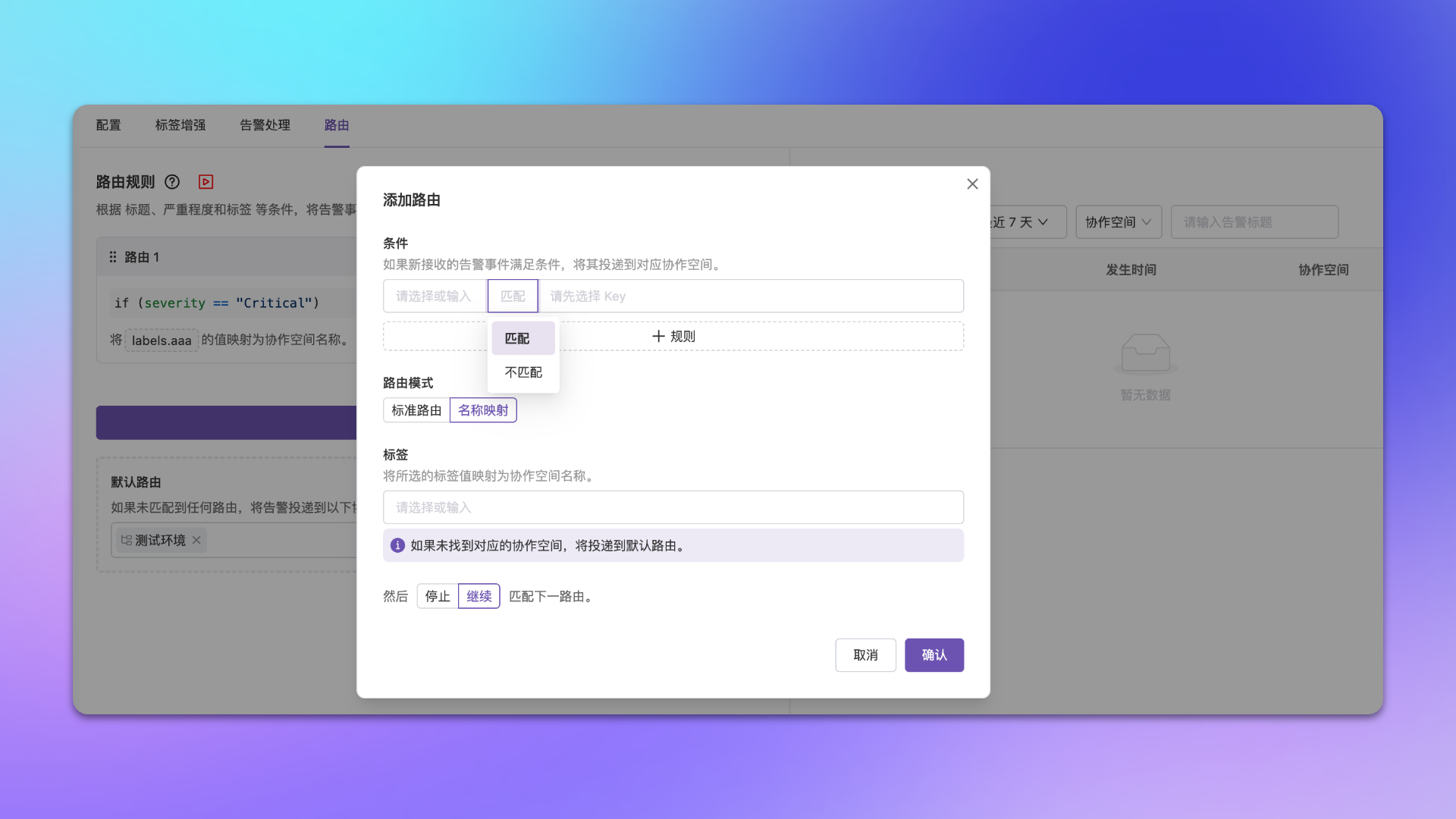
Go to Integration Center → Alert Events → Integration Details → Routing → Add Route.Configuration
| Config Item | Description |
|---|---|
| Match Condition | Filter alerts by labels, attributes, etc.; supports exact, wildcard, regex matching |
| Routing Mode | See detailed description below |
| Flow Control | Continue Matching (default): Continue matching subsequent rules after hit; Stop Matching: Don’t match further after hit |
| Default Route | Fallback rule that takes effect when no rules match |
Routing Modes
| Mode | Description | Use Case |
|---|---|---|
| Standard Routing | Manually select target channel | Alert-to-channel mapping is fixed |
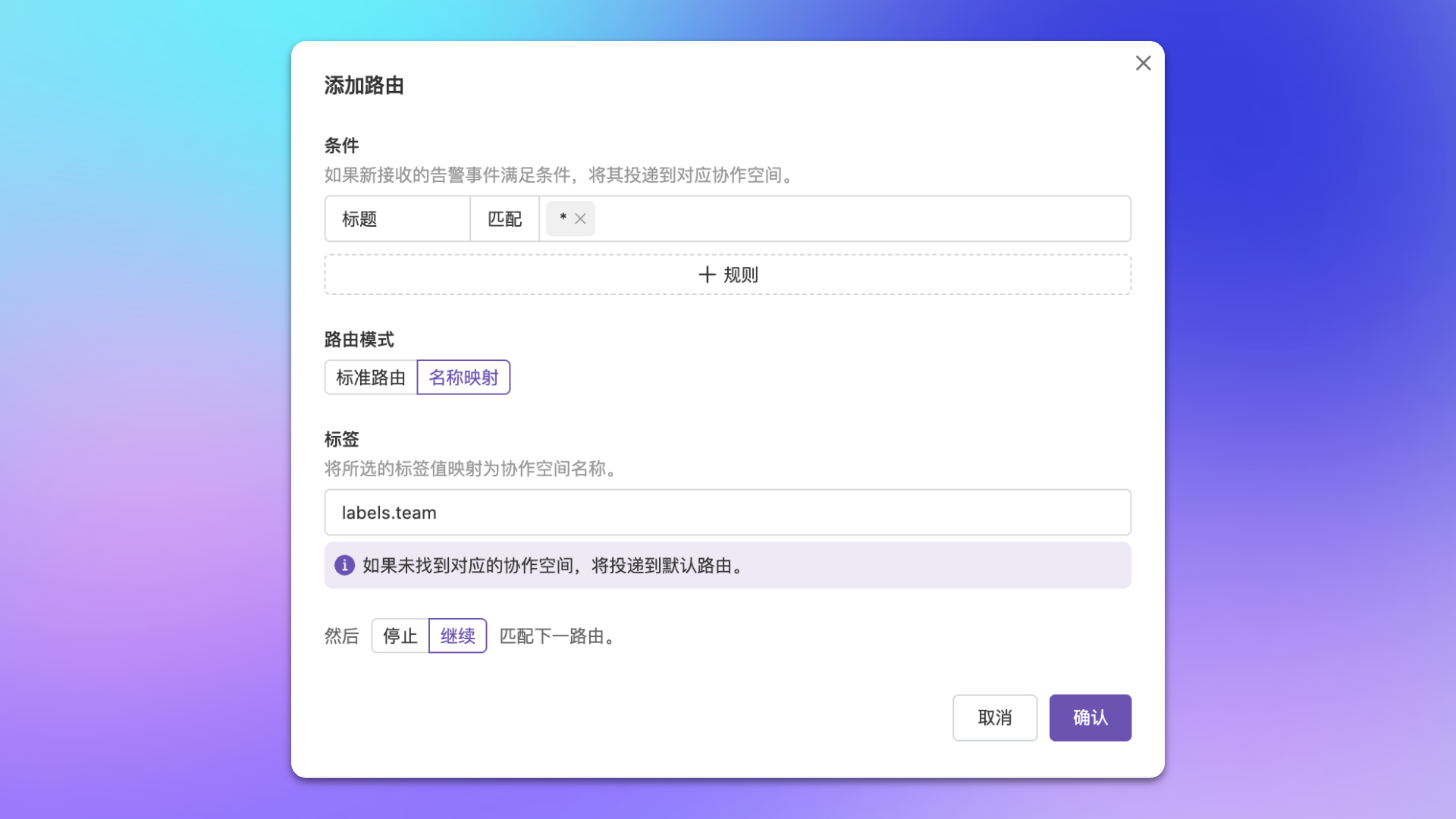
| Name Mapping | Map specified label value to channel name, auto-deliver | Alerts already carry business identifier and channel name matches label value |
Operation Tips
| Feature | Description |
|---|---|
| Adjust Order | Use up/down arrows or drag rules to adjust match priority; also supports grouping and sorting by channel for easier management of large rule sets |
| Insert Rule | Quickly insert new rules before or after a specified rule without manually dragging to adjust position |
| Filter Rules | Filter by channel to quickly locate all rules delivering to a specific channel, ideal for scenarios with many rules |
| Edit History | View historical configuration versions, compare differences, and quickly restore (see details below) |
| Route Preview | After editing routing rules, click the preview button and select up to 20 real alerts to see how the modified rules would route each alert. The system displays routing differences between old and new rules, including added, removed, and unchanged channels |
| Copy Rules | Click the copy button to copy routing rules from another integration to the current one. Three modes are supported: Prepend (insert copied rules before existing ones), Append (add copied rules after existing ones), and Replace (replace all existing rules with copied ones) |
Edit History
Routing rules support viewing edit history, helping you track configuration changes and quickly roll back when needed. Click the Edit History button on the routing configuration page to open the sidebar panel. History records are grouped by date, and each record includes the version number, operator, and modification time. The currently active version is labeled Current Version. You can perform the following actions:| Action | Description |
|---|---|
| Compare | Click any historical version to view the configuration differences between that version and the current version (Diff view) |
| Restore | In the comparison view, choose to restore routing rules to the selected historical version |
Edit history supports infinite scroll loading, fetching 50 records at a time.
Configuration Examples
- Route by Business Group
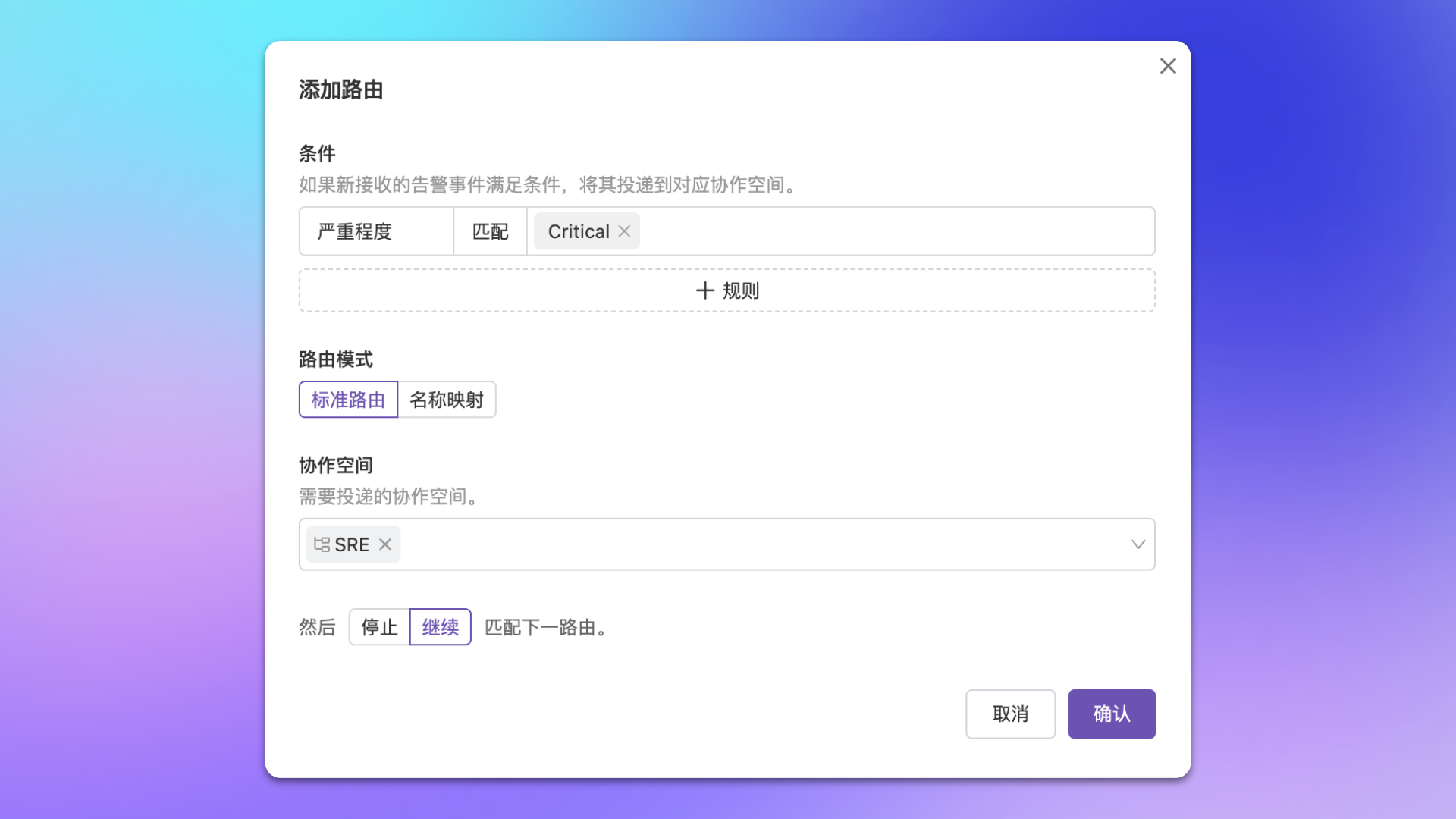
- Route by Alert Level
- Name Mapping Mode
Scenario: Deliver alerts from the same business group in monitoring platform to corresponding channel.
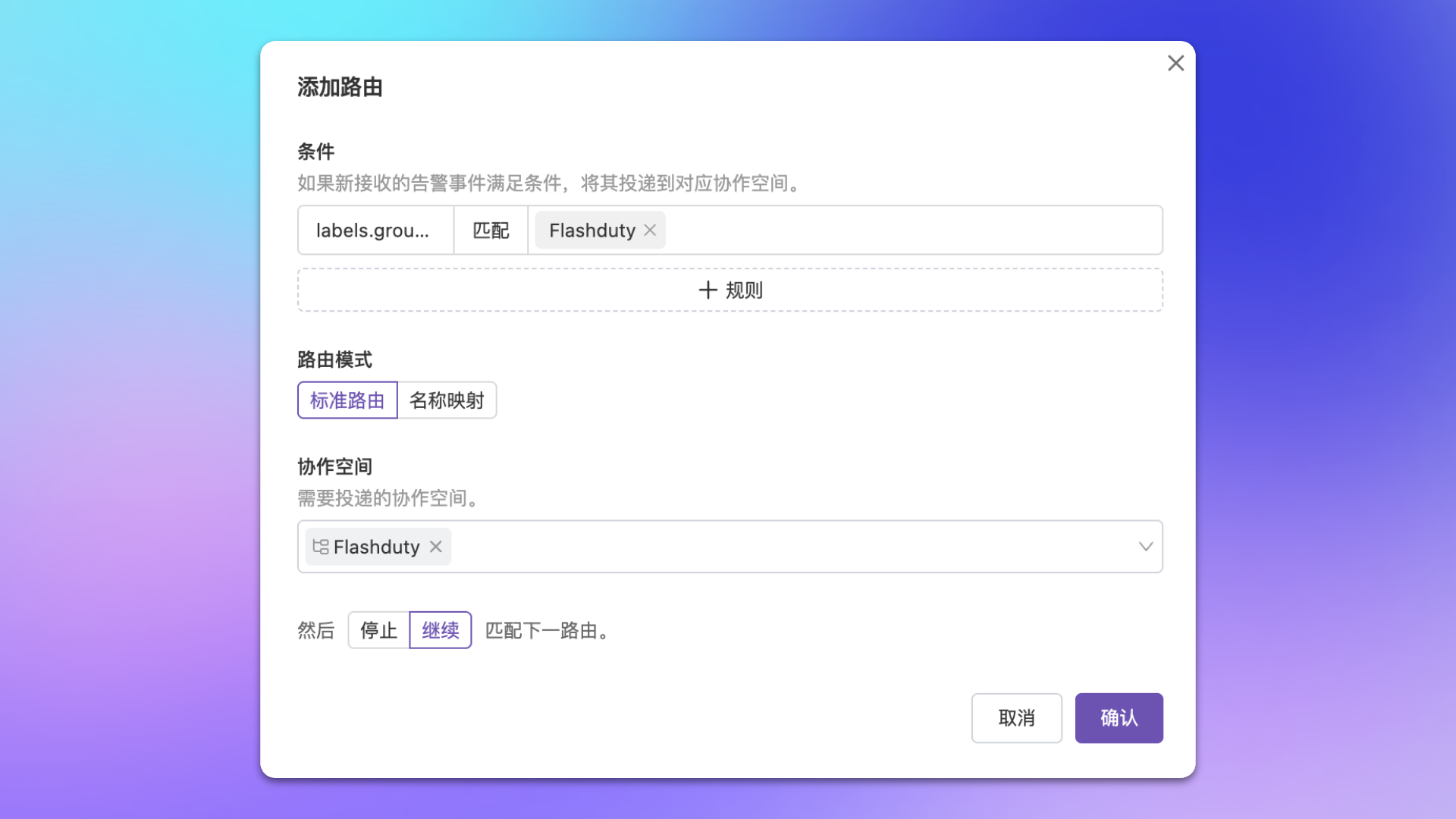
| Config Item | Value |
|---|---|
| Match Condition | Labels.group_name equals Flashduty |
| Routing Mode | Standard Routing |
| Deliver To | Flashduty |
FAQ
Routing rule not taking effect?
Routing rule not taking effect?
Check if alert event attributes/labels match the rule, and if rule configuration is correct.
Multiple rules match the same alert, delivering to the same channel?
Multiple rules match the same alert, delivering to the same channel?
Each channel will generate a corresponding incident. We recommend selecting multiple channels in the same rule to avoid duplication.
Not receiving alerts after configuring routing rules?
Not receiving alerts after configuring routing rules?
Confirm reported alerts can hit configured routing rules. We recommend configuring a default fallback route to receive unmatched alerts.
When flow control is set to 'Stop', will default route still match?
When flow control is set to 'Stop', will default route still match?
No. The default route only takes effect when no routing rules match the alert. If any rule has already matched (regardless of whether flow control is set to ‘continue’ or ‘stop’), the default route will not be triggered.
Further Reading
Integrate Alerts
Learn the difference between dedicated and shared integrations
Configure Filter Conditions
Learn condition matching syntax
Configure Label Enhancement
Dynamically generate or modify alert labels
Configure Alert Processing
Cleanse and transform alert data at source