

Key Features
Native Multi-IM Platform Support
Seamless integration with Feishu/Lark, Dingtalk, WeCom, and Slack
One-click Creation
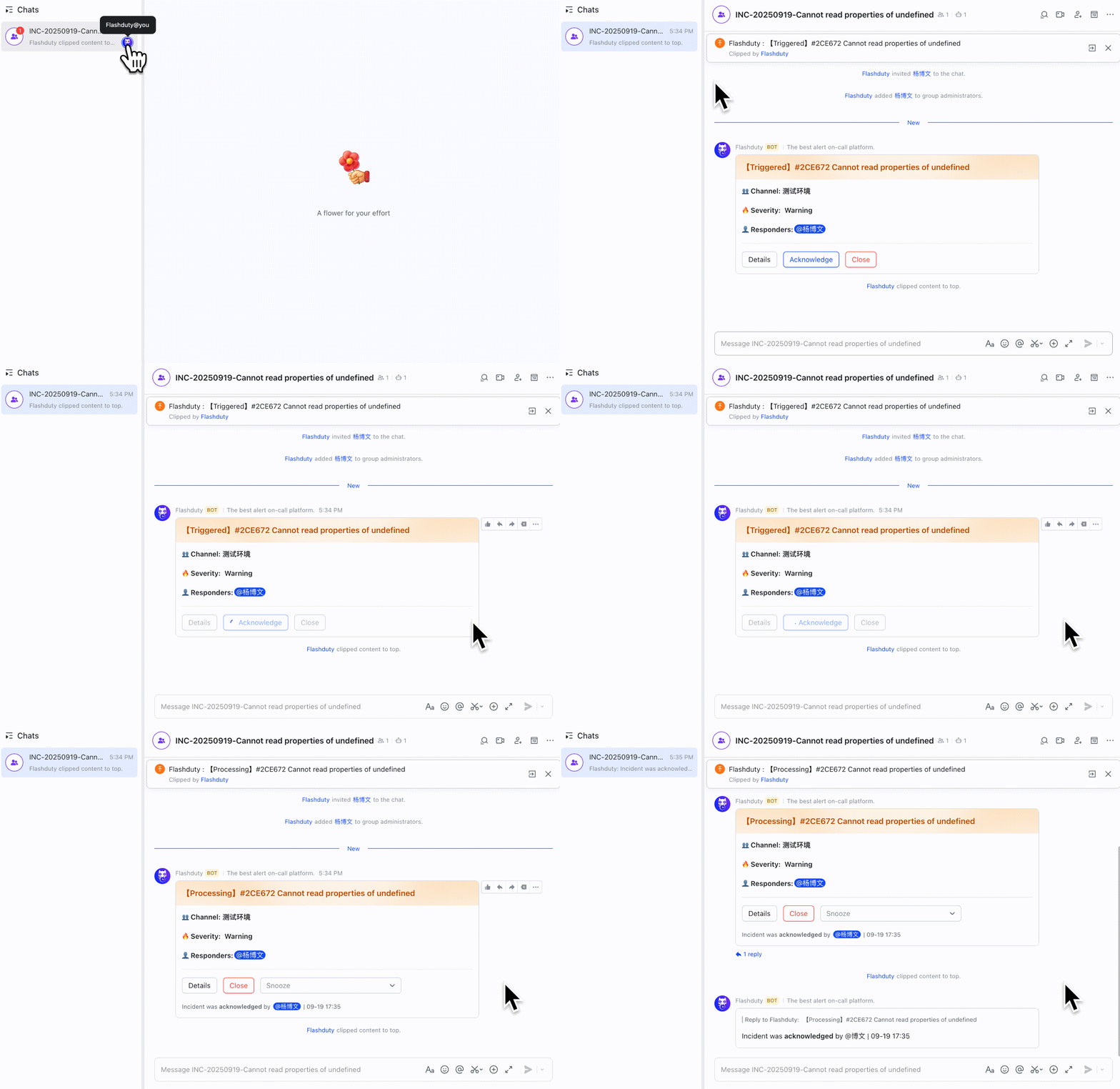
Quickly create dedicated war rooms for active incidents with real-time incident status sync in group chats
Automatic Member Sync
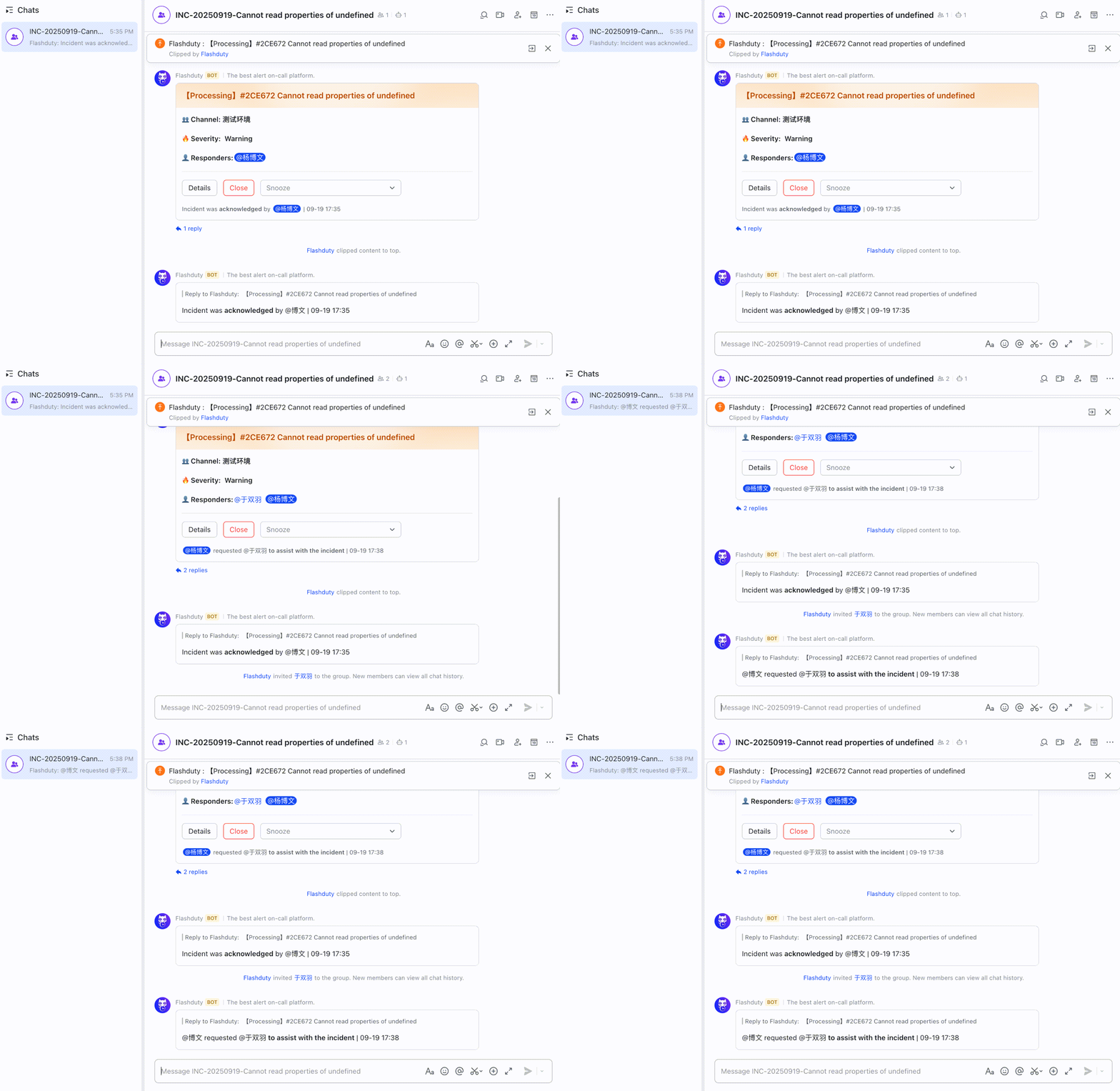
When incident responders change, new members are automatically invited to join the war room
Bidirectional Status Sync
Real-time sync of incident status between war room and Flashduty platform
Operation Audit
All war room related operations are automatically recorded in the incident timeline for review and audit
Quick Start
Configure Integration
Go to On-call → Integration Center → Integration List → Instant Messaging, connect your IM application as needed, and follow the guide to enable war room functionality.
Feishu/Lark Integration
Connect Feishu/Lark application
Dingtalk Integration
Connect Dingtalk application
WeCom Integration
Connect WeCom application
Slack Integration
Connect Slack application
Create War Room
On any active incident’s details page, click Create War Room in the upper right corner.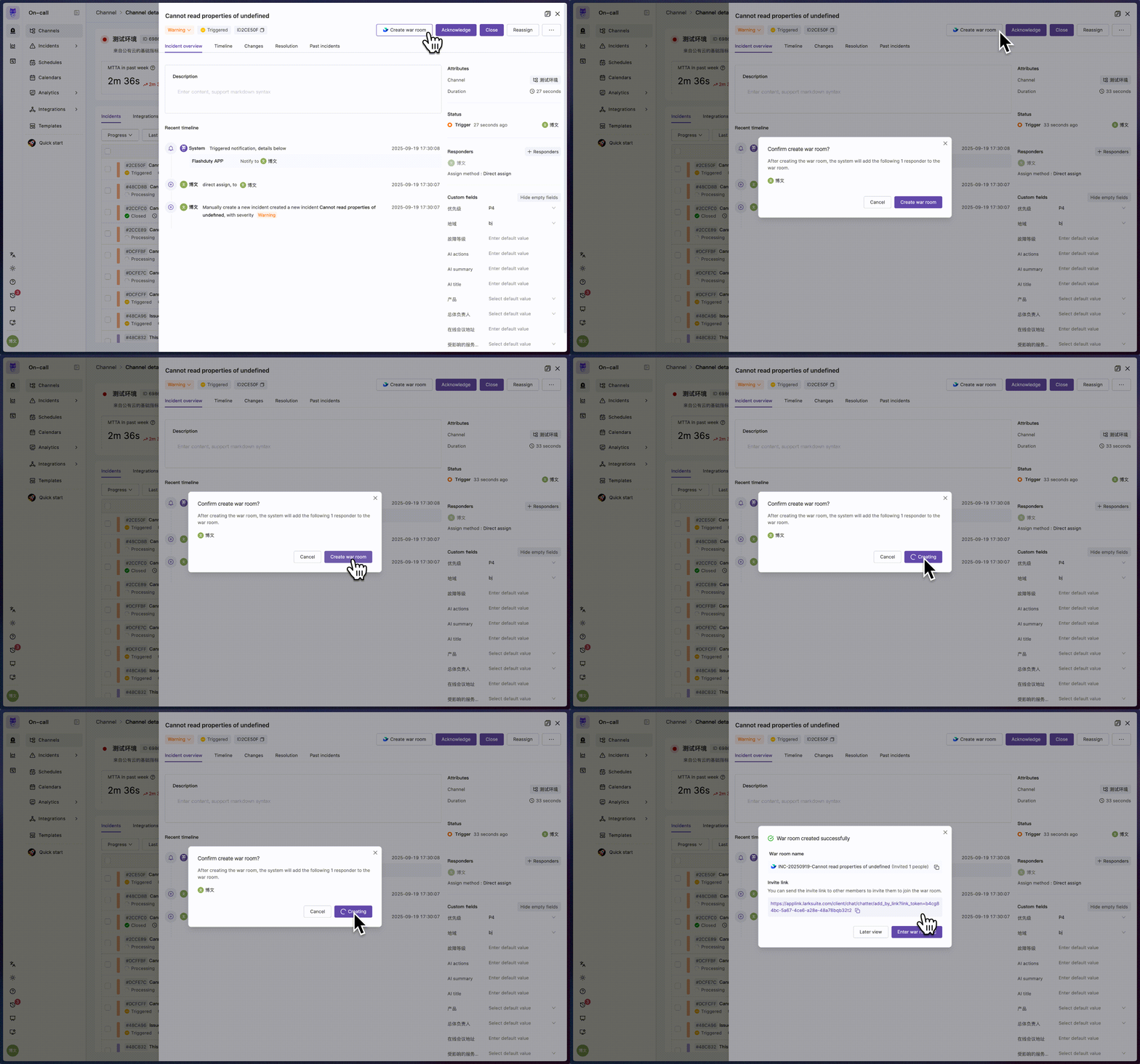
- Console
- IM App
Collaborative Handling
When incident responders change, relevant personnel are automatically synced to the war room. Other members can click View War Room on the incident details page to quickly join the conversation.In the war room, members can acknowledge, close, and snooze incidents, and receive incident status updates from Flashduty On-call.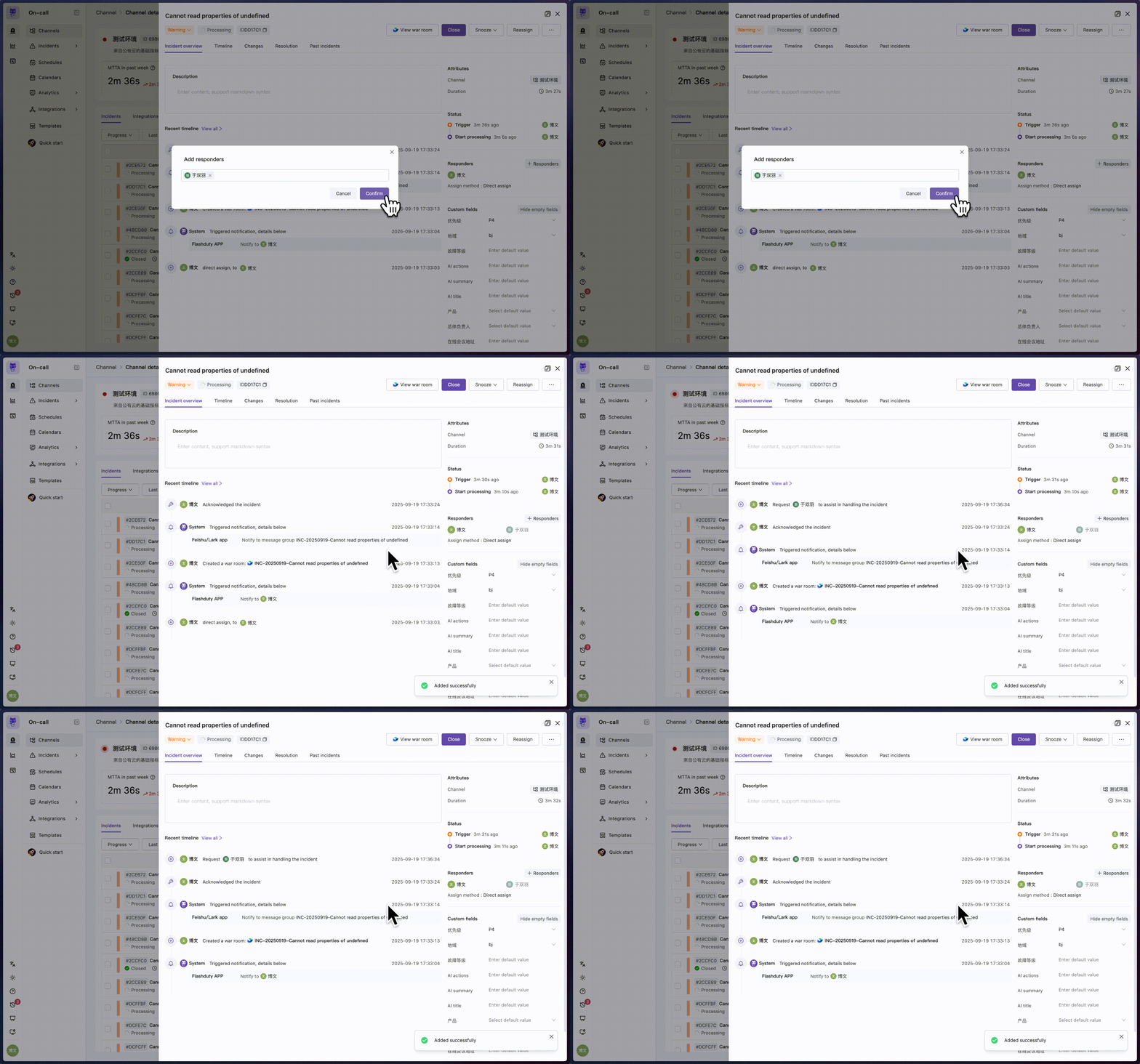
- Console Operation
- IM App

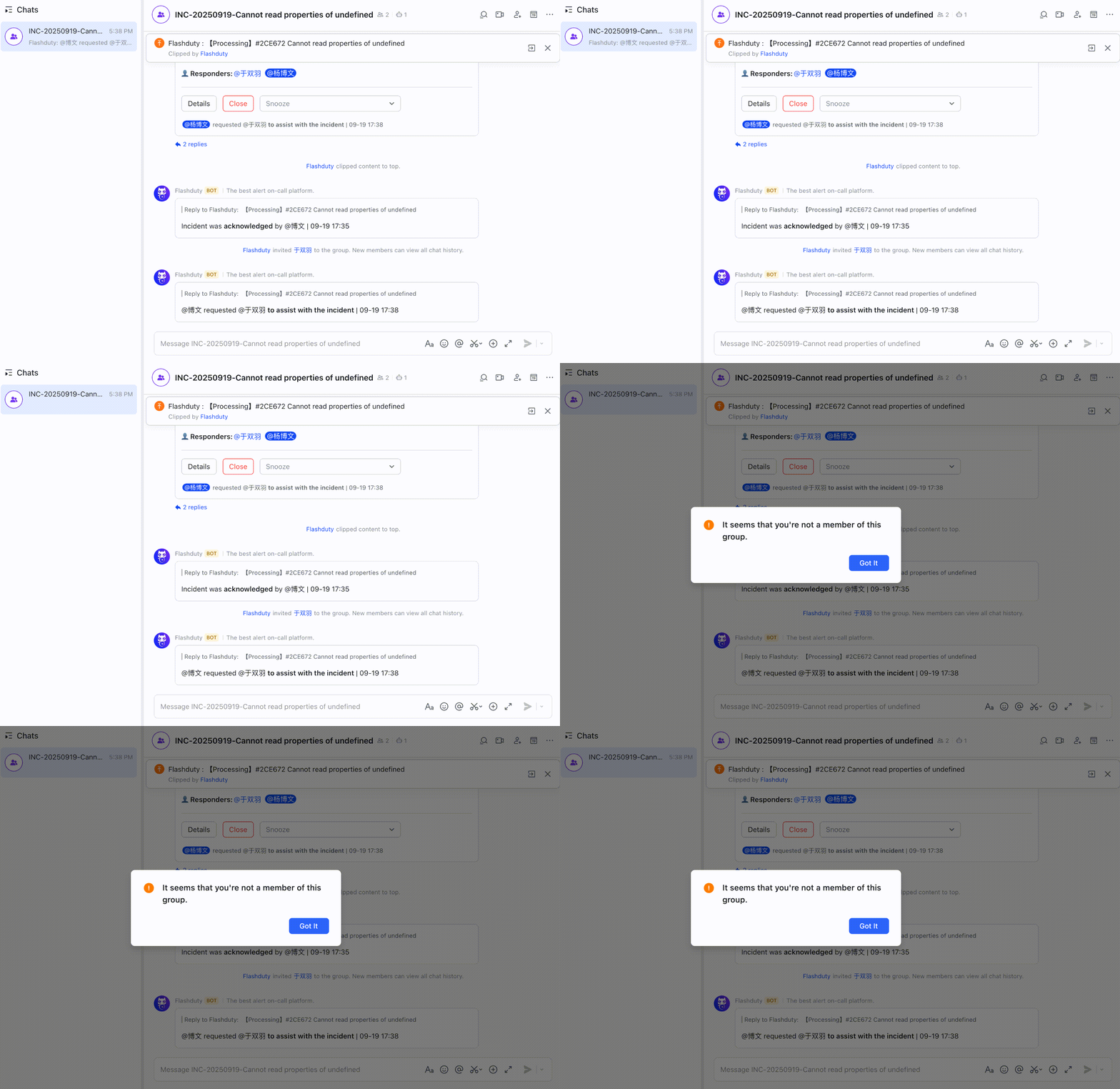
By deeply integrating emergency processes with instant messaging tools, Flashduty War Room brings you an automated, visual, and traceable incident collaboration experience.
FAQ
How does Flashduty implement war room management for incidents?
How does Flashduty implement war room management for incidents?
Flashduty implements war room functionality by integrating applications on IM platforms and calling related APIs for group chats, messages, and user information.
When creating or connecting related applications, you need to manually grant necessary permissions to ensure operational security.
Which IM platforms does Flashduty War Room support?
Which IM platforms does Flashduty War Room support?
Currently supported IM platforms:
| Platform | Status |
|---|---|
| Feishu/Lark | ✅ Supported |
| Dingtalk | ✅ Supported |
| WeCom | ✅ Supported |
| Slack | ✅ Supported |
Why is my war room functionality not working as expected?
Why is my war room functionality not working as expected?
War room is an advanced feature in IM integration. Please ensure you have completed all necessary configuration steps according to the official documentation. You can find related guides on the integration configuration page or in Flashduty Docs → Integration Guide.To ensure Flashduty can successfully invite members, it needs to obtain their user ID on the IM platform. Please ensure relevant personnel have completed at least one of the following:
Configure Notification Information (Recommended)
On the Flashduty On-call Personal Center → Basic Information page, fill in Notification Email and Notification Phone.
Use One-click Link Feature
If your IM integration supports it, use the One-click Link feature on the Link Users page. Flashduty On-call will use the notification email and phone configured in the user’s personal center to call application permissions for user information linking.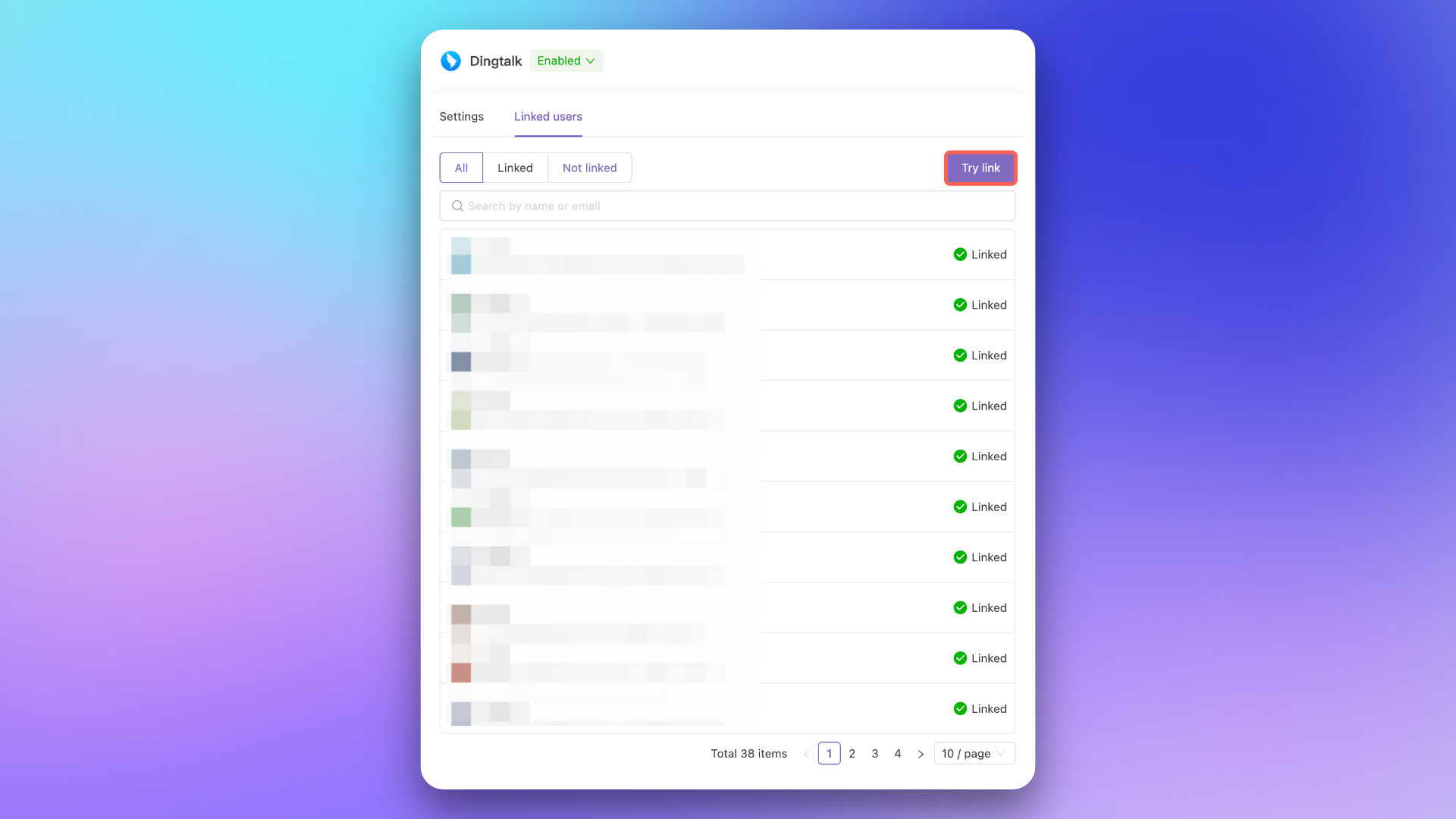
WeCom war room creation fails with 'requires at least two people'?
WeCom war room creation fails with 'requires at least two people'?
WeCom requires application group chats to have at least 2 members. When creating a WeCom war room, Flashduty resolves the incident’s responders, incident owner, and the current operator into WeCom user IDs. If fewer than 2 members with linked WeCom accounts can be resolved, creation fails with the error:
Creating a WeCom war room requires at least two people. Add more linked WeCom members and try again.Resolution: Ensure at least 2 of the incident’s responders have completed WeCom account linking (see the steps in “Why is my war room functionality not working as expected?” above). Use One-click Link or guide members to sign in within the WeCom app to complete the binding.
AI SRE
Based on War Room functionality and existing Intelligent Grouping and AI Summary capabilities, Flashduty On-call will gradually roll out AI SRE features to provide more comprehensive and intelligent support for incident handling.AI Assistant in War Room
Intelligent Q&A
Users can directly
@flashduty to ask questions, and AI will quickly parse intent and return relevant information or action suggestionsReal-time Analysis
AI assistant will analyze in real-time based on incident status, monitoring metrics, and historical data to provide detailed impact assessments
Knowledge Push
By analyzing team discussions, proactively extract summaries from the knowledge base and push relevant handling guides to assist root cause identification
Incident Review
Automatically summarize incident lifecycle using war room chat history, extract key decision points and improvement suggestions, and generate structured review documents
To build a more comprehensive context of the incident’s full lifecycle, AI-generated post-mortem reads war room chat history. Ensure your IM integration has been granted the necessary permissions — see Feishu/Lark or Slack integration guides for details.