

Quick Overview
LDAP (Lightweight Directory Access Protocol) is a protocol based on the X.500 standard for accessing and maintaining distributed directory services. LDAP enables users and applications to query, browse, and search information stored in directories, such as user identity information and network resources. LDAP typically runs on the TCP/IP protocol stack, specifically using TCP port 389 (unencrypted communication) and 636 (encrypted communication using LDAPS). Core Features of LDAP:- Tree Structure: LDAP data is organized in a tree structure called DIT (Directory Information Tree), facilitating hierarchical searching and browsing
- Entries and Attributes: Each entry in LDAP contains multiple attributes. Attributes have types and values, such as
cnfor Common Name andmailfor email address
This article assumes Docker and Docker Compose are already supported in your environment. If not, please install them first.
Docker Compose Configuration
docker-compose.yml
Start Services
Save the above configuration asdocker-compose.yml, open a terminal in the directory containing the configuration file, and run the following command:
- Foreground
- Background
Login to OpenLDAP
Accesshttp://ip:8088/ in your browser and login with the following credentials:
| Field | Value |
|---|---|
| Username | cn=admin,dc=flashduty,dc=com |
| Password | Your configured password |
OpenLDAP Configuration
Add Groups and Users
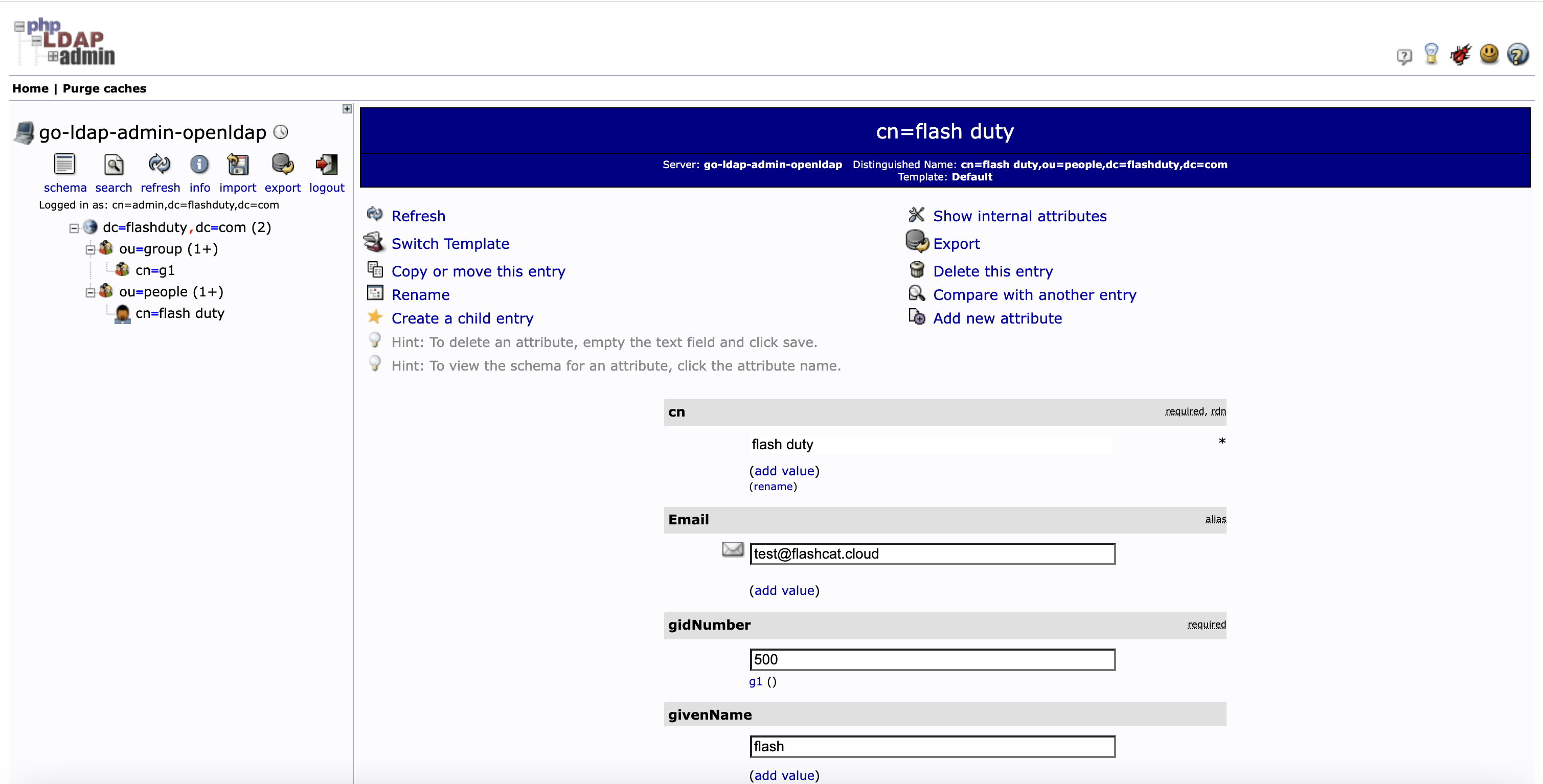
In User Path (e.g.,
cn=flash duty under ou=people in the image above) => Add new attribute => select Email to add the Email attribute for users. Skip if it already exists.Flashduty Integration
Based on the OpenLDAP configuration above, the Flashduty integration information is shown in the image below: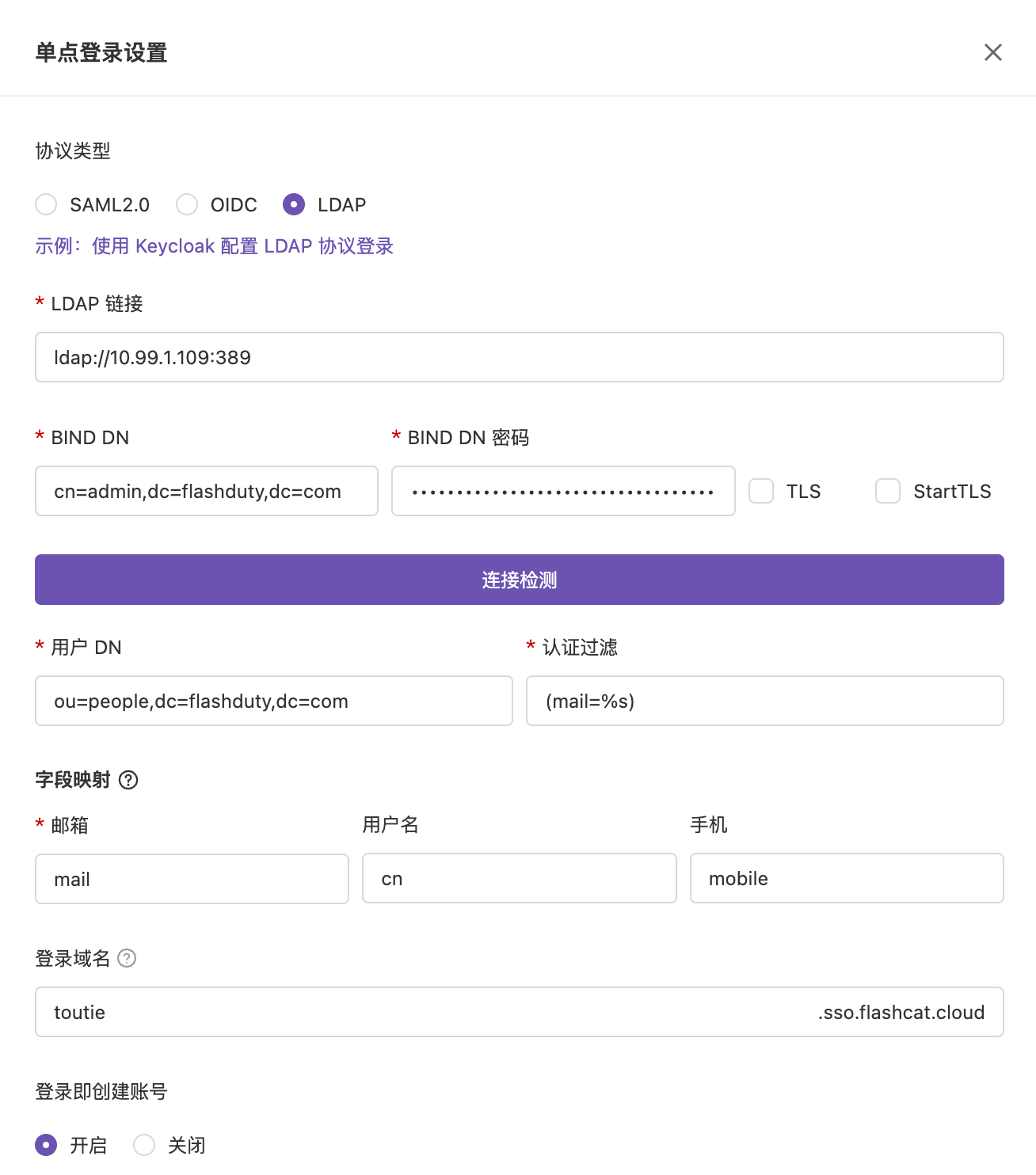 After completing the configuration, click the Connection Test button at the bottom of the settings drawer to verify that Flashduty can successfully connect to the OpenLDAP server. Once the connection succeeds, click Save.