

In Flashduty
You can obtain an integration push URL through either of these two methods:
Using Private Integration
Choose this simpler option when you don’t need to route alert events to different channels.Using Shared Integration
Choose this option when you need to route alerts to different channels based on the alert event payload.In SolarWinds
I. SolarWinds Alert Push Configuration
Step 1: Configure Flashduty Alert Channel
Prerequisites- SolarWinds has five types of alerts (Anomaly, Entity, Event, Log, Metric Group), each requiring a different alert channel, so five alert channels need to be created
- When creating Webhook channels, it’s recommended to name them using the format: Type_Flashduty, for example: Anomaly_Flashduty
- When selecting Select Custom Body Template Based On The Alert Types, the system will generate a default HTTP POST Body. Please do not modify the generated template content
- Log in to your SolarWinds console
- Find
Settingsin the left navigation bar, selectNotification Servicesand clickWebhookto enter the new alert channel page
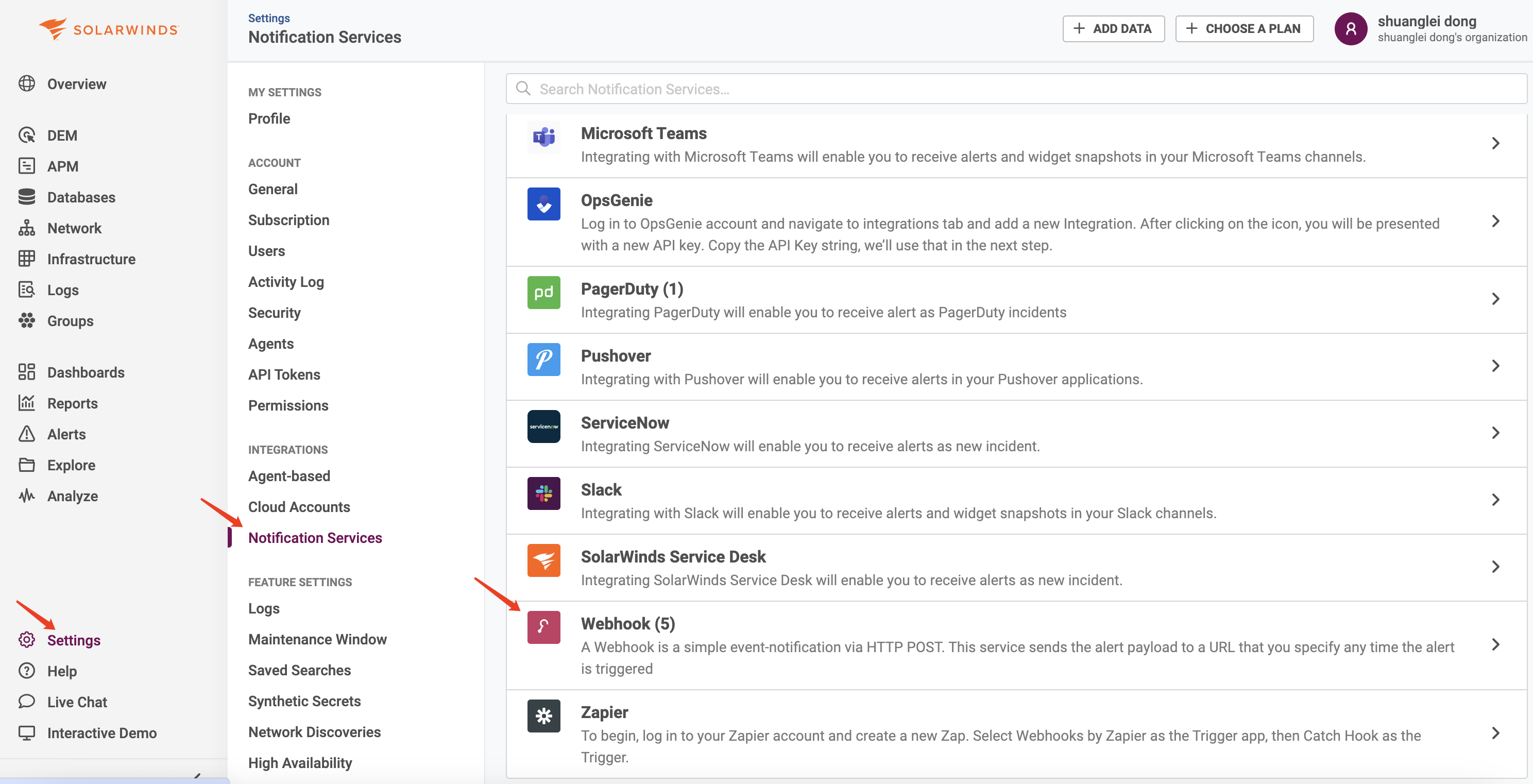
- Click
CREATE CONFIGURATIONto create the corresponding alert channel - Select POST for
Method, name it according to the prerequisites, e.g., Anomaly_Flashduty - Fill in the integration push URL in
Destination URL(enter the integration name on the current page, save to generate the URL) - Select application/json for
Content Type - Choose the type you need to create in
Select Custom Body Template Based On The Alert Types, e.g., Anomaly Based Alert - Leave
HTTP POST Bodyunchanged, use the system-generated default - Click
CREATEto save after configuration
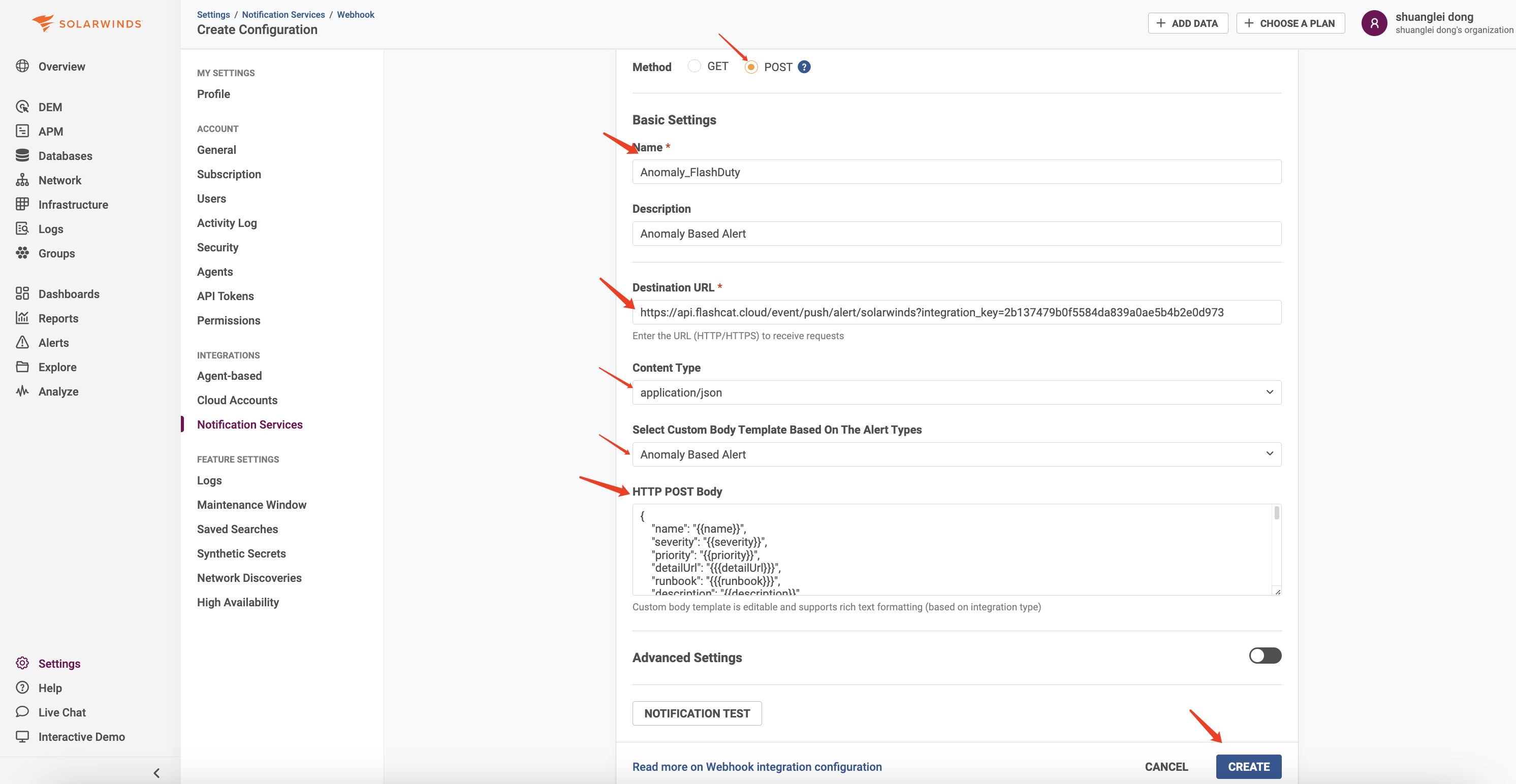
- Repeat the above steps to create other types of Webhook channels as needed
Step 2: Use the Alert Channel Created in Step 1 in Alert Policies
- Find
Alertsin the left navigation bar, selectAlert Settings - Create or edit existing policies (configure alert rules as needed, alert rule configuration is omitted here)
- In the
Actionssection of the policy configuration page, select Webhook forServices - Select the Anomaly_Flashduty channel created in Step 1 for
Configuration - Keep
Send an additional notification when the Alert is clearedenabled
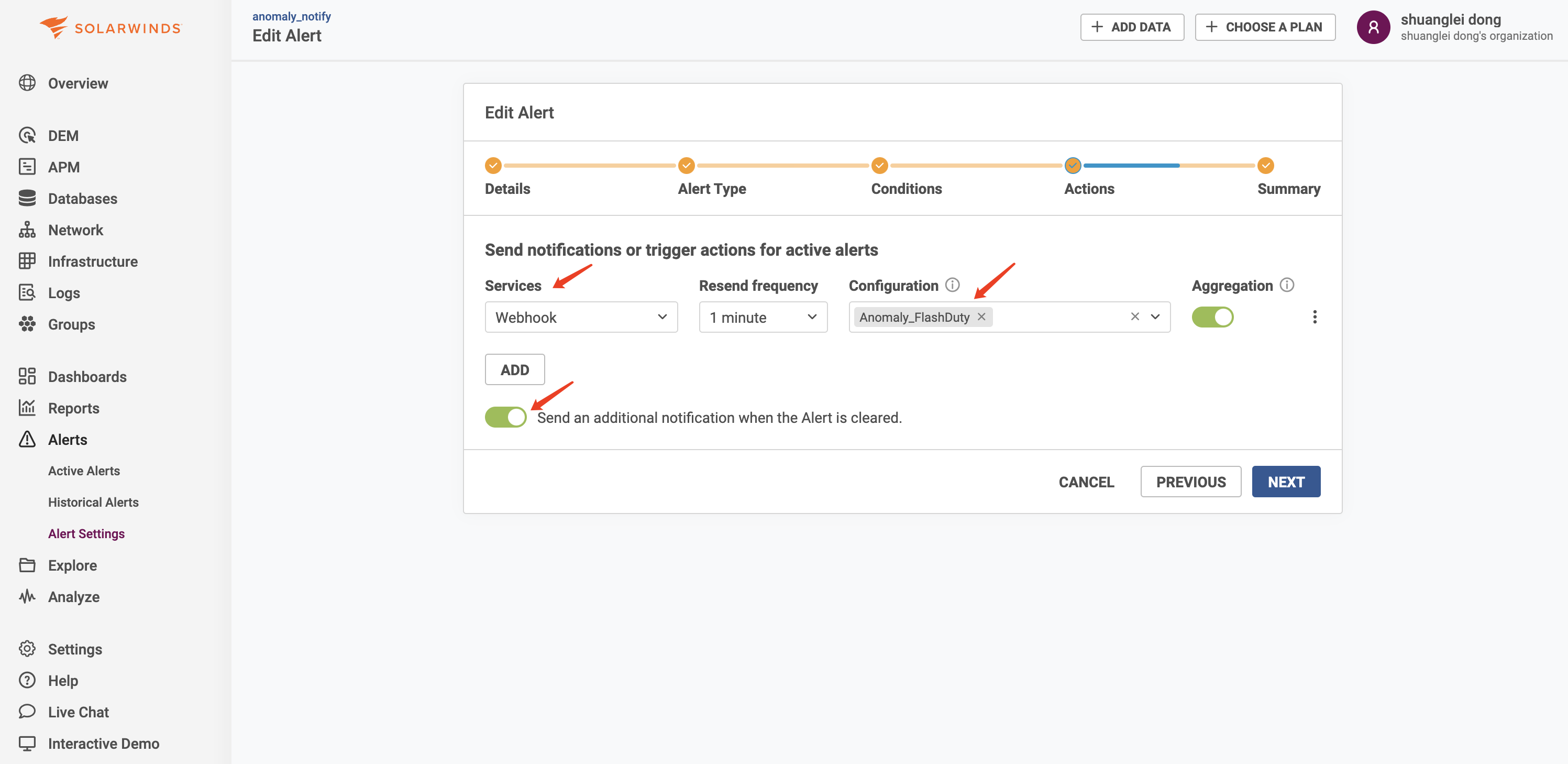
- Click
Saveafter completing other configurations
II. Status Mapping
| SolarWinds | Flashduty | Status |
|---|---|---|
| Critical | Critical | Critical |
| Warning | Warning | Warning |
| Info | Info | Info |