

In Flashduty
You can obtain an integration push URL through either of these two methods:
Using Private Integration
Choose this simpler option when you don’t need to route alerts to different channels.Using Shared Integration
Choose this option when you need to route alerts to different channels based on the alert payload information.In Tencent Cloud CLS
Step 1: Configure Notification Channel Group
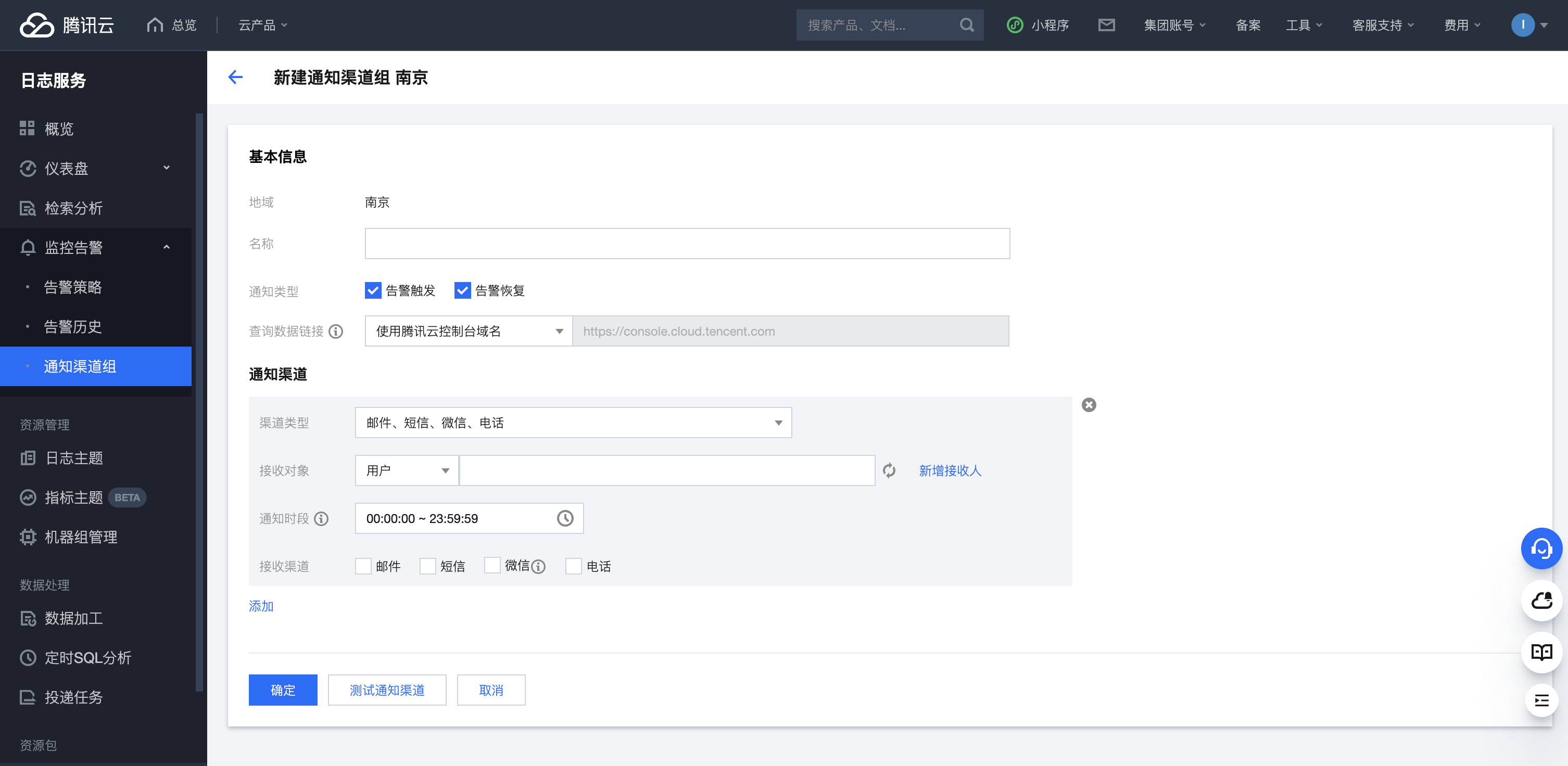
- Log in to your Tencent Cloud Console, select CLS service, and go to Monitoring Alerts - Notification Channel Groups
- Click
Createto start
-
As shown, enter a specific channel group name in
Name, select “Custom API Callback” forChannel Type, fill in the integration push URL inCallback URL, and select POST forRequest Method -
Click
OKto save,Addto add multiple channels
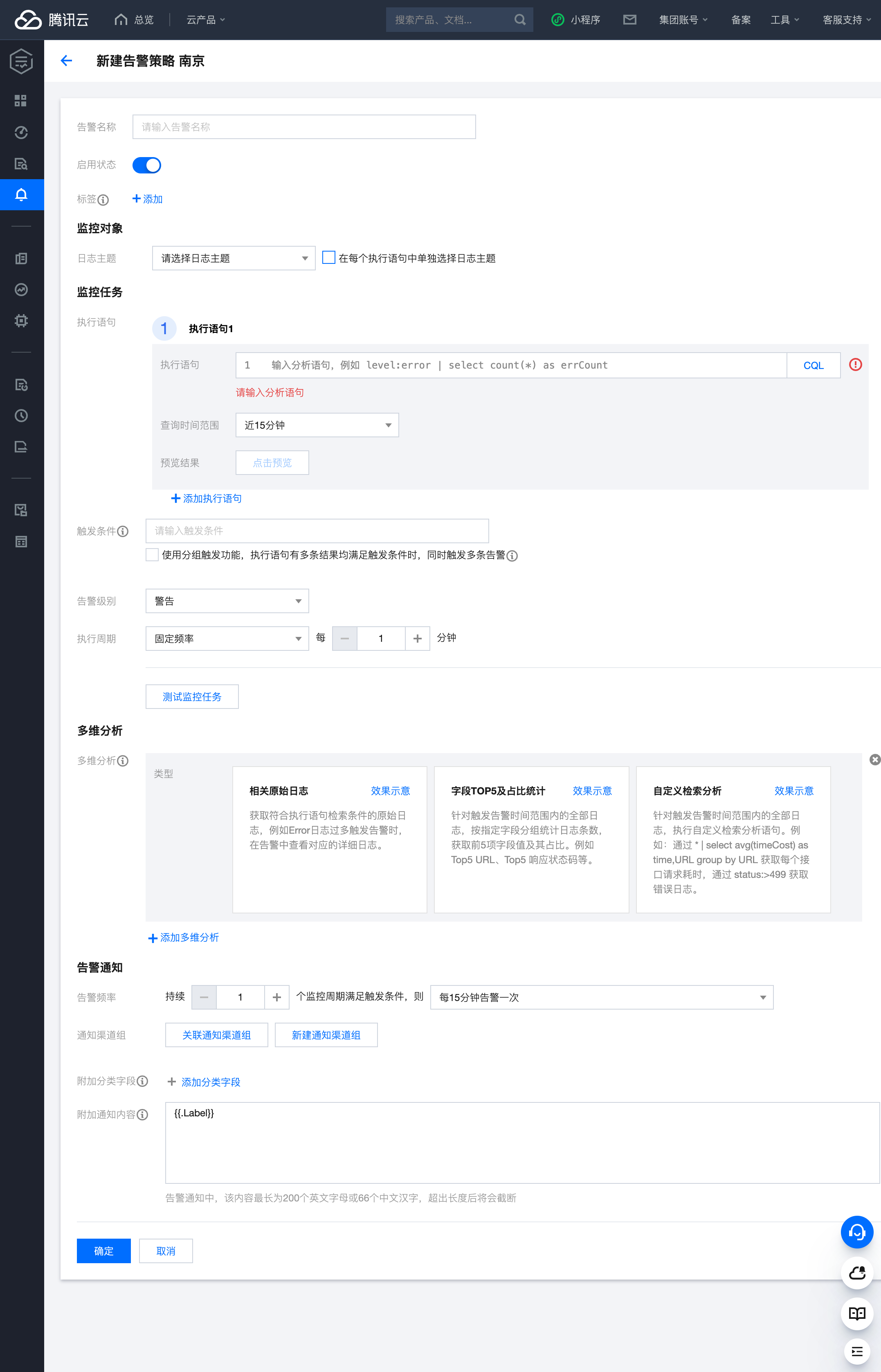
- Log in to your Tencent Cloud Console, select CLS service, and go to Monitoring Alerts - Alert Policies
- Click
Createto start
-
As shown, enter a specific alert name in
Alert Name, select the specific log topic -
Fill in specific query statements in
Execution Statement, select time range for query period, click Preview to check execution results, enter specific trigger conditions -
For
Alert Level, choose between Critical, Warning, and Info based on alert severity, select execution cycle as needed -
Multi-dimensional Analysisallows additional log analysis when alerts trigger, attaching results to notifications to help identify alert causes. This analysis doesn’t affect alert trigger conditions. -
For alert notifications,
Notification Channel Groupcan be linked to specific channel groups
- After linking the channel group, you can see callback content configuration
- Request headers can be added as needed
- Request content format reference:
Status Mapping
Tencent Cloud CLS monitoring alert level mapping to Flashduty:
| Tencent Cloud CLS | Flashduty | Status |
|---|---|---|
| Info | Info | Info |
| Warn | Warning | Warning |
| Critical | Critical | Critical |