

In Flashduty
You can obtain an integration push URL through either of these two methods:
Using Private Integration
Choose this simpler option when you don’t need to route alert events to different channels.Using Shared Integration
Choose this option when you need to route alerts to different channels based on the alert event payload.In Influxdata
Supports Influxdata versions 1.x ~ 2.x, with different configurations for each version as detailed below.
I. Influxdata Configuration
Version 2.x
Step 1: Create Alert Channel
- Log in to your
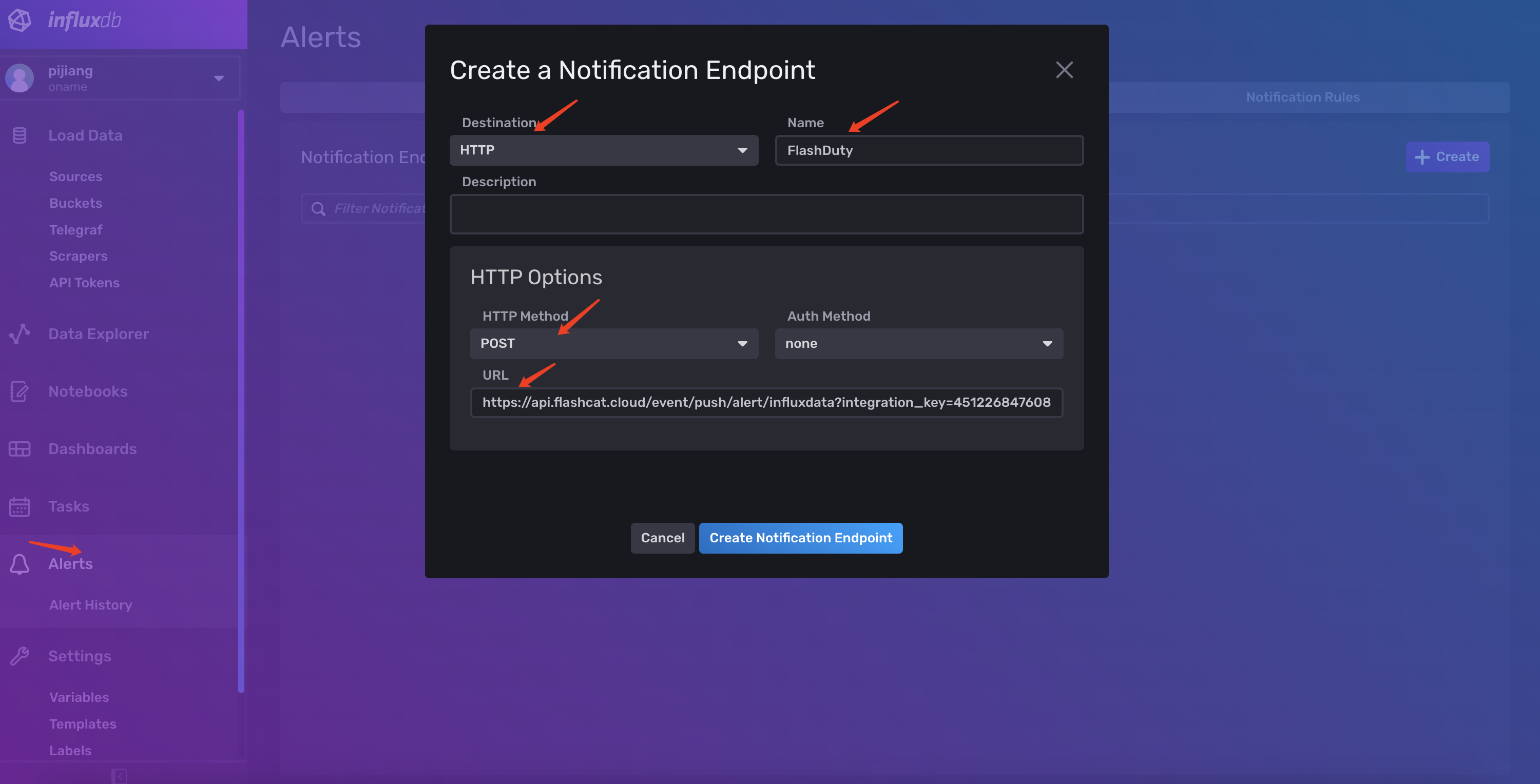
Influxdataconsole and navigate to theAlerts > Notification Endpointspage. - Click
Createto create an alert notification channel. - Select
HTTPforDestinationand enterFlashdutyforName. - Choose
POSTforHTTP Methodand enter the integration push URL.
Step 2: Use the Channel Created in Step 1 in Notification Rules
- Log in to your
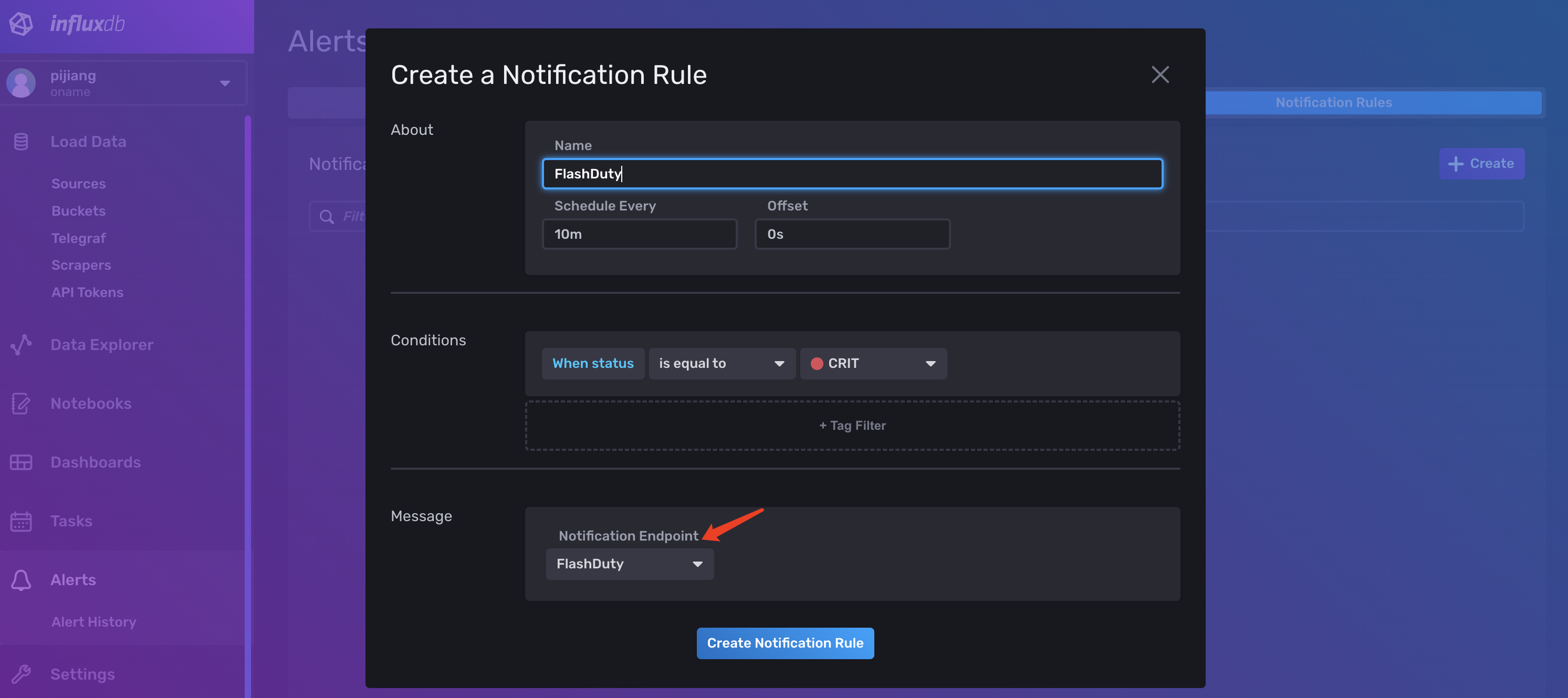
Influxdataconsole and navigate to theAlerts > Notification Rulespage. - Click
Createto create an alert notification rule. - Configure
AboutandConditionsas needed. - Select
Flashdutycreated in Step 1 forMessage.
- Done.
Version 1.x
- Log in to your
Influxdataconsole and navigate to theAlerting > Alert Rulespage - Click on the alert rule you want to synchronize events for, enter the
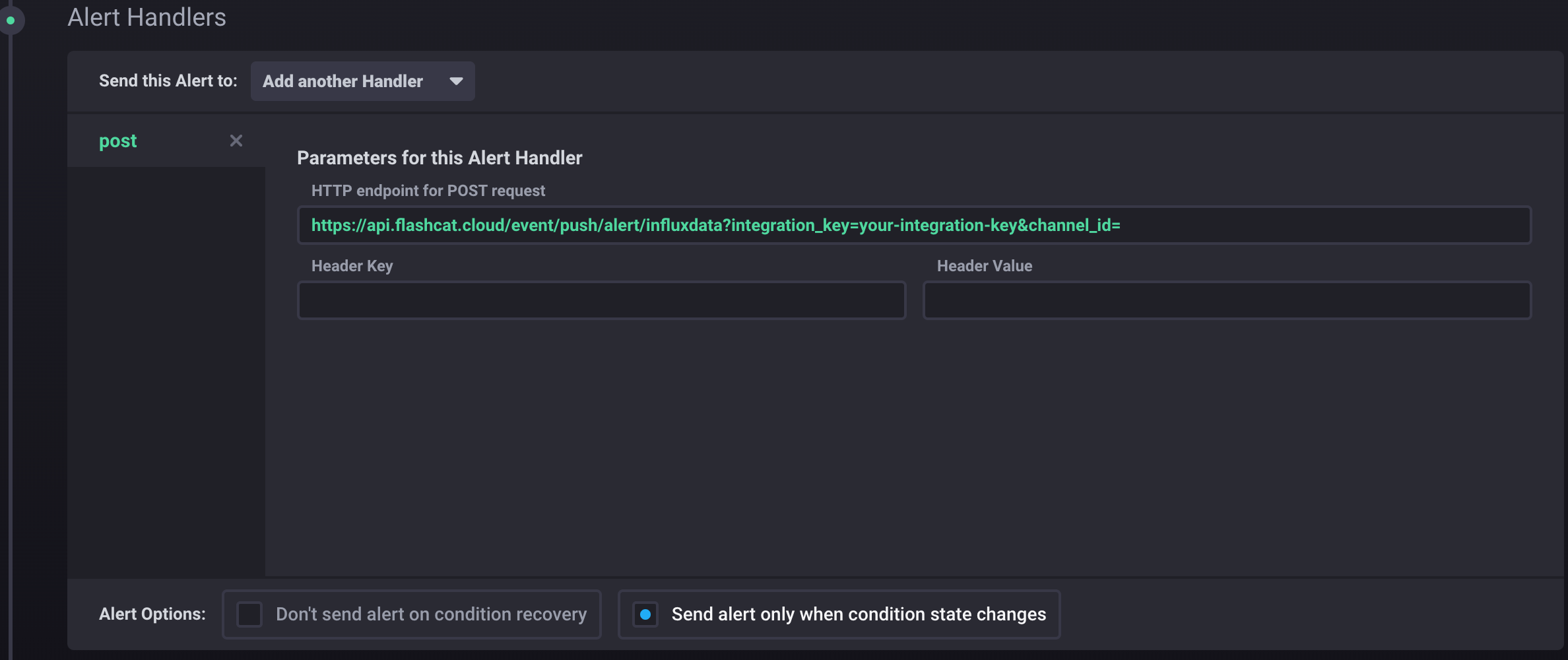
Alert Rule Builderpage to start editing the rule - In the
Alert Handlerssection, selectAdd Another Handler, chooseposttype, and enter the integration push URL inHTTP endpointas shown below:
- Click the
Save Rulebutton to save. Wait for event triggering. If the latest event time is displayed in the integration list, the configuration is successful and events are being received - Done
II. Status Mapping
Mapping relationship between Influxdata alert events and Flashduty alert severity:
| Influxdata | Flashduty | Status |
|---|---|---|
| CRITICAL | Critical | Critical |
| WARNING | Warning | Warning |
| INFO | Info | Info |
| unknow | Info | Info |