

In Flashduty
You can obtain an integration push URL through either of these two methods:
Using Private Integration
Choose this simpler option when you don’t need to route alerts to different channels.Using Shared Integration
Choose this option when you need to route alerts to different channels based on the alert payload information.In Tencent BlueKing
The following content has been verified on
BlueKing V6/7 versions. V5 and below versions are no longer officially supported, and upgrading is recommended.
BlueKing alert policies can trigger Action Plans, which can integrate with external systems for complex functionalities. First, create an Action Plan and configure the Flashduty callback URL, then edit the alert policy to associate actions with this plan, enabling automatic alert changes to be pushed to Flashduty. Here are the specific steps:
Step 1: Create Action Plan
- Log in to your BlueKing desktop and enter the
Monitor Platform; - Go to
Configuration-Action Planspage, click theAdd Planbutton to start creating an action plan; - Enter the name as
Send To Flashduty, selectHTTP Callbackas the plan type, choosePOSTas the push method, and fill in the integration push URL (obtained after saving the integration), as shown below:
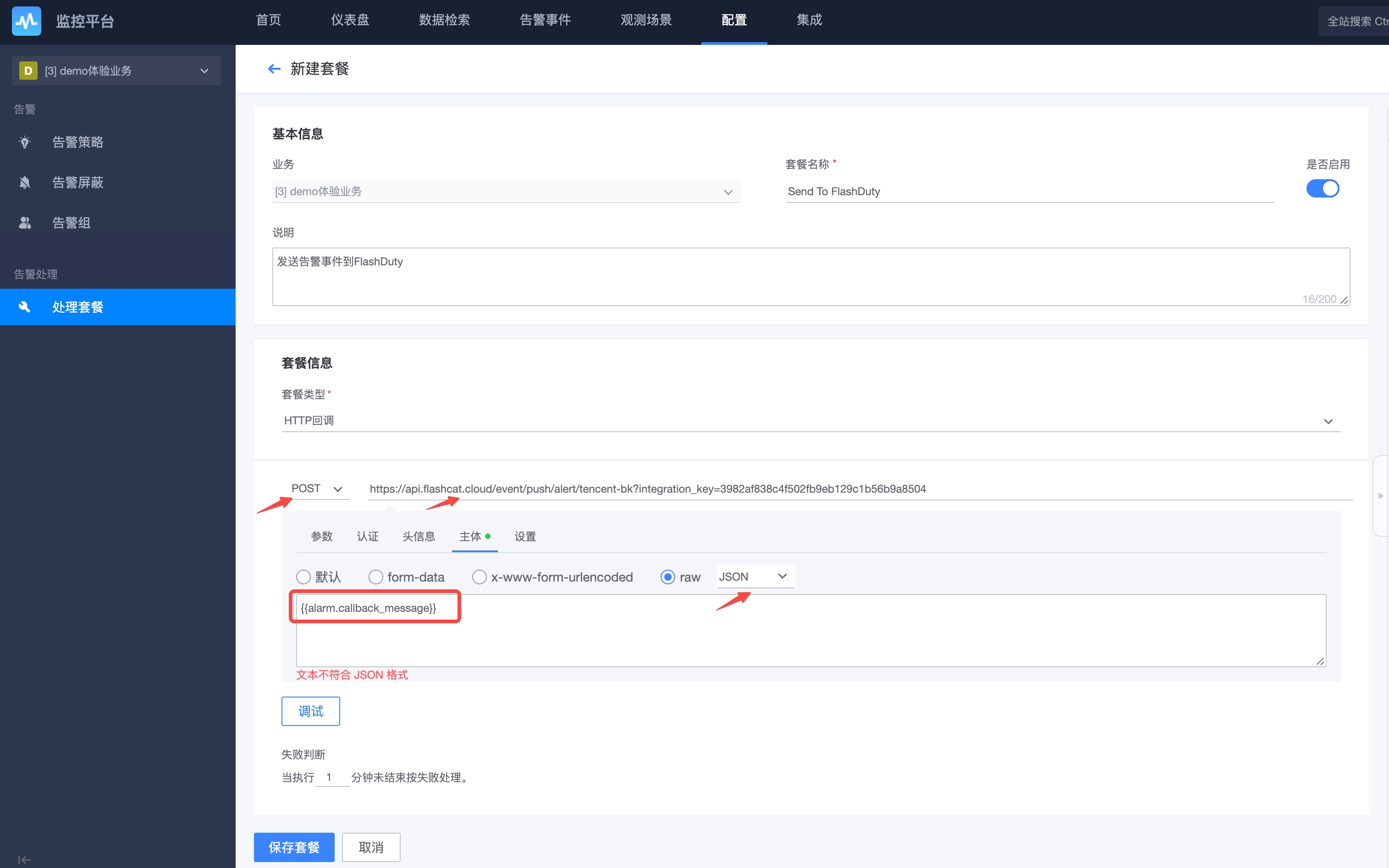
- Switch to
Body, selectJSONtype, copy and paste the following information (when an actual alert occurs, BlueKing will render the variable content as the payload to push to the target callback URL):
- Save the plan to complete creation.
Step 2: Edit Alert Policy
- Go to
Configuration-Alert Policiespage, select an existing policy to edit or create a new one; - Scroll down to the
Alert Processingsection, select theSend To Flashdutyaction plan for all three scenarios, and disableDefense Rules, as shown below:
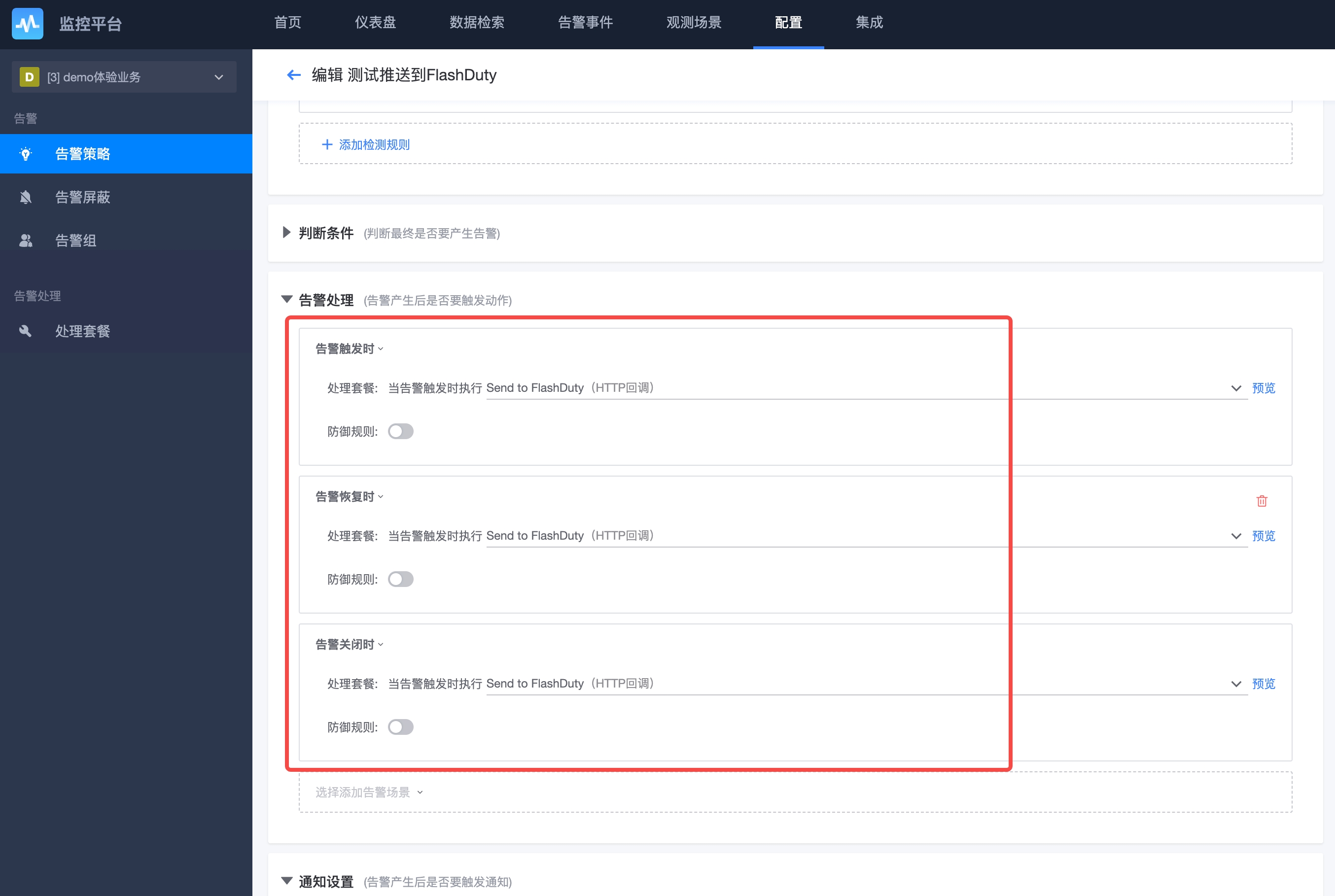
- Submit and save to complete;
- Repeat these steps for other alerts you want to push to Flashduty.
Status Mapping
Alert severity mapping between BlueKing and Flashduty:
| BlueKing | Flashduty | Status |
|---|---|---|
| Fatal | Critical | critical |
| Warning | Warning | warning |
| Notice | Info | info |