

In Flashduty
You can obtain an integration push URL through either of these two methods:
Using Private Integration
Choose this method when you don’t need to route alert events to different channels - it’s simpler.Using Shared Integration
Choose this method when you need to route alerts to different channels based on the alert event payload.In Volcengine
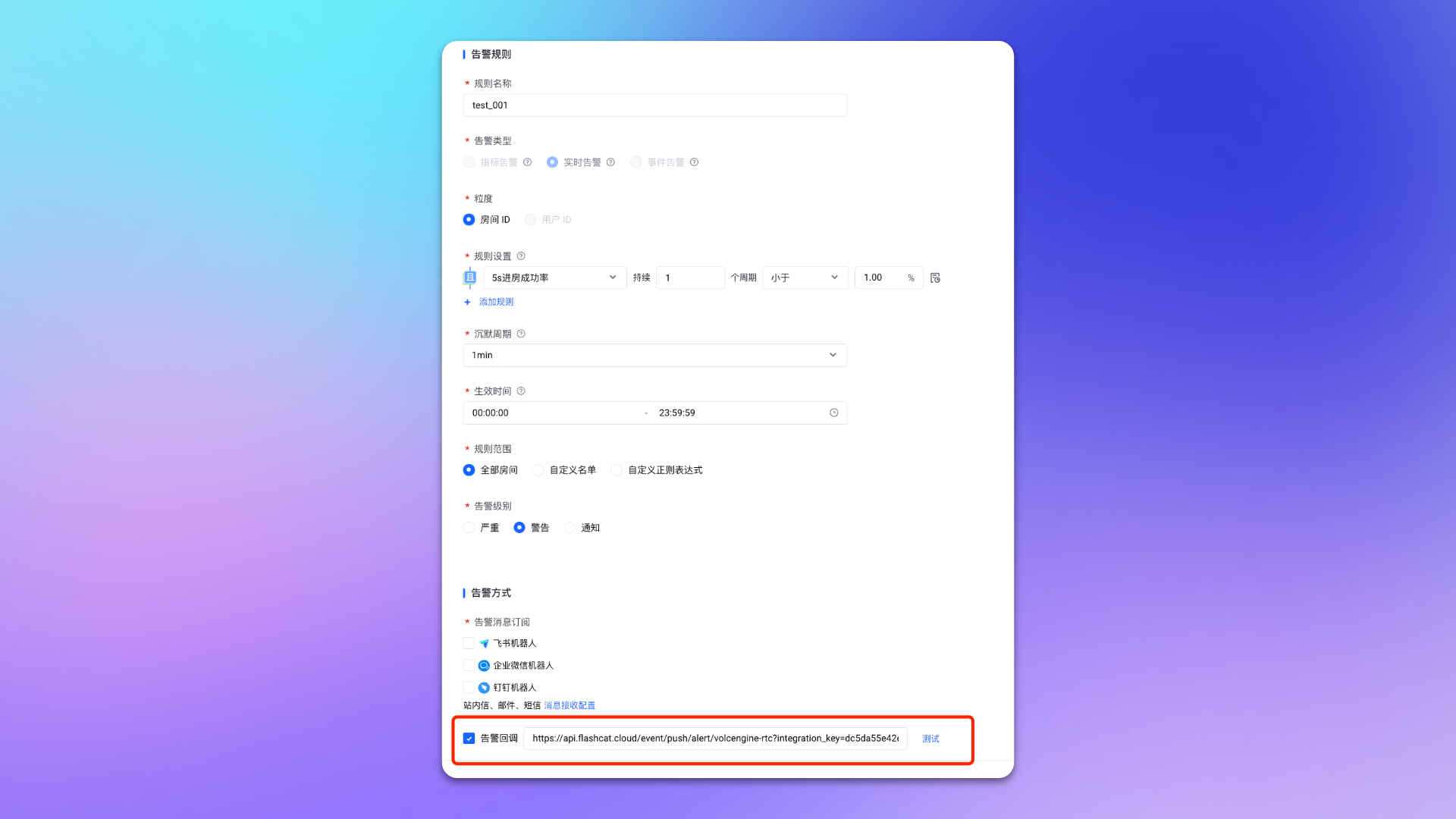
Configure Alert Rules
- Login to your
Volcengineconsole, findRTC, and enter the corresponding product console. - In the left menu, select
Monitor->Alert Notifications, and go to theAlert Rulespage. - Create or edit an alert rule, check
Alert Callbackon the rule page and fill in the push URL for the alert integration. - Configure other options as needed.
- Click
Confirmto complete the configuration.
Status Mapping
| Volcengine RTC | Flashduty | Status |
|---|---|---|
| Critical | Critical | Critical |
| Warning | Warning | Warning |
| Notice | Info | Info |