

In Flashduty
You can obtain an integration push URL through either of these two methods:
Using Private Integration
Choose this simpler option when you don’t need to route alert events to different channels.Using Shared Integration
Choose this option when you need to route alerts to different channels based on the alert event’s payload information.In Jiankongbao
I. Jiankongbao Alert Push Configuration
Step 1: Configure Alert Channel
- Log in to the Jiankongbao console
- Click Personal Configuration in the upper right corner
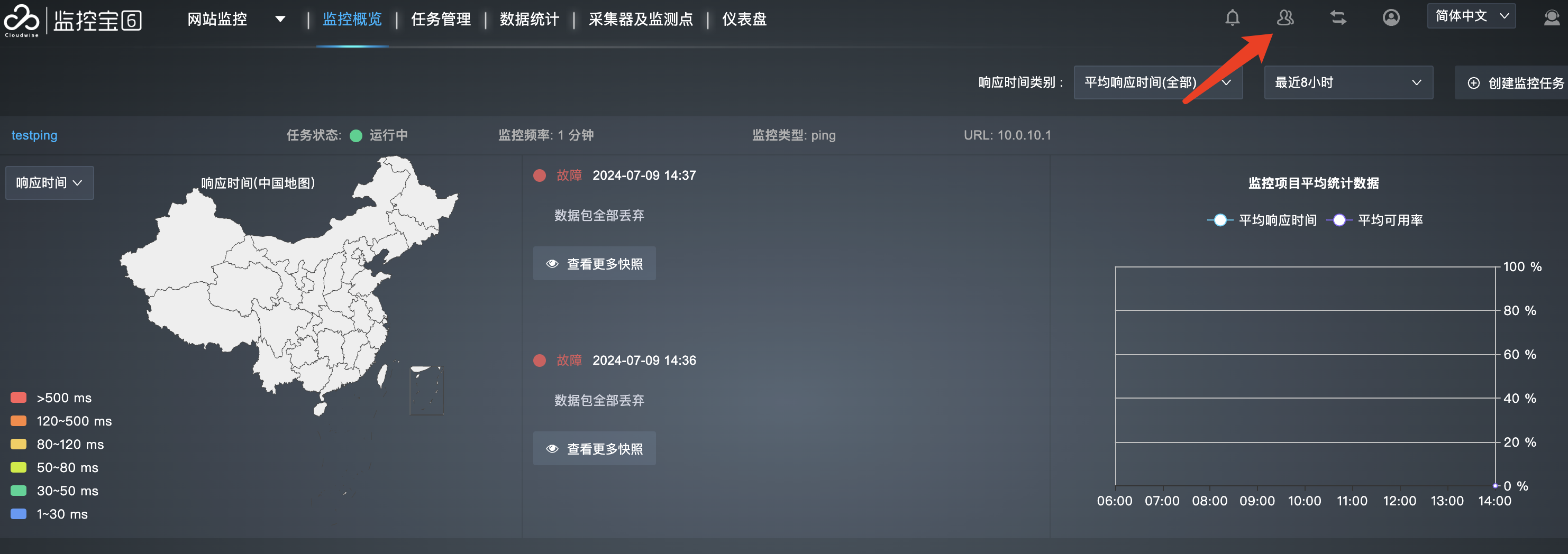
- Click Webhooks Settings in the left navigation bar, then click Add and select URL Callback
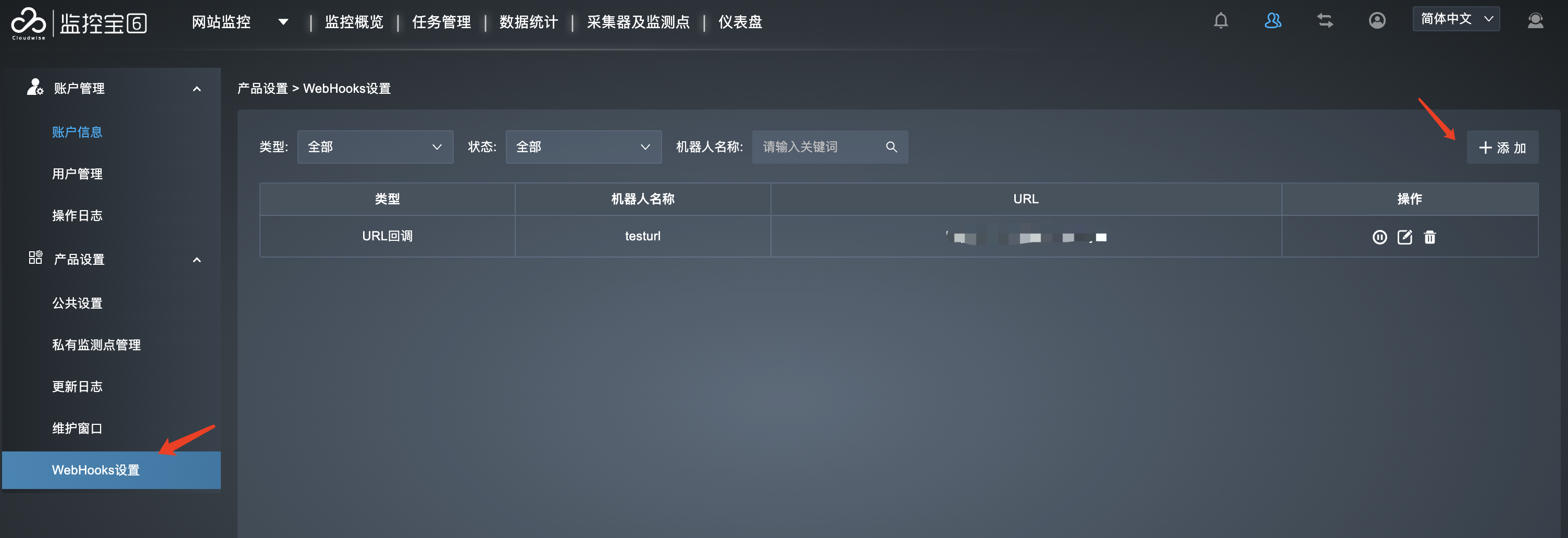
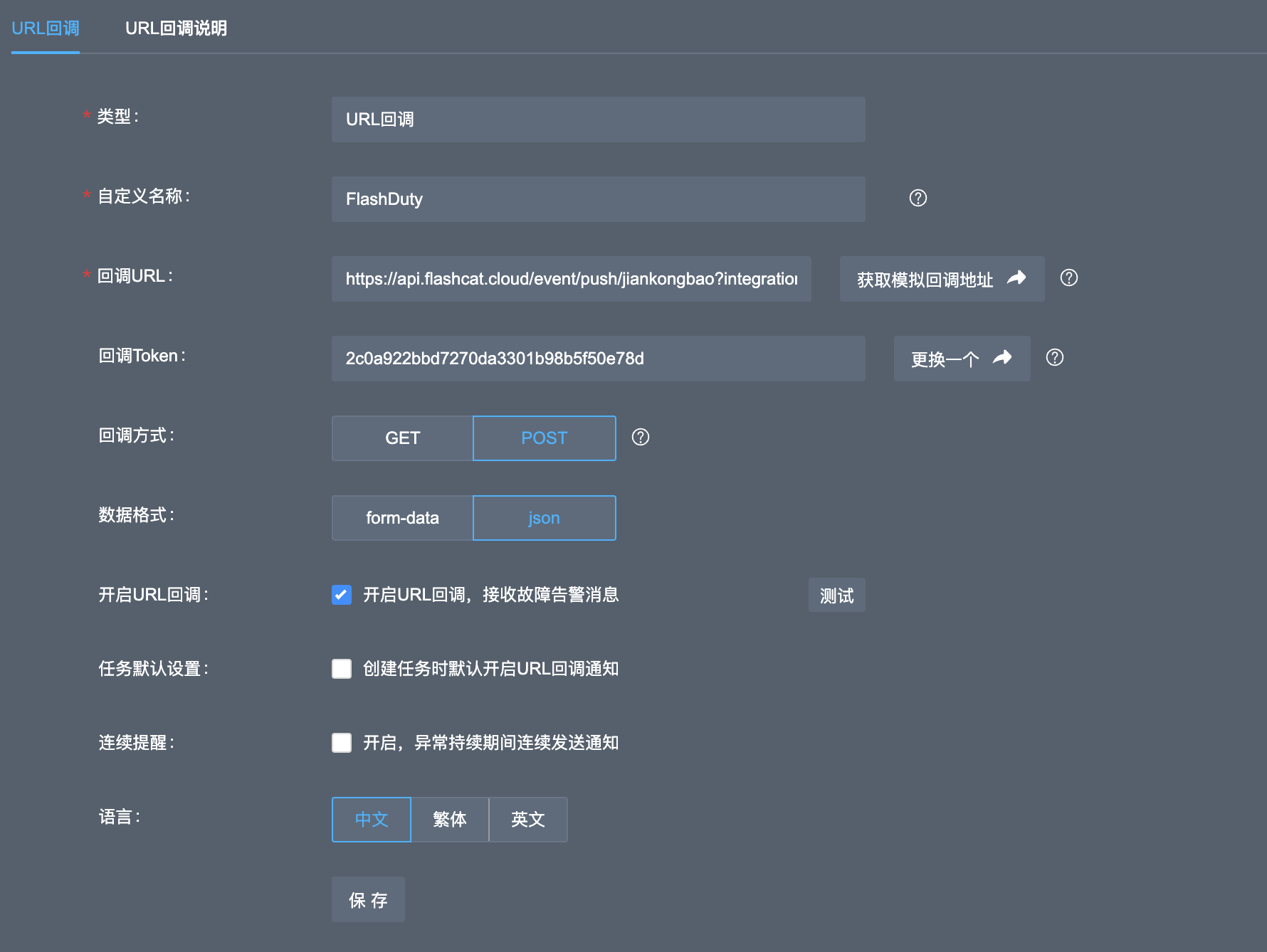
- Enter Flashduty as the custom name, and input the copied integration push URL
- Select POST as the callback method and JSON as the data format
- Check Enable URL Callback, configure other options as needed, refer to the image below
- Click Save
Step 2: Use Flashduty Alert Channel in Monitoring Tasks
- Create or edit an existing monitoring task
- Other alert configurations are omitted here
- Under Webhook notification, select the Flashduty channel

- Save the monitoring task to complete
II. Status Mapping
| Jiankongbao | Flashduty | Status |
|---|---|---|
| 1 | Warning | Warning |
| 2 | Info | Info |