

In Flashduty
You can obtain an integration push URL through either of these two methods:
Using Private Integration
Choose this simpler option when you don’t need to route alert events to different channels.Using Shared Integration
Choose this option when you need to route alerts to different channels based on the alert event’s payload information.In Tencent Cloud Monitor CM
- Log in to your Tencent Cloud Console and select Cloud Monitor
- Go to Alert Management -> Notification Templates page, click the New button to start editing a notification template
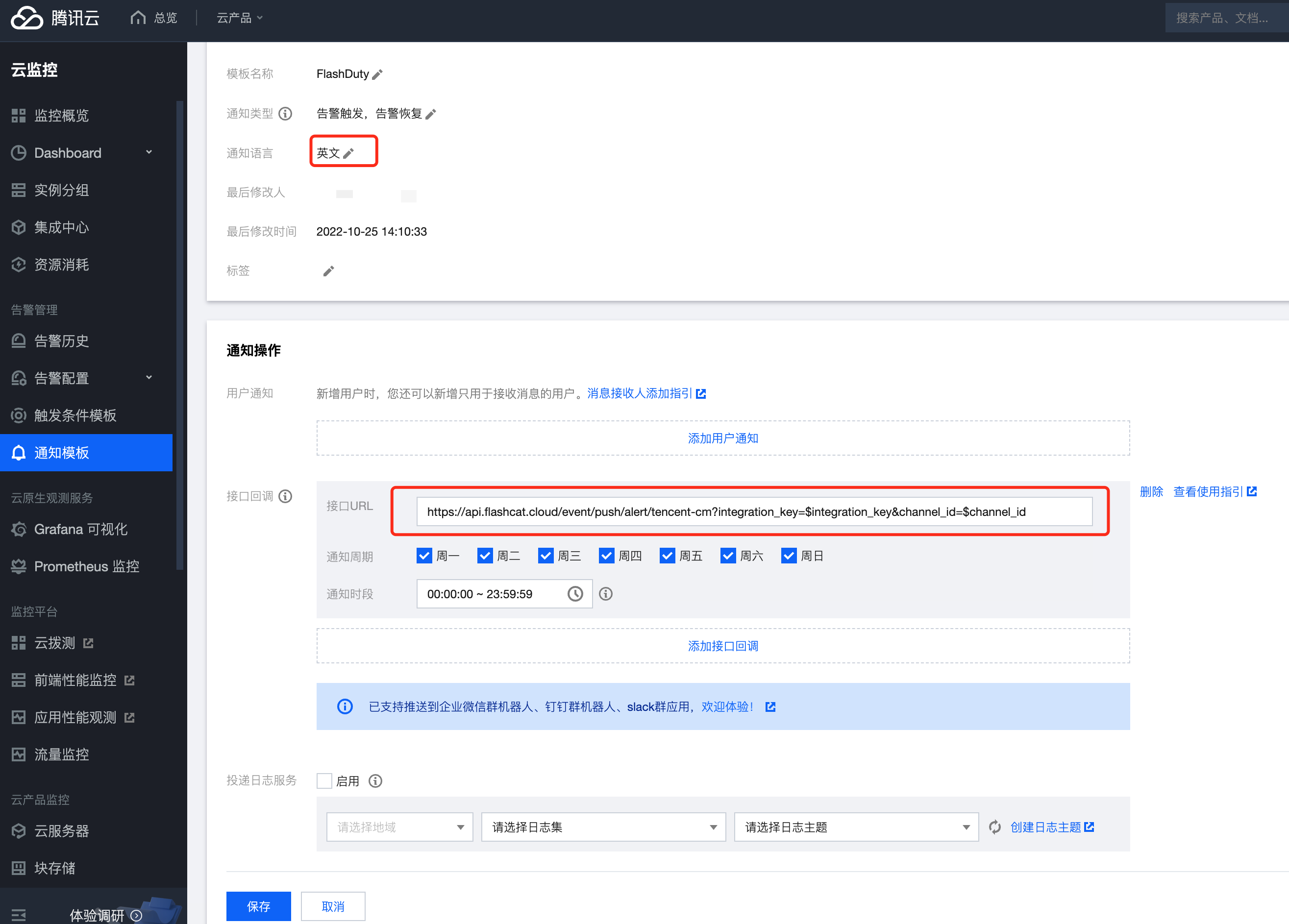
- Fill in the callback URL with the integration push URL, and select English as the notification language
- Click the Save button to save the template
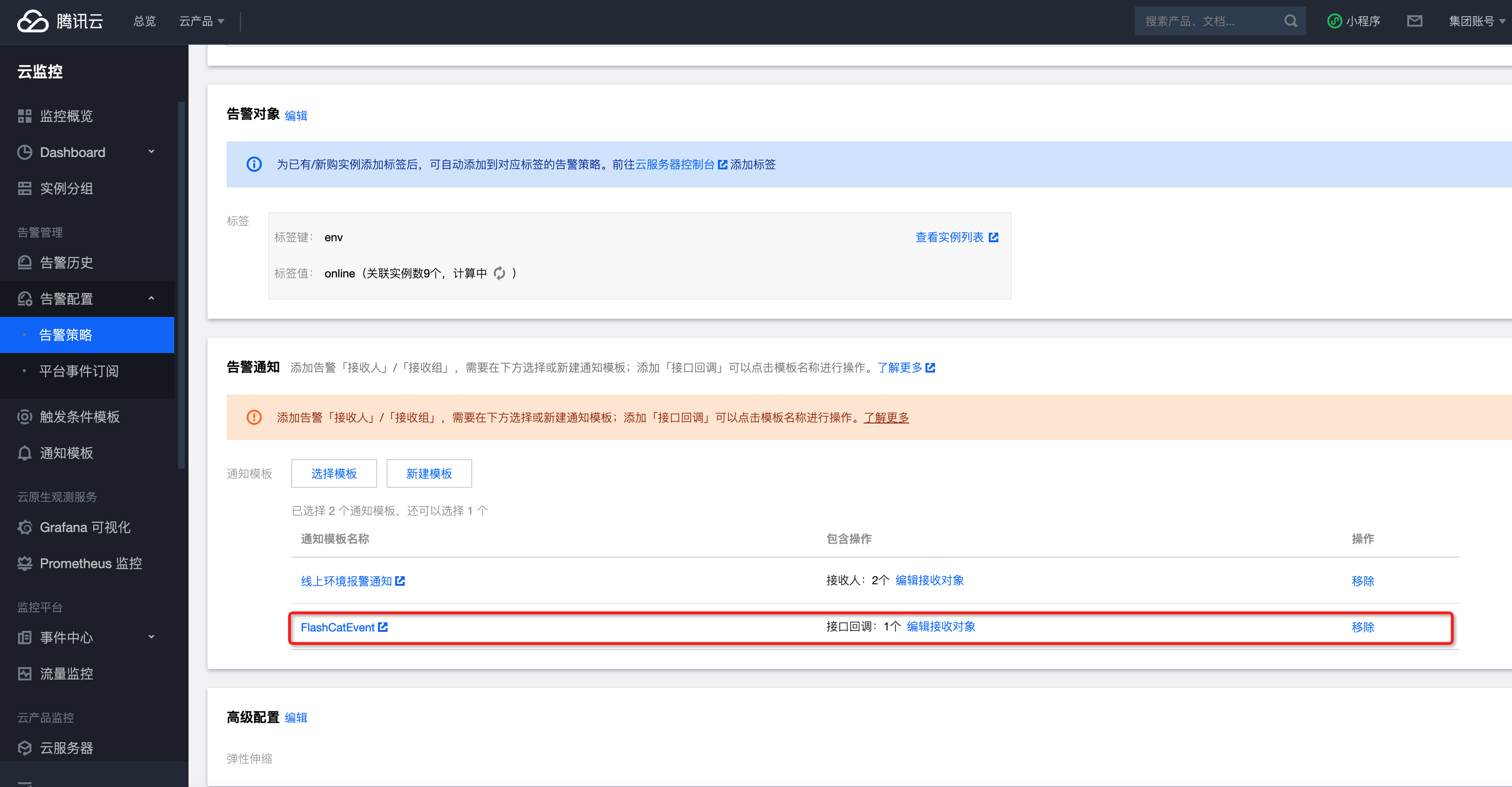
- Go to Alert Configuration -> Alert Policies page, select the alert policies for which you want to send events, enter details, and add the newly created notification template
- Return to the integration list, if the latest event time is displayed, the configuration is successful and events are being received
- Done
Status Mapping
All metric alerts from Tencent Cloud Monitor correspond to “warning” severity level alerts in Flashduty.